
Prisma Art Effect Photo Editor
Video Players & EditorsLatest APK
DownloadScreenshots
Related Apps
![]()
Broken Screen Prank
![]()
Fingerprint Scanner App
![]()
Firefox Fast & Private Browser
![]()
Allergy Plus by Pollen.com
![]()
Find My Phone By Clap, Whistle
![]()
Planner 5D: Home Design, Decor
![]()
Ghost Detector Real Life Radar
![]()
Pride Quiz LGBTIQ+
![]()
Galaxy Starry Keyboard Backgro
![]()
Instagram
![]()
Fun Fact- My Personal Fact
![]()
Audible: Audio Entertainment
![]()
Photo Frames
![]()
Photo Collage Maker & Editor
![]()
Japan Timetable & Route Search















About this app
 NamePrisma Art Effect Photo Editor
 CategoryVideo Players & Editors
 PriceFree
 Safety100% Safe
 DeveloperPrisma Labs, Inc.
 LabelPhotography
editor reviews
Prisma Art Effect Photo Editor is a photo editing app that makes turning your photos into artistic masterpieces simple and fast. I've been using it since it launched back in 2016, and it's become my go-to for adding a creative flair to my pictures. You can download it for free from both Google Play and the App Store. It has over 100 million installs on Google Play alone, which shows how popular it is. The app is free to download and use, and you don't need to register an account to start playing with the filters, which is super convenient. While the core app is free, there is a premium subscription called Prisma Premium that unlocks more filters and removes ads. There are some ads in the free version, but they're not too intrusive.
Using Prisma is really straightforward. I just open the app, choose a photo from my gallery, and then browse through the huge library of art filters. The filters are based on the styles of famous artists like Van Gogh or Picasso, and famous art styles. My tip is to try the same photo with different filters because some work better on portraits while others are amazing for landscapes. After picking a filter, I can adjust the intensity to get just the right look—sometimes a subtle effect is better than going full strength. Once I'm happy, I save the image directly to my phone or share it straight to Instagram or Facebook. It's that easy.
Compared to other photo editors like PicsArt or Adobe Lightroom, Prisma is in its own league for this specific art filter effect. While PicsArt has a ton of general editing tools, Prisma's filters are uniquely powerful and convincing. I choose Prisma over others when I want that specific painted look without having to manually tweak a dozen sliders. It feels less like a technical editing app and more like a fun, creative tool. The results often get more compliments on social media because they look genuinely artistic, not just filtered.
features
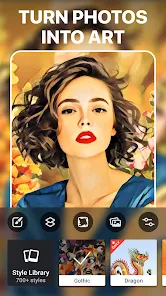
- 🎨 Transform Photos into Art: The core function is applying AI-powered art filters that convincingly make your photos look like paintings, sketches, or mosaics in the style of famous artists. It's much more specialized and effective for this than a general editor like Snapseed.
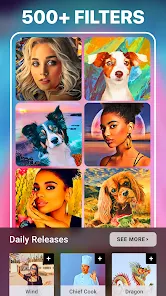
- 🎨 Huge, Unique Filter Library: It offers a massive and constantly updated collection of artistic styles, from classic oil paintings to modern graphic designs. This variety far surpasses the basic artistic filters found in many other apps.
- 🎨 Simple, Fast Processing: The app is designed for speed. You pick a photo and a style, and the AI processes it quickly to show the result. It's more streamlined for this single purpose compared to a feature-packed app like PicsArt.
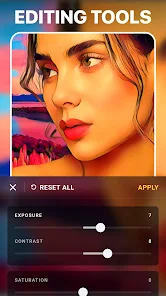
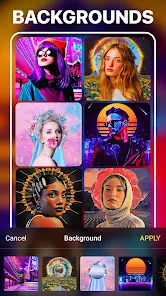
- 🎨 Basic Editing Tools: Alongside the art filters, it includes essential tools like cropping, adjusting, and adding backgrounds, so you can do light edits without leaving the app.
pros
- 👍 Unmatched Art Filter Quality: The AI technology behind the filters is top-notch. The artistic effects are more detailed and authentic-looking than what you find in similar apps, making your photos stand out.
- 👍 Ease of Use: It's incredibly user-friendly. The interface is clean, and you can create stunning art from a photo in just a few taps, which is faster and simpler than learning complex editing software.
- 👍 Great for Social Media: The results are perfectly optimized for sharing on platforms like Instagram, often generating more engagement than standard photo edits.
cons
- ⚠️ Requires Internet: Most of the advanced AI filters need an internet connection to process, which can be limiting compared to apps with fully offline functionality.
- ⚠️ Premium Model: Many of the newest and best filters are locked behind the Prisma Premium subscription, whereas some competitors offer more for free.
















































