

Screenshots
Related Apps
![]()
Pocket FM: Audio Series
![]()
FalFal: Astrology, Tarot, Love
![]()
Google Drive
![]()
Yuka - Food & cosmetic scan
![]()
GroupMe
![]()
AgeCam: Face Age Changer App
![]()
Air Horn Prank (Loud Joke)
![]()
Palm Secret - Aging&Cartoon
![]()
YouTube
![]()
Anime Girl Wallpapers
![]()
Doodle Art: Magic Drawing App
![]()
Moises: The Musician's AI App
![]()
Zodiac Palm Reader: MagicWay
![]()
DeepSeek - AI Assistant
![]()
Volume Control Sound Launcher















About this app
 NameAmazon Fire TV
 CategoryProductivity
 PriceFree
 Safety100% Safe
 DeveloperAmazon Mobile LLC
 LabelTools
editor reviews
Amazon Fire TV is a streaming media player app designed to help you turn your compatible TV into a smart entertainment hub. It's the companion app for Amazon's Fire TV devices and smart TVs with Fire TV built-in, letting you control your experience right from your phone. The app itself launched alongside the hardware, and you can download it for free from both the Google Play Store and the Apple App Store. It has been installed by tens of millions of users. There's no cost to install the app, and you don't need to create a separate account just for the app if you already have an Amazon account. It uses your existing Amazon login. While the app is free, it's a gateway to various subscription services like Prime Video, Netflix, and Disney+, which require their own payments. The app itself doesn't have in-app purchases for features, but it will show ads and promotions for content available on the Fire TV platform.
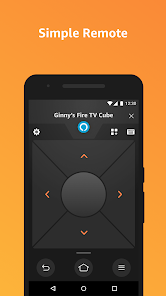
Using the Amazon Fire TV app is pretty straightforward and actually makes browsing way easier than using the physical remote sometimes. After you download and install the app, you just open it and connect to your Fire TV device on the same Wi-Fi network. Once connected, your phone screen turns into a full remote with a keyboard, which is a lifesaver for typing in passwords or search terms. I use it all the time to quickly search for a movie across all my apps without clicking letter by letter on the TV. A simple tip from a regular user: make sure your phone's volume is up if you're using the app's voice search feature through the microphone button on the remote. Also, the app lets you browse content and see details on your phone before you even cast it to the big screen, which is great for deciding what to watch without interrupting whoever is already watching TV.
Compared to other smart TV remote apps or even the standard Roku app, I keep coming back to Amazon Fire TV. The main reason is how deeply integrated it is with the Amazon ecosystem. If you're a Prime member, finding and launching Prime content is incredibly fast. The app feels more like a direct extension of the Fire TV interface rather than just a simple remote. Some other apps just offer basic directional controls, but this one gives you full access to the home screen, your library, and even lets you use your phone's keyboard for typing, which others sometimes lack. For someone who uses multiple streaming services but shops on Amazon a lot, the convenience of having everything linked in one place, controlled from my phone that's always in my hand anyway, makes it the obvious choice over more generic universal remote apps.
features
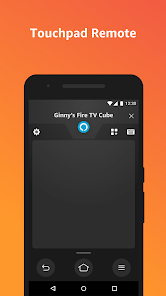
- 📱 Full-Featured Remote Control: It completely replaces your physical remote, offering touchpad navigation, a keyboard for easy typing, playback controls, and a microphone for voice search, all from your phone.
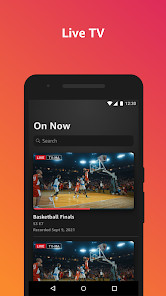
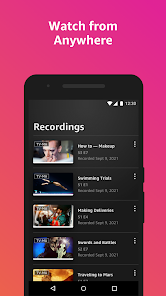
- 📱 Content Discovery & Quick Launch: You can browse movies, shows, and apps directly on your phone screen. Tapping on any title instantly launches it on your Fire TV, which is much faster than browsing on the TV itself.
- 📱 Powerful Voice Search: The integrated voice search lets you find content across multiple installed apps (like Netflix, Hulu, Prime Video) simultaneously, a feature that often works better than the basic search on many other platform apps.
pros
- 🌟 Seamless Keyboard Integration: Typing with your phone's keyboard is a massive time-saver compared to pecking letters with a TV remote, a feature where Fire TV's app excels over many competitors.
- 🌟 Deep Ecosystem Integration: For Amazon Prime users, access to your watchlist, purchases, and rentals is instant and perfectly synced, offering a more cohesive experience than more generic media player apps.
- 🌟 Reliable Connection & Control: The app consistently finds and connects to my Fire TV stick quickly, and the connection is stable, which isn't always the case with some other brand's companion apps.
cons
- ⚠️ Persistent Ads & Promotions: The home screen within the app is cluttered with ads for Amazon content, which can feel intrusive compared to cleaner interfaces like Apple TV's remote app.
- ⚠️ Limited Universal Control: It only works with Fire TV devices, so you can't use it to control other brand's streamers or your TV's power/volume, unlike some true universal remote apps.














































