

Picsart AI Photo Editor, Video
Video Players & EditorsLatest APK
DownloadScreenshots
Related Apps
![]()
Pocket FM: Audio Series
![]()
FalFal: Astrology, Tarot, Love
![]()
Google Drive
![]()
Yuka - Food & cosmetic scan
![]()
GroupMe
![]()
AgeCam: Face Age Changer App
![]()
Air Horn Prank (Loud Joke)
![]()
Palm Secret - Aging&Cartoon
![]()
YouTube
![]()
Anime Girl Wallpapers
![]()
Doodle Art: Magic Drawing App
![]()
Moises: The Musician's AI App
![]()
Zodiac Palm Reader: MagicWay
![]()
DeepSeek - AI Assistant
![]()
Volume Control Sound Launcher















About this app
 NamePicsart AI Photo Editor, Video
 CategoryVideo Players & Editors
 PriceFree
 Safety100% Safe
 DeveloperPicsArt, Inc.
 LabelPhotography
editor reviews
Picsart AI Photo Editor, Video is a creative editing app designed to help you edit photos and videos with powerful AI tools. I've been using Picsart for a few years now, ever since I wanted to make my social media posts look more professional without needing complicated software. It's a super popular app that launched way back and you can download it on both Google Play and the App Store. On Google Play alone, it has over a billion installs, which just shows how many people trust it. The best part? You can install the basic app for free. You don't even need to register to start playing with some of the filters and tools, which is great for trying it out. Of course, if you want to save your creations or use more features, making an account is easy. The free version does have ads and in-app purchases for the premium subscription, called Picsart Gold, which unlocks a ton of advanced stuff like more AI tools and removing watermarks.
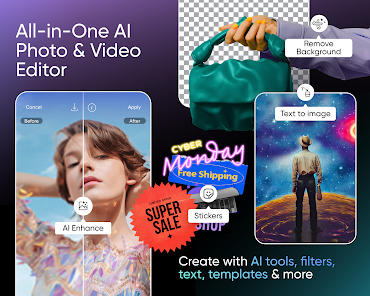
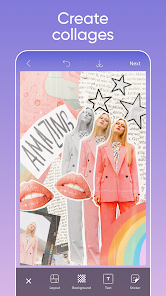
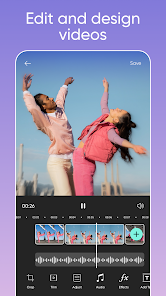
Using Picsart feels like having a mini photo studio in your pocket. I usually start by opening a photo from my gallery. The first thing I do is often use the 'AI Enhance' tool—it automatically adjusts the lighting and colors and makes my pics look crisp with just one tap. For videos, the cutout tool is magic; it can remove the background from a clip so easily. A simple tip from a regular user: don't ignore the 'Effects' and 'Stickers' sections. You can search for almost anything, like "sparkle" or "vintage," and find the perfect add-on. I also love making collages; the app has pre-set grids that make arranging multiple photos a breeze. When I'm done, I either save it to my device or share it directly to Instagram or TikTok. It's become my go-to for quick, impressive edits before posting.
Compared to other apps like Adobe Lightroom or Canva, I keep coming back to Picsart. Lightroom is amazing for pure photo correction if you're a pro, but for fun, creative edits with text, stickers, and drawing, Picsart has more to offer in one place. Canva is fantastic for design templates, but its photo manipulation tools aren't as deep. What makes me choose Picsart is how everything is integrated. I can start with a photo, turn it into a sticker with the AI cutout, use that sticker on a video, and add fun text—all without leaving the app. It's just more playful and intuitive for everyday use, and the constant updates with new AI features keep it feeling fresh.
features
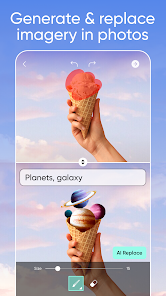
- ✨ The AI-powered tools are the star. Features like the AI Background Changer let you replace any background in seconds, something that used to require Photoshop skills. Compared to similar apps, Picsart's AI feels faster and gives more realistic results.
- ✨ The all-in-one editing suite is unbeatable. You get photo editing, video editing, collage making, and graphic design tools in a single download. Other apps often specialize in just one area, forcing you to switch between multiple installs.
- ✨ The sticker and clipart library is massive and searchable. Need a cartoon coffee cup or a glitter border? Just type it in. This creative asset library is much more extensive and integrated than what you find in most other free editors on Google Play.
- ✨ The community and templates provide endless inspiration. The app has a feed where you can see edits from other users and remix their templates, which is a huge help when you're stuck for ideas—a feature many competitors lack.
pros
- 👍 The AI tools are incredibly powerful for a mobile app. The object remover and sky replacer work shockingly well, often better than in other popular free editors, making complex edits simple.
- 👍 It's incredibly user-friendly for beginners. The interface is clean, and tools are explained well, lowering the barrier to creative editing compared to more professional-grade apps.
- 👍 The sheer volume of free content is impressive. Thousands of fonts, filters, and stickers are available without a subscription, offering more value upfront than many similar apps that lock basics behind a paywall.
cons
- ⚠️ The free version has persistent ads and watermarks on some exports, which can interrupt the workflow. Some competing apps have a less intrusive ad experience for basic users.
- ⚠️ The app can feel a bit bloated and slow to load on older phones, as it packs so many features. More lightweight alternatives launch and run faster.












































