

Screenshots

Related Apps
![]()
Broken Screen Prank
![]()
Fingerprint Scanner App
![]()
Firefox Fast & Private Browser
![]()
Allergy Plus by Pollen.com
![]()
Find My Phone By Clap, Whistle
![]()
Planner 5D: Home Design, Decor
![]()
Ghost Detector Real Life Radar
![]()
Pride Quiz LGBTIQ+
![]()
Galaxy Starry Keyboard Backgro
![]()
Instagram
![]()
Fun Fact- My Personal Fact
![]()
Audible: Audio Entertainment
![]()
Photo Frames
![]()
Photo Collage Maker & Editor
![]()
Japan Timetable & Route Search














About this app
 NameFind My Phone By Clap, Whistle
 CategoryProductivity
 PriceFree
 Safety100% Safe
 DeveloperNeko Soft
 LabelPersonalization
editor reviews
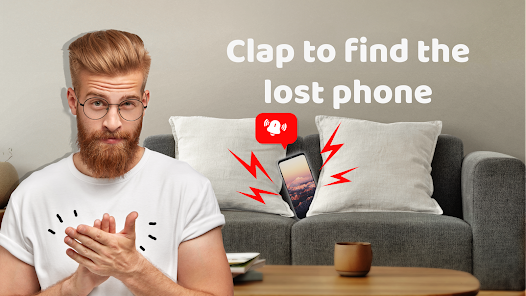
Find My Phone By Clap, Whistle is a utility app designed to help you locate your misplaced phone using sound. It's a clever little tool for those moments when your phone slips between the couch cushions or gets buried under a pile of papers. The app launched a while back and is available for free download on Google Play. It's not on the App Store for iPhone users, which is a bit of a limitation. On Android, it has racked up a decent number of installs, showing it's a popular choice for solving a common problem. You don't need to register or create an account to use it, which is great for quick access. The core function is completely free—you can download and install the app without paying anything. It does show ads to support development, but there are no in-app purchases to remove them, so you just have to live with the occasional banner. The idea is super simple: instead of frantically searching or asking someone to call your phone, you can just clap your hands or whistle, and the app will make your phone ring loudly, even if it's on silent or vibrate mode. It's perfect for when your hands are full or you're alone in the house.
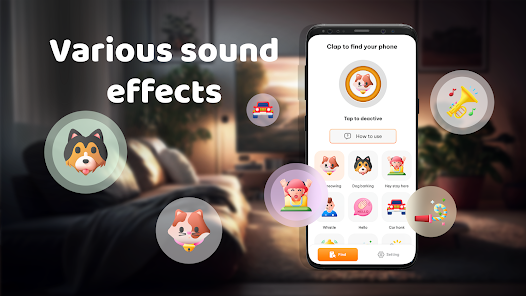
Using the app is straightforward. After you download and install it from Google Play, you open it and toggle the main switch to 'on'. You can choose your trigger sound—either a clap or a whistle. I find the clap detection works better in quieter rooms, while the whistle is useful if your hands are dirty. A simple tip from a regular user: make sure to test the sensitivity in your own environment first. The app has a sensitivity slider; I usually set it to medium to avoid it being triggered by random noises like a door closing. Another handy tip is to keep the app running in the background. Sometimes, after a phone restart, you might need to open the app again to reactivate the service. It's become a habit for me to just clap twice when I can't remember where I left my phone after charging. It saves so much time compared to logging into Google's Find My Device on another gadget.
Compared to other similar apps like 'Find My Device' by Google or 'Whistle Phone Finder', this app stands out for its pure simplicity and hands-free approach. Google's solution is more powerful for lost phones outside the home, but it requires another device and an internet connection. For a quick, in-the-moment search inside your apartment, clapping is faster. Other clapper apps often have clunkier interfaces or more permissions. I chose Find My Phone By Clap, Whistle because it does one job well without fuss. It doesn't ask for unnecessary permissions to your contacts or location. The interface is no-nonsense, just a big on/off button and settings. In a world of bloated apps, this one feels lightweight and focused. It's my go-to because it turns a minor daily annoyance into something I can solve in two seconds with a clap.
features
- 🔊 Sound Activation: The core feature lets your phone ring via clap or whistle, overriding silent mode. It's more immediate than other finder apps that need a second device.
- ⚙️ Minimal Setup: No registration or account needed. Download, install, and toggle on. Much simpler than configuring device administrators in official tools.
- 🎚️ Adjustable Sensitivity: A slider lets you fine-tune sound detection to your environment, reducing false alarms—a detail some similar free apps lack.
- 📱 Lightweight & Background Operation: Runs quietly in the background without draining much battery, focusing solely on its task unlike multipurpose utility apps.
pros
- 👍 Pure Simplicity: It excels at doing one thing instantly. No complex menus, just clap and find. Other apps bury this function.
- 👍 Truly Hands-Free: Perfect when your hands are wet or full. Better than voice commands that can fail in noisy places.
- 👍 Zero Login Friction: You don't need a Google account or internet, unlike Find My Device, making it faster for indoor use.
cons
- 👎 Ad-Supported Only: Contains ads with no option to remove them via purchase, which can be intrusive compared to similar apps with a premium tier.
- 👎 Android-Only: Not available on the App Store, limiting its usefulness for households with mixed devices.














































