

Screenshots

Related Apps
![]()
Pocket FM: Audio Series
![]()
FalFal: Astrology, Tarot, Love
![]()
Google Drive
![]()
Yuka - Food & cosmetic scan
![]()
GroupMe
![]()
AgeCam: Face Age Changer App
![]()
Air Horn Prank (Loud Joke)
![]()
Palm Secret - Aging&Cartoon
![]()
YouTube
![]()
Anime Girl Wallpapers
![]()
Doodle Art: Magic Drawing App
![]()
Moises: The Musician's AI App
![]()
Zodiac Palm Reader: MagicWay
![]()
DeepSeek - AI Assistant
![]()
Volume Control Sound Launcher















About this app
 NamePlanner 5D: Home Design, Decor
 CategoryLifestyle
 PriceFree
 Safety100% Safe
 DeveloperPlanner 5D
 LabelHouse & Home
editor reviews
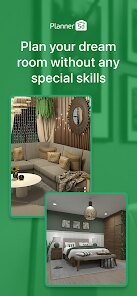
Planner 5D is a home design app designed to help you create detailed floor plans and decorate interiors in 2D and 3D. It's like having a powerful, simplified version of professional architecture software right on your phone or tablet. I first downloaded it from Google Play a few years ago when I was brainstorming a kitchen remodel, and it's been my go-to tool for any home project since. The app launched quite a while back and is available on both Google Play and the App Store, boasting millions of installs. The best part? You can download and install the basic version for free, which is incredibly generous. You don't even need to register an account to start playing around with the core design tools, which is great for quick experiments. Of course, like many free apps, it does have in-app purchases to unlock more advanced furniture catalogs and features, and you'll see some ads, but they're not overly intrusive for casual use.
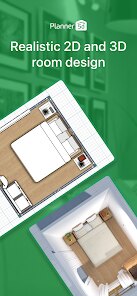
Using Planner 5D is surprisingly intuitive. I usually start by sketching out the room dimensions in the 2D mode, dragging walls and placing doors and windows. Then, with a tap, I switch to 3D to see my space come to life. The real fun begins with decorating. The app has a huge catalog of items—sofas, tables, plants, you name it. A simple tip from a regular user: don't get overwhelmed by the catalog at first. Just pick a few key pieces to place, then use the 'clone' feature to copy items around the room; it saves so much time. Another tip is to play with the different lighting modes (day, night, sunset) to get a real feel for how the room will look at various times. I've used it to plan everything from rearranging my living room furniture to designing a dream home office from scratch.
Compared to other home design apps I've tried, like Room Planner or MagicPlan, Planner 5D strikes the best balance for me. Some apps are too simplistic and feel like toys, while others are so complex they're frustrating on a small screen. Planner 5D feels just right. It gives me enough control and detail to feel like my designs are realistic without requiring a degree in CAD software. I chose it over others because the 3D visualization is smoother and more detailed, making it easier to share my ideas with family or contractors. They can really see what I'm imagining. For a free app you can install in minutes, it delivers a professional-looking result that's perfect for DIY enthusiasts and homeowners like me who want to visualize changes before making them.
features
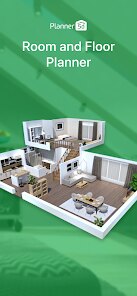
- 🏠 Create Detailed Floor Plans: You can draw walls to exact dimensions, add doors, windows, and stairs, building a complete 2D blueprint of any house or room from scratch or using a template.
- 🛋️ Furnish & Decorate in 3D: The massive catalog lets you drag and drop thousands of furniture items, appliances, and decor into your plan, then instantly view and navigate the fully furnished space in 3D.
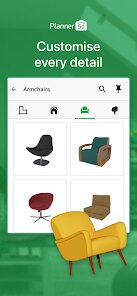
- 🎨 Customize Everything: Unlike some apps with fixed items, you can tweak colors, materials (like wood or fabric), and sizes for most objects, allowing for highly personalized designs.
- 👁️ Realistic Visualization: The app offers high-quality 3D rendering with different lighting modes and the ability to take snapshot "photos" of your design, which is a standout feature compared to flatter competitors.
pros
- ✅ Ease of Use: The interface is clean and much more user-friendly than professional software, making 3D design accessible to anyone who downloads it.
- ✅ Depth for Free: The free version offers substantial functionality, more than many similar apps that lock core features behind a paywall immediately after install.
- ✅ Cross-Platform: Designs sync between the app and their website, so you can start a project on your phone and refine it on a computer.
cons
- ⚠️ Catalog Limits: The free furniture catalog is large but some of the best, most modern items are locked behind a subscription, which can feel limiting.
- ⚠️ Performance: On older devices, rendering complex 3D scenes can sometimes be slow or laggy compared to lighter apps.













































