

Screenshots



Related Apps
![]()
Pocket FM: Audio Series
![]()
FalFal: Astrology, Tarot, Love
![]()
Google Drive
![]()
Yuka - Food & cosmetic scan
![]()
GroupMe
![]()
AgeCam: Face Age Changer App
![]()
Air Horn Prank (Loud Joke)
![]()
Palm Secret - Aging&Cartoon
![]()
YouTube
![]()
Anime Girl Wallpapers
![]()
Doodle Art: Magic Drawing App
![]()
Moises: The Musician's AI App
![]()
Zodiac Palm Reader: MagicWay
![]()
DeepSeek - AI Assistant
![]()
Volume Control Sound Launcher















About this app
 NameMicrosoft Teams
 CategoryBusiness
 PriceFree
 Safety100% Safe
 DeveloperMicrosoft Corporation
 LabelBusiness
editor reviews
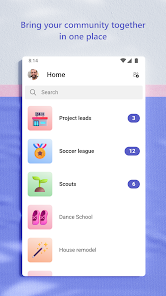
Microsoft Teams is a communication and collaboration app designed to help you chat, meet, and work together with your team. It's basically your office hub in your pocket. Launched back in 2017, it's available for download on both Google Play and the App Store. It has been installed hundreds of millions of times, making it one of the most popular work apps out there. The core app is free to download and use, which is great for getting started. You do need to sign up or sign in with a work, school, or personal Microsoft account to use it. While the free version is quite powerful, there are paid plans (Microsoft 365 subscriptions) that unlock more features for businesses, like longer meeting times and more cloud storage. You might see some promotional messages for these upgrades within the app, but it's not cluttered with disruptive ads like some free apps can be.
As a daily user, I open the Microsoft Teams app first thing in the morning to check my chats and calendar. I use it for everything: quick text chats with colleagues, hopping into voice or video calls directly from a channel, and collaborating on files we've shared. A simple tip is to pin your most important team channels to the top so you never miss updates. For meetings, I always test my audio and video right in the app before joining—it saves a lot of hassle. The mobile app lets me stay connected even when I'm away from my desk, approving requests or catching up on conversations during a commute. It really blurs the line between being in the office and being remote.
Compared to other similar apps like Slack, I often choose Microsoft Teams because it feels more integrated if my company already uses Office tools. Having Word, Excel, and PowerPoint built right into the conversations means less switching between different apps. While Slack can feel a bit more casual and fun with its many bots, Teams feels like it's built for getting actual work done in a structured way, especially for larger organizations. For pure video calls, apps like Zoom might be simpler, but for an all-in-one place where chat, meetings, files, and tasks live together, the Teams app on my phone is my go-to. It just consolidates everything I need for work in one tidy install.
features
- 🔗 Unified Hub: It combines chat, video meetings, file storage (via SharePoint), and app integrations into a single workspace. Unlike using separate apps for each function, Teams keeps your projects centralized.
- 🔗 Deep Office Integration: You can co-edit Word, Excel, or PowerPoint files in real-time during a chat or call without leaving the app. This seamless connection is a standout advantage over competitors like Slack, which requires more third-party connectors.
- 🔗 Structured Collaboration: Conversations are organized into "Teams" and "Channels" based on projects or departments, making it easier to follow topics than in a single, chaotic group chat. This structure is why many businesses prefer it over simpler messaging apps.
- 🔗 Powerful Meetings: Beyond basic video, meetings include features like live captions, background blur, meeting recording, and direct integration with the team's shared files and chat history for context.
pros
- ✅ All-in-One Integration: It excels at bringing communication and document collaboration into one fluid experience, reducing tab-switching and app-hopping significantly compared to using disjointed tools.
- ✅ Enterprise-Grade Security: For organizations, its deep ties with Microsoft 365 security and compliance controls are a major strength that standalone apps often can't match.
- ✅ Scalability for Large Teams: It handles large organizations with thousands of users and structured departmental channels much more effectively than many lighter, consumer-focused chat apps.
cons
- ⚠️ Can Feel Heavy: The app can be complex and slow to load compared to leaner apps like Slack or Discord, especially on older phones.
- ⚠️ Navigation Learning Curve: New users sometimes find the interface with Teams, Channels, and Activity feeds confusing at first.













































