

Screenshots
Related Apps
![]()
Pocket FM: Audio Series
![]()
FalFal: Astrology, Tarot, Love
![]()
Google Drive
![]()
Yuka - Food & cosmetic scan
![]()
GroupMe
![]()
AgeCam: Face Age Changer App
![]()
Air Horn Prank (Loud Joke)
![]()
Palm Secret - Aging&Cartoon
![]()
YouTube
![]()
Anime Girl Wallpapers
![]()
Doodle Art: Magic Drawing App
![]()
Moises: The Musician's AI App
![]()
Zodiac Palm Reader: MagicWay
![]()
DeepSeek - AI Assistant
![]()
Volume Control Sound Launcher















About this app
 NameGoogle Chat
 CategoryBusiness
 PriceFree
 Safety100% Safe
 DeveloperGoogle LLC
 LabelBusiness
editor reviews
Google Chat is a communication app designed to help you chat and collaborate with teams, both at work and in personal projects. It's a core part of Google Workspace, officially launching as a standalone app in 2020, though it evolved from the older Google Hangouts. You can find it on both Google Play and the App Store, and it has been downloaded over 500 million times on Android alone. The app is free to download and use for personal Google accounts, offering a great way to organize group conversations. If you use it with a work or school account through Google Workspace, your admin manages access. You don't need a separate registration if you already have a Google account—just sign in. There are no in-app purchases or annoying ads cluttering the experience, which makes it feel clean and professional.
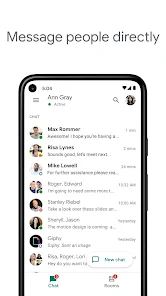
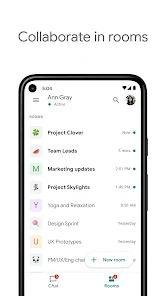
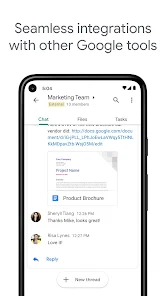
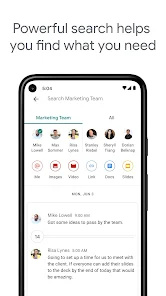
Using Google Chat feels very intuitive if you're familiar with other Google apps. I mainly use it for a few key projects. You create "Spaces"—which are like dedicated chat rooms for specific topics—instead of one giant messy group chat. Inside a Space, you can have threaded conversations, which is a lifesaver. It stops people from talking over each other. A simple tip from a regular user: pin your most important Spaces to the top so you never lose them. You can also share and collaborate on Google Docs, Sheets, and Slides directly in the chat, and the files are right there for everyone. For direct messages, it works just like any other messenger. The search function is powerful, letting you find old messages or files quickly, which is something I rely on weekly.
Compared to similar apps like Slack or Microsoft Teams, I often choose Google Chat for its simplicity and deep integration. If your life already runs on Gmail, Google Drive, and Google Calendar, then Chat fits in perfectly without any extra fuss. It feels less cluttered than Slack, which can have a million integrations that become overwhelming for smaller teams. For casual group planning with friends or family, it's also much more straightforward than something like Discord, which is built more for gaming communities. The fact that it's free for personal use without major limits is a huge plus. While Teams is powerful for big corporations, Chat feels lighter and faster for everyday collaboration, making it my go-to for mixed use between personal projects and lighter work tasks.
features
- 🗨️ Organized Spaces for Projects: Instead of endless group chats, you create Spaces for specific topics. This keeps everything for your book club, work project, or trip planning in one dedicated, searchable place, unlike the single-channel flow of many basic messengers.
- 🗨️ Deep Google Workspace Integration: You can create and share Docs, Sheets, Slides, or schedule Calendar meets without ever leaving the app. This seamless connection is a standout advantage over apps like Slack, where similar integrations often require extra steps or bots.
- 🗨️ Powerful Search and Pinning: Finding an old message or a shared file is incredibly easy with Google's powerful search. You can also pin important messages and Spaces to the top, a simple but crucial feature for staying organized that some competitors lack in their mobile apps.
- 🗨️ Threaded Conversations: Replies within a Space can be threaded, keeping side discussions tidy and preventing the main chat from becoming an unreadable stream. This is a more structured approach compared to the linear chat in apps like WhatsApp or Facebook Messenger.
pros
- ✅ Clean, Simple Interface: The design is uncluttered and easy to navigate, especially compared to the sometimes-busy interfaces of Slack or Discord. It feels familiar and fast.
- ✅ Fantastic Free Tier: For personal use, you get robust features—unlimited messaging, file sharing, and Spaces—without paying a cent, whereas apps like Slack have restrictive limits on message history.
- ✅ Seamless Account Integration: Sign-in is instant with your Google account, and switching between your personal and work chats (if you have both) is smooth, offering a unified experience that standalone apps can't match.
cons
- ⚠️ Limited Customization & Fun Features: It feels very business-oriented. Compared to Discord or even Slack, there are fewer fun elements like extensive custom emoji, rich themes, or bots for games and community engagement.
- ⚠️ Can Feel Basic for Power Users: If you need very advanced automation, workflow bots, or numerous third-party app integrations, it might not be as powerful as Slack or Microsoft Teams, which have larger ecosystems.














































