

Screenshots
Related Apps
![]()
Pocket FM: Audio Series
![]()
FalFal: Astrology, Tarot, Love
![]()
Google Drive
![]()
Yuka - Food & cosmetic scan
![]()
GroupMe
![]()
AgeCam: Face Age Changer App
![]()
Air Horn Prank (Loud Joke)
![]()
Palm Secret - Aging&Cartoon
![]()
YouTube
![]()
Anime Girl Wallpapers
![]()
Doodle Art: Magic Drawing App
![]()
Moises: The Musician's AI App
![]()
Zodiac Palm Reader: MagicWay
![]()
DeepSeek - AI Assistant
![]()
Volume Control Sound Launcher















About this app
 NameGoogle Pay
 CategoryFinance
 PriceFree
 Safety100% Safe
 DeveloperGoogle LLC
 LabelFinance
editor reviews
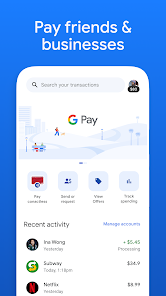
Google Pay is a digital wallet app used for making payments, sending money, and managing finances from your phone. I've been using it for a few years now, ever since it launched as a combination of Google's older payment services. It's available for free download on both Google Play and the App Store, and it has billions of installs, which shows how many people trust it. You don't need to pay to download or install the app, and setting it up is pretty straightforward. You do need to register by adding your debit or credit cards to get started. While the core app is free, it sometimes promotes other financial products or services, but I haven't seen traditional in-app purchases or annoying ads within the main payment flow, which is great.
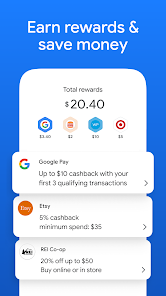
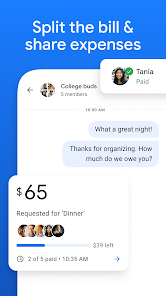
As a user, I use Google Pay almost every day. I have it installed on my phone, and I use it to tap and pay at stores, coffee shops, and even on public transit where it's accepted. It's super convenient because I don't need to carry my physical wallet. I also use it to send money to friends when we split a bill—just type their phone number or email, enter the amount, and it's done. A simple tip from my experience: make sure you have a screen lock set up on your phone for security, as the app requires it. Another tip is to check the 'Offers' tab sometimes; I've found a few cashback deals for places I shop at anyway. It's become my go-to app for anything payment-related.
Compared to other similar apps like Samsung Pay or even some banking apps, I prefer Google Pay. The main reason is its wide acceptance; it works at most contactless terminals. Some other apps might be limited to specific phone brands or stores. Also, the integration with other Google services is a plus for me. It feels more universal. While apps like PayPal are also popular for sending money, I find Google Pay faster for person-to-person transfers between friends who also use the app. It's just simpler and already on my phone. For everyday spending and quick money sends, this app is my first choice.
features
- 💳 Contactless Payments: It turns your phone into your wallet. You can just unlock your phone and hold it near a payment terminal to pay. It's much faster than digging for a card and works almost anywhere that accepts tap-to-pay.
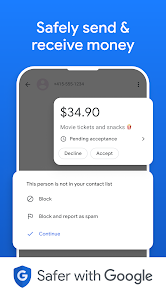
- 📤 Peer-to-Peer Transfers: Sending money to friends is effortless. You only need their phone number or email. The money often arrives instantly if they're already set up, which is perfect for splitting dinner costs or paying back a friend.
- 🔒 Centralized Card Management: Instead of carrying multiple cards, you can store all your credit, debit, and even loyalty cards in one secure app. It uses tokenization for security, so your actual card details aren't shared during a transaction.
- 🛒 Online & In-App Checkouts: When shopping online or in other apps on your phone, Google Pay can be your payment method. It auto-fills your shipping and payment info with one tap, making checkout a breeze compared to typing everything out.
pros
- ✅ Extremely Wide Acceptance: It works at millions of contactless terminals globally. Compared to some bank-specific apps, Google Pay's compatibility is unmatched, making it a reliable choice wherever you go.
- ✅ Seamless Google Integration: If you use Android or other Google services, the app fits right in. It can pull transaction info into Google's ecosystem, offering a more connected experience than standalone finance apps.
- ✅ Speed and Simplicity: The payment process is incredibly fast. For quick in-store purchases, it's often quicker than using a physical card or competing wallets that require more steps to authenticate.
cons
- ⚠️ Feature Availability Varies: Some cool features, like detailed spending insights or certain bank integrations, aren't available in all countries. Compared to local banking apps, the experience can feel inconsistent depending on your region.
- ⚠️ Dependence on Merchant Tech: It only works if the store has a modern contactless terminal. In areas where old swipe machines are still common, you'll still need your physical card, unlike some apps that work with older magnetic stripe readers.












































