

Screenshots

Related Apps
![]()
Pocket FM: Audio Series
![]()
FalFal: Astrology, Tarot, Love
![]()
Google Drive
![]()
Yuka - Food & cosmetic scan
![]()
GroupMe
![]()
AgeCam: Face Age Changer App
![]()
Air Horn Prank (Loud Joke)
![]()
Palm Secret - Aging&Cartoon
![]()
YouTube
![]()
Anime Girl Wallpapers
![]()
Doodle Art: Magic Drawing App
![]()
Moises: The Musician's AI App
![]()
Zodiac Palm Reader: MagicWay
![]()
DeepSeek - AI Assistant
![]()
Volume Control Sound Launcher















About this app
 NameFirefox Fast & Private Browser
 CategorySocial
 PriceFree
 Safety100% Safe
 DeveloperMozilla
 LabelCommunication
editor reviews
Firefox Fast & Private Browser is a mobile web browser app designed to help you browse the internet quickly and securely. It's made by Mozilla, the same non-profit organization behind the popular Firefox desktop browser. The mobile version launched years ago and is available for free download on both Google Play and the App Store. It has been installed by hundreds of millions of users worldwide. You can download and install Firefox for free; there's no cost to start using it. While you don't need to create an account to use the basic features, signing in with a Firefox Account lets you sync your bookmarks, history, and passwords across all your devices. The app itself is free, and Mozilla focuses on privacy, so you won't find intrusive ads cluttering your browsing experience. There are no annoying pop-up ads within the browser windows themselves. However, Mozilla does promote its own services, like its VPN or Relay email-masking service, within the app's menu, but these are optional paid upgrades, not forced upon you.
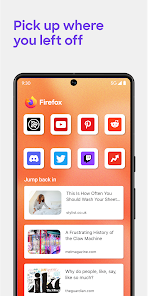
Using Firefox on my phone is straightforward. After I download and install it from Google Play, I set it as my default browser. I mainly use it for searching things quickly, reading news articles, and watching videos. A simple tip from a regular user: make sure to explore the add-ons. You can install uBlock Origin directly from the Firefox add-ons page to block ads on websites, which really speeds up page loading and saves data. Another handy feature is the collection of tabs. If I'm researching a topic, I can save all my open tabs into a collection to look at later, which is much cleaner than having dozens of tabs open. The address bar at the bottom is also great for one-handed use; you can just tap it and start typing your search or website address.
Compared to other browsers like Chrome or Samsung Internet, I keep coming back to Firefox for a few personal reasons. Chrome is everywhere and syncs well if you're in the Google ecosystem, but it feels like it's always collecting data. Samsung's browser is fast and has some nice features for Galaxy phones, but it's not as focused on privacy. Firefox strikes a good balance for me. It feels fast enough for daily use, and I have more trust in Mozilla's mission to keep the web open and private. It doesn't have all the fancy integrations that Chrome has, but for just browsing the web without feeling tracked, it's my go-to choice on my phone.
features
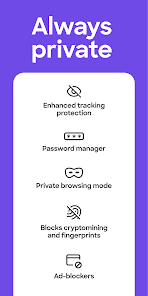
- 🛡️ Strong Privacy Protection: It has Enhanced Tracking Protection turned on by default, which blocks many third-party trackers from following you around the web. This is a core feature that apps like Chrome don't enable by default.
- 🔧 Customization with Add-ons: Unlike most mobile browsers, Firefox allows you to install extensions like uBlock Origin or Dark Reader directly on your phone. This level of customization is unique and a major advantage over competitors.
- 📱 Bottom Address Bar: The search/address bar is placed at the bottom of the screen, making it much easier to reach with one hand compared to Chrome's top bar, improving everyday usability.
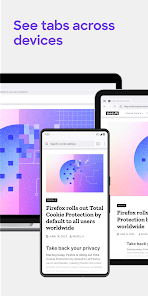
- 🔄 Cross-Device Sync: If you use Firefox on your computer, syncing bookmarks, open tabs, and passwords to your phone is seamless with a Firefox Account, creating a unified browsing experience.
pros
- 👍 Privacy-First Approach: The default tracking protection gives peace of mind that most other browsers, which rely on data collection, don't offer.
- 👍 Commitment to Open Web: Mozilla's non-profit ethos means the app's development focuses on user benefit, not just advertising revenue.
- 👍 Genuine Ad-Blocker Support: The ability to use powerful ad-blocking extensions makes browsing noticeably faster and cleaner than on Chrome.
cons
- 📉 Can Feel Less Smooth: On some phones, scrolling and animations aren't as buttery smooth as in Chrome or Safari, which are deeply integrated with their respective operating systems.
- 🔋 Battery Usage: Some users report it can use more battery life compared to very lean browsers, possibly due to its privacy features and extension support.











































