

Google Chrome: Fast & Secure
SocialLatest APK
DownloadScreenshots
Related Apps
![]()
Pocket FM: Audio Series
![]()
FalFal: Astrology, Tarot, Love
![]()
Google Drive
![]()
Yuka - Food & cosmetic scan
![]()
GroupMe
![]()
AgeCam: Face Age Changer App
![]()
Air Horn Prank (Loud Joke)
![]()
Palm Secret - Aging&Cartoon
![]()
YouTube
![]()
Anime Girl Wallpapers
![]()
Doodle Art: Magic Drawing App
![]()
Moises: The Musician's AI App
![]()
Zodiac Palm Reader: MagicWay
![]()
DeepSeek - AI Assistant
![]()
Volume Control Sound Launcher















About this app
 NameGoogle Chrome: Fast & Secure
 CategorySocial
 PriceFree
 Safety100% Safe
 DeveloperGoogle LLC
 LabelCommunication
editor reviews
Google Chrome is a web browser app designed to help you browse the internet quickly and securely. I use it every day on my phone to look up information, check social media, shop online, and watch videos. It originally launched for computers back in 2008, and the mobile app came later for both Android and iOS. On Google Play, it's simply listed as 'Chrome' and has been downloaded over 10 billion times, which is just massive. It's completely free to download and install, with no registration required to start browsing. You can sign into your Google account to sync your bookmarks and history across devices, but that's optional. The app itself doesn't have traditional in-app purchases, but you can make purchases through websites you visit. It does show ads on the websites you browse, just like any browser, but Chrome itself doesn't push ads over the app interface.
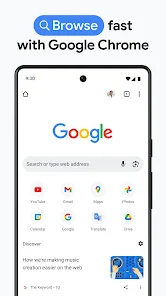
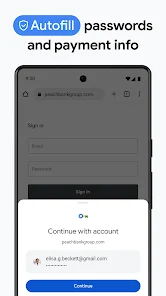
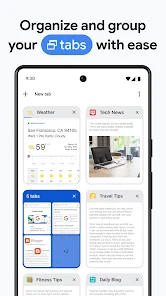
Using Chrome is pretty straightforward. I just tap the icon, and it opens to my home page, which I've set to show my most visited sites. I love that I can search right from the address bar—just type what you're looking for, and results pop up instantly. A simple tip from a regular user: use the tab groups feature if you're researching something. You can long-press a link and open it in a new tab, then group those tabs together to stay organized. Another handy thing is the 'Download' icon for saving files or images directly to your phone. For passwords, I let Chrome suggest and save strong ones, and it auto-fills them when I revisit sites, which is a huge time-saver.
Compared to other browsers like Samsung Internet or Firefox, I keep coming back to Chrome. A big reason is how well it syncs with my Google account. If I'm reading an article on my laptop, I can easily pick it up on my phone. It feels faster for loading most websites in my experience. Some apps like Brave focus more on blocking ads, but Chrome's balance of speed, simplicity, and deep integration with Google services like Search and Gmail just works better for my daily flow. It's the default on so many Android phones, so it's just there and ready to go, which is a big plus for me.
features
- 🌐 Unified Search & Address Bar: You can type both web addresses and search queries directly into one bar, getting Google Search results and suggestions instantly, which feels faster than browsers with separate fields.
- 🌐 Cross-Device Sync: Sign in with your Google account to seamlessly access open tabs, bookmarks, and saved passwords from your computer on your phone, a feature more deeply integrated than in many competitors.
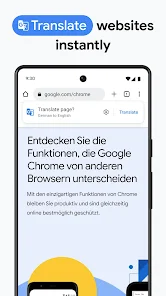
- 🌐 Google Translate Built-In: It automatically detects and offers to translate foreign language web pages with a single tap, a native feature that apps like Firefox require an add-on for.
- 🌐 Data Saver Mode: This compresses web pages through Google's servers before loading them on your phone, reducing data usage—a practical tool not all default browsers have enabled by default.
pros
- ✅ Speed & Integration: It launches and loads pages incredibly fast and works perfectly with other Google apps like Search, Maps, and Gmail.
- ✅ Simplicity & Sync: The clean interface is easy for anyone to use, and tab syncing across all my devices is flawless.
- ✅ Security Updates: It receives frequent, automatic security updates from Google, keeping my browsing safer than on some less-maintained browsers.
cons
- ⚠️ Battery & Data Use: It can be a heavier battery and data drain compared to more minimalist browsers like Opera Mini, especially with many tabs open.
- ⚠️ Built-in Ad Blocker: Unlike Brave or Firefox with extensions, Chrome doesn't have a built-in ad blocker, so you see ads on websites.














































