
Bing: Chat with AI & GPT-4
ProductivityLatest APK
DownloadScreenshots
Related Apps
![]()
Broken Screen Prank
![]()
Fingerprint Scanner App
![]()
Firefox Fast & Private Browser
![]()
Allergy Plus by Pollen.com
![]()
Find My Phone By Clap, Whistle
![]()
Planner 5D: Home Design, Decor
![]()
Ghost Detector Real Life Radar
![]()
Pride Quiz LGBTIQ+
![]()
Galaxy Starry Keyboard Backgro
![]()
Instagram
![]()
Fun Fact- My Personal Fact
![]()
Audible: Audio Entertainment
![]()
Photo Frames
![]()
Photo Collage Maker & Editor
![]()
Japan Timetable & Route Search















About this app
 NameBing: Chat with AI & GPT-4
 CategoryProductivity
 PriceFree
 Safety100% Safe
 DeveloperMicrosoft Corporation
 LabelTools
editor reviews
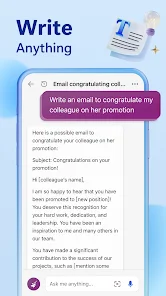
Bing: Chat with AI & GPT-4 is a conversational AI app designed to help you get answers, create content, and brainstorm ideas through a chat interface. It's essentially Microsoft's official gateway to their AI models, including the powerful GPT-4. The app launched as a significant evolution of the Bing search engine, bringing advanced AI chat directly to mobile devices. You can find it on both Google Play and the App Store, where it has been downloaded millions of times. It's completely free to download and install. To start using it, you'll need to sign in with a Microsoft account, which is a quick and straightforward process. The core chat experience is free and doesn't require a subscription, though there is a premium tier called Copilot Pro that offers enhanced features like faster responses during peak times and more advanced AI image creation. You might encounter some ads or promotional content within the app experience, but they are generally not intrusive on the main chat functionality.
Using the Bing AI app is like having a super-smart assistant in your pocket. I open it whenever I need to quickly look something up, but want a more conversational answer than a list of search links. For instance, I can just ask, "Plan a 3-day itinerary for Seattle," and it will draft a detailed day-by-day plan. I also use it almost daily to help draft emails, come up with ideas for blog posts, or even generate simple code snippets. A great tip is to be specific in your prompts; instead of "write a poem," try "write a short, funny poem about a cat learning to use a smartphone." You can also switch between different conversation styles—Creative, Balanced, and Precise—to tailor the tone of the responses. I keep it on Balanced for everyday questions. Another handy feature is the image creator; you can type a description, and it will generate images for you right within the chat, which is fantastic for brainstorming visual concepts.
Compared to other AI chatbots out there, Bing AI holds its own really well. The biggest competitor is obviously ChatGPT. What makes me choose Bing often is its deep integration with web search. When I ask about current events or the latest news, Bing can actually search the web and cite its sources, which ChatGPT's free version can't do. This makes it incredibly useful for research. It also feels a bit more "productive" focused, tying neatly into other Microsoft services if you use them. While other apps might specialize in one area, like coding or creative writing, Bing AI is a great all-rounder. It's powerful, connected to the internet, and completely free for its core features, which is a hard combo to beat. For quick, verified info and creative tasks, it's become my first stop.
features
- 🧠 Web-Aware Answers: Unlike many AI apps, Bing can pull in current information from the internet and cite sources, making it perfect for research on recent topics.
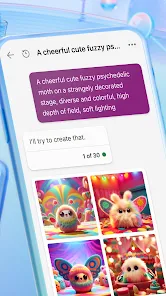
- 🖼️ Built-in Image Creator: You can generate images from text descriptions directly in the chat using DALL-E, a feature that often requires a separate subscription elsewhere.
- 💬 Multiple Conversation Styles: Switch between Creative, Balanced, and Precise tones to get answers that are either more imaginative, standard, or strictly factual.
- 🔗 Microsoft Ecosystem Integration: It works seamlessly with a Microsoft account, offering potential links to Edge browser and Office Copilot features.
pros
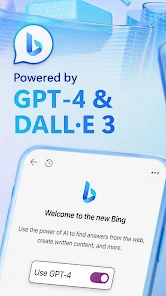
- ✅ Free Access to GPT-4: It provides one of the most accessible free tiers for a top-tier model like GPT-4, which competitors often lock behind a paywall.
- ✅ Real-Time Information: Its ability to perform web searches sets it apart from static knowledge bases of other chatbots.
- ✅ All-in-One Tool: Combines search, chat, and image generation in a single, clean interface without needing multiple app downloads.
cons
- ⚠️ Strict Safety Filters: Its content safeguards can be overly restrictive, sometimes blocking creative or nuanced requests that other apps allow.
- ⚠️ Session Limits: While improved, it historically had stricter turn limits per conversation compared to some alternatives.
















































