

Screenshots
Related Apps
![]()
Pocket FM: Audio Series
![]()
FalFal: Astrology, Tarot, Love
![]()
Google Drive
![]()
Yuka - Food & cosmetic scan
![]()
GroupMe
![]()
AgeCam: Face Age Changer App
![]()
Air Horn Prank (Loud Joke)
![]()
Palm Secret - Aging&Cartoon
![]()
YouTube
![]()
Anime Girl Wallpapers
![]()
Doodle Art: Magic Drawing App
![]()
Moises: The Musician's AI App
![]()
Zodiac Palm Reader: MagicWay
![]()
DeepSeek - AI Assistant
![]()
Volume Control Sound Launcher















About this app
 NameChatOn - AI Chat Bot Assistant
 CategoryGenerative AI
 PriceFree
 Safety100% Safe
 DeveloperAIBY Inc.
 LabelProductivity
editor reviews
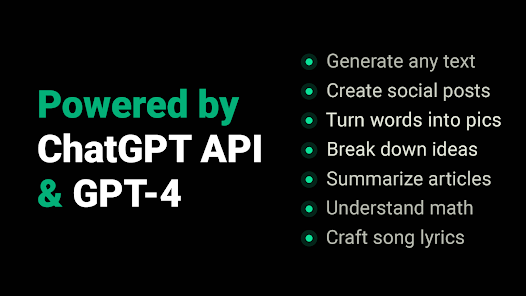
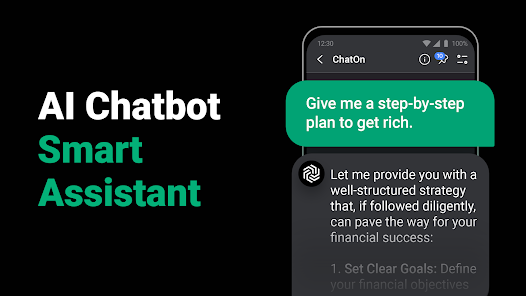
ChatOn is a smart AI assistant app designed to help you chat with an artificial intelligence for everyday tasks. I've been using it for a few months now, and it's like having a helpful friend right in my pocket. The app launched a while back, and you can easily download it from Google Play or the App Store. It's super popular, with millions of installs on Google Play alone. The best part? It's completely free to download and install. You don't even need to register an account to start chatting, which I love because it gets you right into the action. While the core chat is free, there are some optional in-app purchases if you want access to more powerful AI models or extra features. I've noticed a few ads here and there, but they're not too intrusive and don't really get in the way of the conversation.
Using ChatOn is straightforward. After you install the app, you just open it and start typing your questions or requests in the chat box. I use it for all sorts of things: drafting quick emails, brainstorming ideas for a project, getting summaries of long articles, or even just for fun conversations. A simple tip from a regular user: be specific with your questions. Instead of asking "How do I cook?", try "Give me a simple recipe for spaghetti carbonara." The AI gives much better answers that way. I also use it to check my grammar before sending important messages. It feels like having a personal editor on standby.
Compared to other AI chat apps I've tried, ChatOn stands out for its simplicity and speed. Some other bots feel clunky or take forever to respond. With ChatOn, the replies are fast and the interface is clean, so I don't get distracted. I chose it over others because it feels more like a casual tool rather than a complex piece of software. It doesn't overwhelm you with settings or complicated menus. For quick, everyday help—whether I'm stuck on a work problem or just want a creative story—ChatOn is my go-to app. It's reliable and gets the job done without any fuss.
features
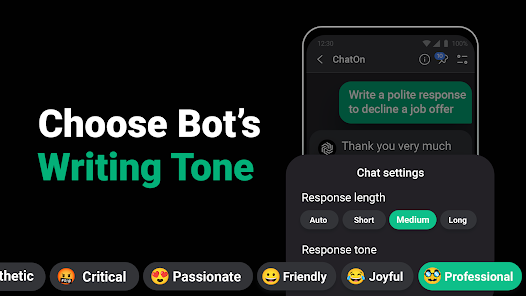
- 🤖 The core chat function is incredibly versatile. I use it for writing help, quick research, and creative tasks. Unlike some other assistants that are locked to one style, ChatOn can switch from professional to casual tone based on your prompt.
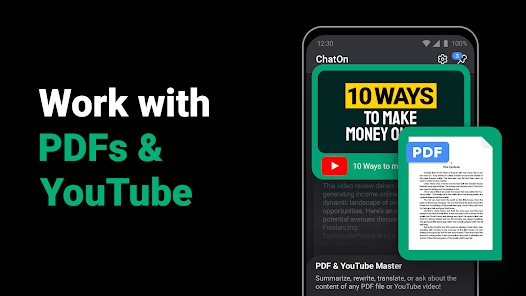
- 📝 It has a handy document interaction feature. You can upload an image of a document or a screenshot, and the AI will read and summarize it for you. This is a step ahead of many basic chat apps that are text-only.
- 🌐 The web search integration within chats is a game-changer. If the AI doesn't have an answer, it can pull in current information from the web right in the conversation, which I find more seamless than other standalone AI search tools.
- 💡 The idea generation and brainstorming tools are top-notch. It helps me outline blog posts or plan projects in a structured way, which feels more guided compared to the more open-ended (and sometimes vague) suggestions from similar apps.
pros
- 🚀 Its response speed is fantastic. From download to first reply, everything is quick. Compared to other bots that can lag, ChatOn feels snappy and responsive, which is crucial for a chat-based tool.
- 🎯 The accuracy of its answers, especially for factual summaries and explanations, is very good. I trust it more for quick info checks than some other free AI apps that tend to hallucinate more often.
- 👌 The user interface is clean and intuitive. Navigating between chats and features is simple, unlike some competitors that have cluttered menus that make finding things a chore.
cons
- ⚠️ The free version has usage limits, so for heavy tasks, you might hit a cap. Some other apps offer a slightly higher daily limit for free users.
- 📶 It requires a stable internet connection for all features; there's no offline mode. A few similar apps offer limited offline functionality for basic queries.














































