

Screenshots
Related Apps
![]()
Broken Screen Prank
![]()
Fingerprint Scanner App
![]()
Firefox Fast & Private Browser
![]()
Allergy Plus by Pollen.com
![]()
Find My Phone By Clap, Whistle
![]()
Planner 5D: Home Design, Decor
![]()
Ghost Detector Real Life Radar
![]()
Pride Quiz LGBTIQ+
![]()
Galaxy Starry Keyboard Backgro
![]()
Instagram
![]()
Fun Fact- My Personal Fact
![]()
Audible: Audio Entertainment
![]()
Photo Frames
![]()
Photo Collage Maker & Editor
![]()
Japan Timetable & Route Search












About this app
 NameKling AI: AI Image&Video Maker
 CategoryGenerative AI
 PriceFree
 Safety100% Safe
 DeveloperLohas Games Pte. Ltd.
 LabelArt & Design
editor reviews
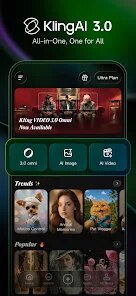
Kling AI is an AI Image & Video Maker app in the productivity and creativity category that focuses on turning your text ideas into real visuals quickly. I first heard about it around mid-2024, and I picked it up from Google Play about two months ago on a friend's recommendation. On Google Play, it has crossed over a million installs, and it is free to download straight from the app store. You do not need a big registration process, just sign up with your email or Google account, and you are in. The app does come with in-app purchases if you want extra credits or faster processing, and yes, there are some ads between projects, but they do not feel too heavy or annoying.
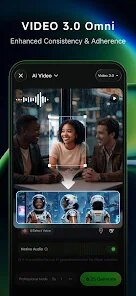
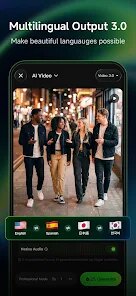
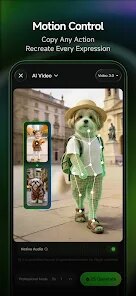
When I started using Kling AI, I was surprised at how simple it is to create something from nothing. You just type a short phrase or a simple sentence, and the app builds an image or a short video from your prompt. I often use it when I need quick visuals for social media posts or personal projects. A tip I tell my friends is to try short keywords instead of long descriptions because the tool seems to work better with clear, direct ideas. You can choose the style like realistic, cartoon, or futuristic, and the app also lets you adjust some settings like aspect ratio and motion strength. On the video side, you can even upload a base image and ask Kling AI to make it move, which is pretty cool for a mobile tool.
Compared to similar apps like Picsart AI or Runway, Kling AI feels more beginner-focused and less overwhelming. I have tried a few AI video apps from the app store, but many of them ask for too many steps or hide good features behind paywalls. With Kling AI, the basic features actually work well, and you get decent results without buying credits right away. Picsart AI is good for editing, but Kling AI is better when I just want to generate fresh visuals from a prompt. Google Play users seem to agree too, because the app reviews are mostly positive. Overall, I keep this app on my phone because it is fast, easy, and fun to play with when I need creative help.
features
- ✨ Kling AI uses your text input to generate an image or a short video clip. You just type a simple idea, and the AI processes it within seconds. Other apps like Runway often need more detailed prompts and take longer to produce results, especially on mobile.
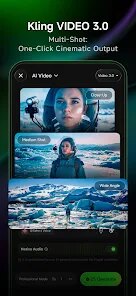
- ✨ A unique feature is the ability to turn a still image into a short moving video. You upload a picture, choose a motion style, and the app animates it. Similar apps like Picsart AI do not offer this feature as smoothly or on a free tier.
- ✨ The app offers preset styles such as realistic, cartoon, 3D, and cinematic. You can switch between them easily to match your project need. In comparison, many AI tools on the app store lock good styles behind premium plans, but Kling AI keeps several available from the start.
- ✨ Kling AI also allows you to adjust aspect ratios for different platforms like Instagram, YouTube, or TikTok. This small detail saves a lot of manual cropping later. Other apps often ignore this convenience, making you edit outside the app.
pros
- 👍 The text-to-video generation works fast even on a standard phone. I compared it with Runway on mobile, and Kling AI completed tasks almost twice as quickly.
- 👍 The free credits are generous. You can make several videos before hitting the limit, which is rare among AI image and video maker apps on Google Play.
- 👍 The interface is clean and not cluttered. New users will not feel lost. In contrast, tools like Picsart AI feel messy with too many buttons and menus.
cons
- 👎 The ad frequency is a bit high between video generations. Similar apps like CapCut run fewer ads during creation.
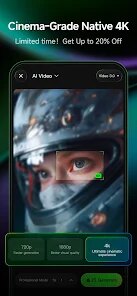
- 👎 The video resolution is limited on the free plan. Runway offers higher resolution options without extra cost.
- 👎 Some styles like anime or vintage are missing, which other app store competitors offer.
















































