
Screenshots

Related Apps
![]()
Broken Screen Prank
![]()
Fingerprint Scanner App
![]()
Firefox Fast & Private Browser
![]()
Allergy Plus by Pollen.com
![]()
Find My Phone By Clap, Whistle
![]()
Planner 5D: Home Design, Decor
![]()
Ghost Detector Real Life Radar
![]()
Pride Quiz LGBTIQ+
![]()
Galaxy Starry Keyboard Backgro
![]()
Instagram
![]()
Fun Fact- My Personal Fact
![]()
Audible: Audio Entertainment
![]()
Photo Frames
![]()
Photo Collage Maker & Editor
![]()
Japan Timetable & Route Search















About this app
 NamePhotoleap: AI Photo Generator
 CategoryGenerative AI
 PriceFree
 Safety100% Safe
 DeveloperLightricks Ltd.
 LabelArt & Design
editor reviews
Photoleap is a photo editing app designed to help you create stunning images with the power of AI. I've been using it for a few months now to jazz up my social media posts and fix old photos. It's a pretty popular tool that launched a while back and you can download it on both Google Play and the App Store. I got mine from Google Play and the install was super quick. It's a free app to download, which is great for trying it out. You don't necessarily need to register right away to play with some features, but signing up unlocks more stuff. There are in-app purchases if you want to get serious—like buying credits for the more advanced AI tools—and yeah, you'll see some ads in the free version, but they're not too intrusive.
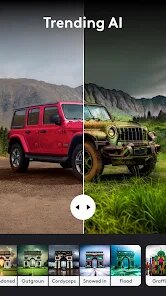
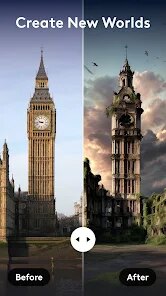
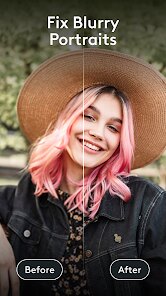
Using Photoleap is actually fun. I usually start by picking a photo from my gallery. Then, I head straight to the 'AI Tools' section. My favorite is the 'AI Enhance'—it magically makes blurry pictures clear with one tap. For creating something new, I type a description like "a cat wearing a crown in a castle," and the AI generator makes it in seconds. A simple tip from a regular user: play with the 'Styles' after generating an image. You can turn your creation into a painting, a cartoon, or a vintage photo really easily. I also use the cut-out tool a lot to remove backgrounds before adding new ones. It feels less like hard work and more like playing.
Compared to other photo apps like PicsArt, I keep coming back to Photoleap. PicsArt has tons of features too, but Photoleap's AI feels smarter and more integrated. For example, changing the sky in a landscape photo is just one button press here, while in others it might take a few more steps. The interface is cleaner, which helps when I just want to do something fast without getting lost in menus. I chose this app because it makes advanced editing feel accessible. I don't need to be a pro to make cool images, and that's the biggest win for me.
features
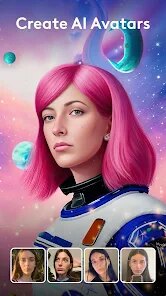
- 🎨 The AI Image Generator is the star. You just describe your idea, and it creates a unique picture. It's way more creative and faster than manually assembling elements in a similar app like Canva.
- ✂️ The AI Background Remover works in one click. It's incredibly accurate, even with tricky hair details. This tool alone saves me more time than the equivalent feature in other mobile editors.
- 🔄 AI Style Transfer lets you apply famous art styles to any photo. It's more varied and produces better-looking results compared to the basic filters in many standard gallery apps.
- 🔧 The AI Enhance tool fixes old or low-quality photos by sharpening and improving colors automatically. It's simpler and often more effective than manually adjusting sliders in apps like Snapseed.
pros
- 👍 The AI tools are genuinely powerful and easy to use, making complex edits simple. Compared to other apps, they feel more advanced and reliable.
- 👍 The app is great for sparking creativity with its text-to-image generator, offering more imaginative freedom than typical template-based editors.
- 👍 Frequent updates with new AI features keep the app feeling fresh and ahead of many competitors in the photo editing space on Google Play.
cons
- 👎 The free version is quite limited in AI generations per day, more so than some other free AI art apps you can install.
- 👎 It can be resource-heavy, sometimes slowing down on older phones compared to lighter editing apps.












































