
Screenshots

Related Apps
![]()
Pocket FM: Audio Series
![]()
FalFal: Astrology, Tarot, Love
![]()
Google Drive
![]()
Yuka - Food & cosmetic scan
![]()
GroupMe
![]()
AgeCam: Face Age Changer App
![]()
Air Horn Prank (Loud Joke)
![]()
Palm Secret - Aging&Cartoon
![]()
YouTube
![]()
Anime Girl Wallpapers
![]()
Doodle Art: Magic Drawing App
![]()
Moises: The Musician's AI App
![]()
Zodiac Palm Reader: MagicWay
![]()
DeepSeek - AI Assistant
![]()
Volume Control Sound Launcher















About this app
 NameGoogle Meet
 CategorySocial
 PriceFree
 Safety100% Safe
 DeveloperGoogle LLC
 LabelCommunication
editor reviews
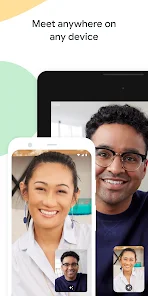
Google Meet is a video conferencing app designed to help you connect with others through high-quality video calls. It's used for everything from business meetings and online classes to catching up with friends and family. Originally launched as part of Google's G Suite in 2017, it became widely available as a standalone app for everyone in 2020. You can find it on both the Google Play Store and the Apple App Store. It has been downloaded over 5 billion times on Google Play alone, which shows how popular it is. The best part is that the core app is completely free to download and install. You don't even need to create a separate account if you already have a Google account, which makes getting started super easy. For most personal use and small group calls, there are no costs. However, for longer group meetings with more people, there are paid plans through Google Workspace. The free version does show some ads for Google's other services, but they are not intrusive during calls.
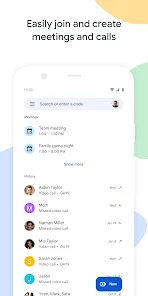
Using Google Meet is straightforward. I usually just open the app or go to the website, click 'New meeting,' and get a link to share. I can send that link via text, email, or any messaging app, and people can join with one click, even without a Google account sometimes. A real user tip is to always check your audio and video before joining; there's a handy preview screen for that. For better quality, I use headphones to cut down echo. Scheduling meetings directly from my Google Calendar is a lifesaver—it adds the Meet link automatically. During calls, features like captions (which are surprisingly accurate), raising your hand, and screen sharing make it feel very professional yet easy. I also like that I can blur my background or change it without any fuss, which is great when my room is messy.
Compared to other apps like Zoom, I find myself choosing Google Meet more often. The main reason is how seamlessly it fits with my Google life. Since my email, calendar, and contacts are already with Google, Meet feels like a natural extension. It's one less password to remember and one less app to juggle. While Zoom is also fantastic and might have a few more fun filters, Meet feels cleaner and simpler for the everyday calls I need to make. The quality is consistently good, and it doesn't bombard me with complex settings. For someone who isn't super techy, the simplicity is a huge win. It just works without me having to think about it, which is why it's my go-to for video chats.
features
- 📞 Instant Joining: Getting into a meeting is incredibly simple. You just click a link. There's no mandatory app download for participants on a computer, which is much easier than some competitors that force software installation. This low-friction entry is a big win.
- 🔄 Google Ecosystem Integration: This is where Meet truly stands out. It's built right into Gmail, Google Calendar, and Classroom. Creating or joining a meeting from my calendar event is effortless, a level of convenience that apps like Microsoft Teams or standalone Zoom can't match as smoothly.
- 🛡️ Security and Reliability: Being a Google product, it has strong security features like encrypted meetings and complex meeting codes by default. It's also very reliable; I've experienced fewer dropped calls or quality issues compared to some other free platforms, which feels more stable.
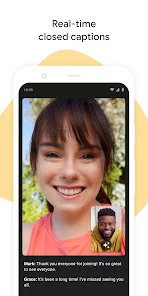
- 👁️ Live Captions: The automatic live captions during calls are a killer feature. They are quite accurate and help immensely if someone has hearing difficulties, is in a noisy place, or if there's an accent. Many similar apps offer this only as a premium add-on.
pros
- ✅ Flawless Google Integration: It works perfectly with my existing Google account, calendar, and contacts. This seamless connection saves so much time compared to using a separate service.
- ✅ Outstanding Accessibility Features: The free live captions are top-notch and more advanced than what's typically offered for free on platforms like Zoom or Skype, making meetings more inclusive.
- ✅ Clean and Intuitive Interface: The design is simple and not cluttered. Everything you need (chat, raise hand, share screen) is easy to find without overwhelming you, unlike some apps with too many buttons.
cons
- ⚠️ Limited Free Tier Fun: Compared to Zoom, the free version has fewer interactive features like advanced filters, reactions, or annotation tools for everyone, which can make long meetings feel a bit less engaging.
- ⚠️ Mobile Screen Sharing: On phones, sharing your screen sometimes limits you from seeing other participants, which isn't as flexible as the desktop experience or what some competing apps allow.













































