
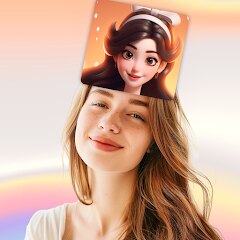
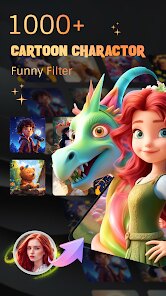
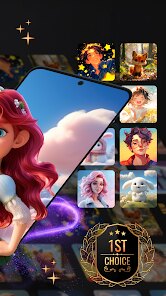
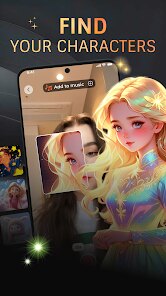
Screenshots
Related Apps
![]()
Pocket FM: Audio Series
![]()
FalFal: Astrology, Tarot, Love
![]()
Google Drive
![]()
Yuka - Food & cosmetic scan
![]()
GroupMe
![]()
AgeCam: Face Age Changer App
![]()
Air Horn Prank (Loud Joke)
![]()
Palm Secret - Aging&Cartoon
![]()
YouTube
![]()
Anime Girl Wallpapers
![]()
Doodle Art: Magic Drawing App
![]()
Moises: The Musician's AI App
![]()
Zodiac Palm Reader: MagicWay
![]()
DeepSeek - AI Assistant
![]()
Volume Control Sound Launcher















About this app
 NameMy Character: Cartoon Filter
 CategoryEntertainment
 PriceFree
 Safety100% Safe
 DeveloperCEM SOFTWARE LTD
 LabelEntertainment
editor reviews
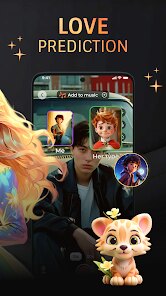
Cartoon Filter is a photo editing app designed to help you turn your photos into cartoon style images. It launched a few years ago and you can download it on both Google Play and the App Store. It has millions of installs, which shows a lot of people are using it. The app is free to download and install, which is great for trying it out. You don't need to register or create an account to start using it, so you can jump right in after the download. There are some in app purchases available if you want to unlock extra features or remove ads. Yes, the app does show ads, which is pretty standard for a free app on Google Play. The ads aren't too intrusive in my experience, but the option to remove them is there if they bother you.
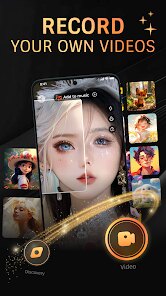
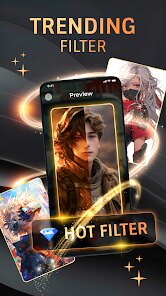
Using the app is really straightforward. After you install it, you just open it and pick a photo from your gallery or take a new one. The app then shows you a bunch of different cartoon filters. You tap on one, and it transforms your picture instantly. It's fun to swipe through and see your face or a landscape turned into various art styles. A simple tip from a user is to use photos with good lighting and clear subjects; they tend to look the best after the cartoon effect. Another tip is to play with the settings a bit. Some filters have sliders to adjust the intensity, so you can make the effect more subtle or more dramatic. I use it mostly for making fun profile pictures or sharing silly transformed photos with friends on social media. It's a quick way to add a creative twist to any snapshot.
When you look for similar apps on Google Play, there are quite a few other photo to cartoon converters. I've tried a couple, but I keep coming back to Cartoon Filter. Some other apps have more complicated interfaces or require you to watch a video for every filter. This app feels simpler and faster. The filters here have a nice variety, from classic comic book looks to more painterly styles. I chose it over others because the results are consistently good and the app doesn't feel cluttered. It does one job and does it well without asking for too much. For a free download, it offers a lot of value for just having fun with your photos. It's not trying to be a full professional editor, and that's okay. It's perfect for when you just want to cartoonify a picture quickly and share it.
features
- 🎨 Instant Cartoon Transformation: The core function is super fast. You pick a photo, select a filter, and boom—it's a cartoon. Compared to some apps that make you wait or process slowly, this one is almost immediate, which is great for quick edits.
- 🎨 Wide Filter Variety: It offers a solid collection of different cartoon styles, from anime and comic to sketch and watercolor effects. While other popular apps like Prisma offer artistic filters too, Cartoon Filter is more focused specifically on cartoon looks, making the selection here feel more specialized for that purpose.
- 🎨 Simple, No-Fuss Editing Tools: Alongside filters, there are basic tools to adjust brightness, contrast, or add stickers. It's not as comprehensive as Adobe Lightroom, but for a casual cartoon app, these extra touches are handy and easy to use right after install.
- 🎨 Easy Sharing: Once your image is done, sharing to Instagram, WhatsApp, or other platforms is built in with just a couple of taps. This seamless share function is as good as any major social media app and makes the whole process from download to share very smooth.
pros
- 👍 Filter Quality and Speed: The cartoon effects are generally high quality and apply very quickly. Compared to similar free apps on Google Play, the output here often looks cleaner and less glitchy.
- 👍 User-Friendly Interface: The app is incredibly easy to navigate from the moment you open it after install. It's more intuitive than some competitors that bury their features behind complex menus.
- 👍 Good Free Tier: For a free download, you get access to a surprising number of filters without immediate paywalls. Other apps might lock most good features behind a subscription right away.
cons
- 👎 Ad Frequency: The ads can pop up fairly often, especially between applying different filters. Some similar apps manage ad placement a bit less disruptively.
- 👎 Limited Fine-Tuning: While simple, you can't control the cartoon effect in extreme detail. Apps like PicsArt offer more granular control for users who want to tweak every aspect.















































