

Screenshots
Related Apps
![]()
Broken Screen Prank
![]()
Fingerprint Scanner App
![]()
Firefox Fast & Private Browser
![]()
Allergy Plus by Pollen.com
![]()
Find My Phone By Clap, Whistle
![]()
Planner 5D: Home Design, Decor
![]()
Ghost Detector Real Life Radar
![]()
Pride Quiz LGBTIQ+
![]()
Galaxy Starry Keyboard Backgro
![]()
Instagram
![]()
Fun Fact- My Personal Fact
![]()
Audible: Audio Entertainment
![]()
Photo Frames
![]()
Photo Collage Maker & Editor
![]()
Japan Timetable & Route Search















About this app
 NameHD Wallpapers (Backgrounds)
 CategoryProductivity
 PriceFree
 Safety100% Safe
 DeveloperAndroid Station
 LabelPersonalization
editor reviews
HD Wallpapers (Backgrounds) is a wallpaper app designed to help you find and set beautiful high-definition wallpapers on your Android device. I use it to refresh my phone's look whenever I get bored. It's a free app you can download from Google Play. It launched a while back and has been a solid choice for many users looking for a simple wallpaper source. The app is only available on Android via Google Play, not on the App Store for iPhone users. It has a really high number of installs, which shows how popular it is. You can download and install it for free without any upfront cost. You don't need to register or create an account to start browsing and downloading wallpapers, which I love because it's so quick to get into. The app does show ads to support itself, but they aren't too intrusive. There are also in-app purchases available, usually to remove ads or get access to special collections, but the free content is plentiful.
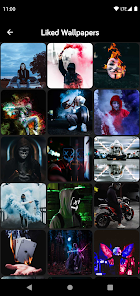
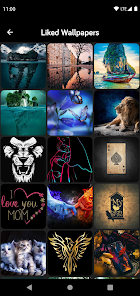
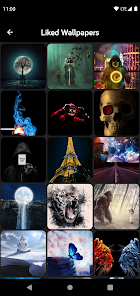
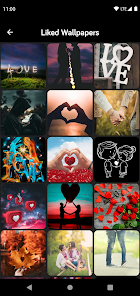
Using the app is straightforward. After you install it from Google Play, you open it and are greeted with a huge feed of wallpapers sorted into categories like Abstract, Nature, Cars, Animals, and more. You just scroll until you find one you like. Tapping on a wallpaper lets you preview it full-screen. From there, you have a clear 'Set Wallpaper' button. A simple tip from a regular user: use the 'Favorite' heart icon to save wallpapers you might want to use later, so you don't lose them. Another tip is to check the 'Popular' or 'New' sections regularly for fresh picks. The app applies the wallpaper directly, asking if you want to set it for the home screen, lock screen, or both. It's a very fast process with no complicated steps.
Compared to other wallpaper apps like Zedge or Backdrops, I often choose HD Wallpapers (Backgrounds). Zedge has more stuff like ringtones and icons, which can feel cluttered if you just want wallpapers. Backdrops has very artistic, curated walls but a smaller library. HD Wallpapers keeps it simple and focused. Its library feels massive and is updated often. For me, the main reason I stick with it is the sheer volume and the fact that it's purely about wallpapers. It doesn't try to do too much. The search function works well when I have something specific in mind. It just feels like a reliable, no-fuss tool that gets the job done every time I want a change.
features
- 🌄 Massive, categorized library for endless scrolling and discovery.
- 🌄 One-tap wallpaper setting directly to home or lock screen.
- 🌄 Favorites system to build a personal collection of go-to backgrounds.
- 🌄 Completely free to use with a solid free collection, no account needed.
pros
- 👍 The library size beats many similar apps; there's always something new.
- 👍 It's faster for just setting a wallpaper than busier apps like Zedge.
- 👍 The image quality is consistently high and optimized for phones.
- 👍 No mandatory sign-up makes it the quickest to start using.
cons
- 📌 The ads can sometimes interrupt the browsing flow.
- 📌 It lacks the ultra-premium, designer-focused feel of apps like Backdrops.
















































