

Screenshots
Related Apps
![]()
Broken Screen Prank
![]()
Fingerprint Scanner App
![]()
Firefox Fast & Private Browser
![]()
Allergy Plus by Pollen.com
![]()
Find My Phone By Clap, Whistle
![]()
Planner 5D: Home Design, Decor
![]()
Ghost Detector Real Life Radar
![]()
Pride Quiz LGBTIQ+
![]()
Galaxy Starry Keyboard Backgro
![]()
Instagram
![]()
Fun Fact- My Personal Fact
![]()
Audible: Audio Entertainment
![]()
Photo Frames
![]()
Photo Collage Maker & Editor
![]()
Japan Timetable & Route Search















About this app
 NameTo Do List
 CategoryProductivity
 PriceFree
 Safety100% Safe
 DeveloperSplend Apps
 LabelPlay Pass
editor reviews
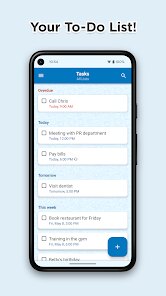
To Do List is a productivity app designed to help you stay organized and manage your daily tasks with ease. This app was created by Splend Apps and has been available on Google Play for several years. It is completely free to download and install, and you do not need to register an account to start using it, which is a big plus. The app does not have in app purchases, but it does contain some ads, which are not too annoying because they appear only at the bottom of the screen. It has been installed over a million times, and users like me find it useful for both personal and work related tasks. You can quickly add tasks and set reminders so nothing slips through the cracks.
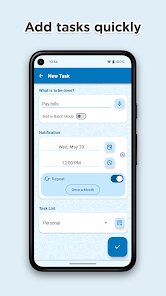
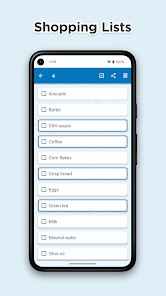
Using To Do List is straightforward and does not require any technical skills. After you download and install the app from Google Play, you can start by adding tasks with a simple tap. I like that you can set deadlines and priority levels for each task. My tip is to group similar tasks together using the category feature, which makes it easier to focus on one area at a time. For example, I have a separate list for groceries, work assignments, and fitness goals. The reminder feature is also helpful because it sends a notification before a task is due, so you never forget important things.
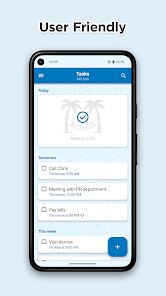
Compared to other productivity apps, I prefer To Do List because it is simple and does not overwhelm you with too many options. Apps like Todoist and TickTick are good but they require you to create an account and often push premium features. To Do List keeps things basic and focused on what matters: managing your tasks. It is not the most advanced tool, but for someone like me who just wants a quick way to track daily activities, it works perfectly. The app runs smoothly and does not lag, even with many tasks added. For a free app on Google Play, it gets the job done without any extra trouble.
features
- 📝 Task management is simple and you can add tasks with a single tap. You can also edit or delete tasks easily. This is much better than Wunderlist, which had more steps for basic actions.
- ⏰ Reminders and deadlines are very useful. You can set a time and date for each task, and the app will notify you. Many to do apps like Microsoft To Do do not have such a straightforward reminder setup.
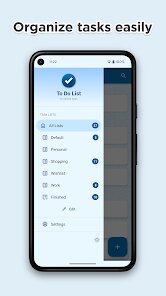
- 📂 Categories let you group tasks under labels like Work, Personal, or Shopping. This helps keep your list clean. Other apps like Any.do have similar features but require a paid plan for multiple categories.
- 🆓 No registration needed means you can start using the app right away after download. This is a big advantage over apps like TickTick, which force you to create an account before using any features.
pros
- ✅ To Do List is very easy to use and does not have a steep learning curve. Compared to Habitica, which feels more like a game, this app is straightforward and practical.
- ✅ It is free with no hidden charges. Unlike Trello, which limits free features, you get all core options without paying anything.
- ✅ The ads are not intrusive and do not interrupt your workflow. Apps like Todoist show more ads in the free version, which can be distracting.
- ✅ The app works offline, so you can manage tasks even without internet. This is better than Google Keep, which requires an online connection for some features.
cons
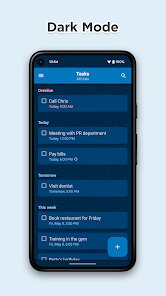
- ❌ The design looks a bit outdated compared to modern apps like TickTick, which have a cleaner interface. A visual update would make it more appealing.
- ❌ There is no cloud sync, so you cannot access your tasks on another device. Apps like Todoist offer cross platform support, which is a big missing feature here.
- ❌ The reminder sound is limited to a few options. Having more choices like in Microsoft To Do would be nice.















































