

Instasquare Photo Editor: Neon
Video Players & EditorsLatest APK
DownloadScreenshots
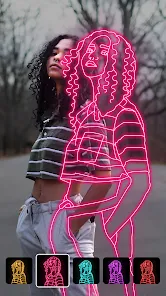
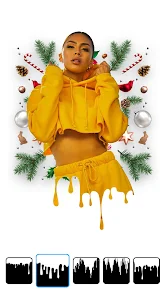
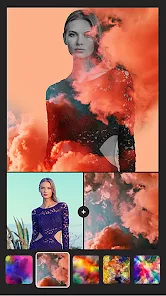
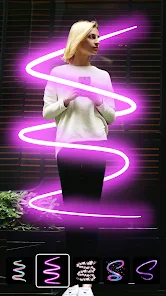
Related Apps
![]()
Broken Screen Prank
![]()
Fingerprint Scanner App
![]()
Firefox Fast & Private Browser
![]()
Allergy Plus by Pollen.com
![]()
Find My Phone By Clap, Whistle
![]()
Planner 5D: Home Design, Decor
![]()
Ghost Detector Real Life Radar
![]()
Pride Quiz LGBTIQ+
![]()
Galaxy Starry Keyboard Backgro
![]()
Instagram
![]()
Fun Fact- My Personal Fact
![]()
Audible: Audio Entertainment
![]()
Photo Frames
![]()
Photo Collage Maker & Editor
![]()
Japan Timetable & Route Search















About this app
 NameInstasquare Photo Editor: Neon
 CategoryVideo Players & Editors
 PriceFree
 Safety100% Safe
 DeveloperLyrebird Studio
 LabelPhotography
editor reviews
Instasquare Photo Editor: Neon is a photo editing app designed to help you add neon effects and stylish frames to your pictures. It's a tool for making your photos pop with glowing colors and cool borders, perfect for social media posts. The app launched a while back and you can find it on both Google Play and the App Store. It has a solid number of downloads, showing many people are using it. The best part is it's free to download and install. You don't need to register or sign up to start using it, which is super convenient. Just download the app, open it, and you're ready to go. There are some in-app purchases if you want extra features or to remove ads, and you will see some ads while using the free version, but they're not too intrusive.
Using the app is pretty straightforward. After you install it from Google Play, you just pick a photo from your gallery. Then, you browse through the collection of neon filters and light effects. You can adjust the intensity of the glow and choose from different frame styles, like the classic Instasquare look or other shapes. A simple tip from a regular user: play with the blend modes for the neon effects to make them look more natural or super dramatic, depending on your vibe. Another tip is to use the app's built-in photo basics, like brightness and contrast, before applying the neon stuff, so your base photo looks good. It's all about tapping and sliding – very intuitive.
Compared to other similar photo editors like VSCO or PicsArt, Instasquare Photo Editor: Neon is much more focused. Those other apps have a million tools, which can be overwhelming. This app does one thing really well: neon and frames. I choose it over others when I specifically want that glowing, edgy look without fussing with complicated settings. It's faster for this particular style. The interface is simpler, so you're not lost in menus. For quick, eye-catching posts, this app gets the job done faster than the bigger, all-in-one editors. It feels like a specialized tool rather than a bulky Swiss Army knife.
features
- ✨ The core function is applying vibrant neon glow effects and light leaks to photos. You get a dedicated library of these effects, which is more specialized than the general filters in apps like Snapseed.
- ✨ It offers a variety of stylish frames and borders, specifically the square formats popular for Instagram. This is its main niche compared to editors that treat frames as an afterthought.
- ✨ The app includes basic editing tools (crop, adjust, rotate) so you can fine-tune your picture before adding the neon flair, making it a more complete package for this style than a simple filter app.
- ✨ It allows for easy sharing directly to social platforms, streamlining the process from edit to post, which is a key reason users download this type of app.
pros
- 👍 It excels at its specialty: creating cool neon and glowing photo effects very quickly. The results are often more striking and focused than trying to achieve a similar look in a more complex app like PicsArt.
- 👍 The app is incredibly easy to use. The simple interface means you can install it and make a great edit in minutes, which is a huge plus over editors with steep learning curves.
- 👍 Having a free version with a good amount of content means you can download and try it without paying upfront, which is better than some apps that lock core features behind a paywall immediately.
cons
- 🔧 The free version shows ads, which can interrupt the editing flow. Some competing apps offer a cleaner, ad-free experience either for free or through a one-time purchase.
- 🔧 The selection of free neon effects and frames, while good, could be expanded. Compared to some other niche editors, the library feels a bit limited after extended use.













































