

FaceArt: Filters for Pictures
Video Players & EditorsLatest APK
DownloadScreenshots
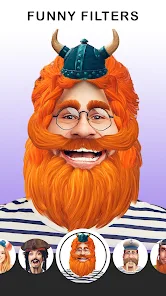
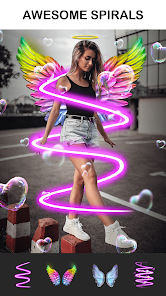
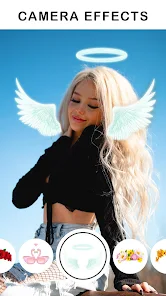
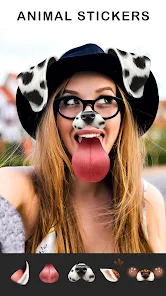
Related Apps
![]()
Broken Screen Prank
![]()
Fingerprint Scanner App
![]()
Firefox Fast & Private Browser
![]()
Allergy Plus by Pollen.com
![]()
Find My Phone By Clap, Whistle
![]()
Planner 5D: Home Design, Decor
![]()
Ghost Detector Real Life Radar
![]()
Pride Quiz LGBTIQ+
![]()
Galaxy Starry Keyboard Backgro
![]()
Instagram
![]()
Fun Fact- My Personal Fact
![]()
Audible: Audio Entertainment
![]()
Photo Frames
![]()
Photo Collage Maker & Editor
![]()
Japan Timetable & Route Search















About this app
 NameFaceArt: Filters for Pictures
 CategoryVideo Players & Editors
 PriceFree
 Safety100% Safe
 DeveloperLyrebird Studio
 LabelPhotography
editor reviews
FaceArt is a photo editing app designed to help you add fun filters and effects to your pictures. It's a tool I use all the time to make my photos look more artistic before sharing them online. The app launched a while back and you can find it on both Google Play and the App Store. It has millions of downloads, which shows how popular it is. The best part is that it's completely free to download and install. You don't even need to register or create an account to start using it, which I really appreciate for quick edits. While the core app is free, there are some in-app purchases if you want access to premium filter packs or to remove ads. Yes, there are occasional ads, but they're not too intrusive and you can usually close them after a few seconds.
Using FaceArt is super straightforward. After you download and install the app from Google Play, you just open it and either take a new photo or choose one from your gallery. The main screen shows all the different filter categories. I like to scroll through and tap on a few to see a live preview. A simple tip from a regular user: don't just apply one filter. Often, the magic happens when you layer a subtle color filter with a light texture or a frame. The app lets you adjust the intensity of each effect, so you can fine-tune it. Another thing I do is save my favorite combinations. The app has a 'Favorites' section where you can bookmark filters you use often, which saves a ton of time. It's really about playing around until the picture looks just right to you.
Compared to other similar apps like VSCO or Snapseed, I find myself choosing FaceArt more often for quick, fun edits. Those other apps are powerful, but they can feel a bit serious and complex for just adding a cool artistic touch. FaceArt feels more playful and less intimidating. The filters have fun names and are organized in a way that makes sense. It doesn't try to be a professional editing suite; it knows its job is to make pictures look artsy and fun, and it does that one thing really well. For someone who isn't a photo editing pro but still wants their social media pics to pop, this app hits the sweet spot. It's my go-to when I want to transform a simple snapshot into something more eye-catching without a big time investment.
features
- 🎨 Huge Variety of Artistic Filters: Unlike more basic editor apps, FaceArt offers a massive library specifically for creative, painterly, and stylistic effects. You can turn a photo into a watercolor painting, a pencil sketch, or a pop art masterpiece with one tap, which is its core strength.
- 🎨 Live Preview and Layering: A standout feature is the ability to see filter effects in real-time and layer multiple ones. You can combine a color grade with a light leak and a vintage frame, adjusting each layer's strength. This level of creative control is simpler here than in complex apps like Adobe Lightroom.
- 🎨 One-Tap Enhancements & Favorites: For quick edits, the 'Enhance' and 'Auto-Art' buttons work great. Plus, the Favorites system lets you build a personal toolkit of go-to effects, making your workflow much faster compared to scrolling through generic filter menus in other apps.
pros
- 👍 Fun and User-Friendly Vibe: The app's interface is colorful and intuitive. It encourages experimentation without pressure, which is more engaging than the sometimes sterile feel of apps like PicsArt for basic filtering.
- 👍 Great for Social Media: The filters are perfectly tuned for platforms like Instagram and TikTok. They add that trendy, artistic flair instantly, whereas some professional apps require more steps to achieve a similar look.
- 👍 No Account Needed: You can dive right in after install. This instant access is a big plus over apps that force you to sign up before you can even try a basic feature.
cons
- 👎 Ad Interruptions: The free version has ads that can pop up between edits. While manageable, it's a bit more disruptive than the ad experience in some competing free apps.
- 👎 Limited Advanced Tools: If you need precise adjustments like selective editing or curve tools, you'll need another app. FaceArt is focused on filters, not fine-tuning, which can be a limitation for detailed work.













































