

Video Editor & Maker - InShot
Video Players & EditorsLatest APK
DownloadScreenshots
Related Apps
![]()
Broken Screen Prank
![]()
Fingerprint Scanner App
![]()
Firefox Fast & Private Browser
![]()
Allergy Plus by Pollen.com
![]()
Find My Phone By Clap, Whistle
![]()
Planner 5D: Home Design, Decor
![]()
Ghost Detector Real Life Radar
![]()
Pride Quiz LGBTIQ+
![]()
Galaxy Starry Keyboard Backgro
![]()
Instagram
![]()
Fun Fact- My Personal Fact
![]()
Audible: Audio Entertainment
![]()
Photo Frames
![]()
Photo Collage Maker & Editor
![]()
Japan Timetable & Route Search















About this app
 NameVideo Editor & Maker - InShot
 CategoryVideo Players & Editors
 PriceFree
 Safety100% Safe
 DeveloperInShot Video Editor
 LabelPhotography
editor reviews
InShot is a video editing app designed to help you create and edit videos right on your phone. It's a fantastic tool for anyone who wants to make videos for social media, personal memories, or simple projects. The app launched a while back and has become super popular. You can find it on both Google Play and the App Store, and it has been downloaded millions of times. It's free to download and install, which is a big plus. You don't need to register an account to start using it, so you can jump right in after the download. While the core app is free, there are some in-app purchases if you want to remove the watermark or unlock more advanced features and effects. You might also see some ads in the free version, but they're usually not too intrusive.
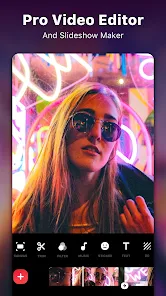
Using InShot is pretty straightforward. After you install the app, you open it and can immediately start a new project by selecting videos or photos from your gallery. I use it mostly to trim clips, add music, and put text over my videos. A simple tip from a regular user: always use the 'Canvas' feature to change your video's aspect ratio for different platforms like Instagram or TikTok before you start editing; it saves a lot of time later. The interface is clean, with all the tools like filters, speed control, and stickers easy to find. I often use it to make quick edits for my stories or to combine several short clips from a day out. It's very intuitive, so even if you've never edited a video before, you'll figure it out quickly.
Compared to other similar apps like CapCut or KineMaster, I keep coming back to InShot. For me, it strikes the best balance between being powerful enough and not being overwhelming. Some apps have so many professional features that they feel complicated, while others are too basic. InShot sits right in the middle. It has all the essential editing tools I need without the clutter. The export quality is really good for a mobile app, and the process is fast. I also find its text and sticker library to be more fun and varied than some competitors. It just feels more polished and user-friendly for everyday, casual editing, which is why I chose it over others and recommend it on Google Play.
features
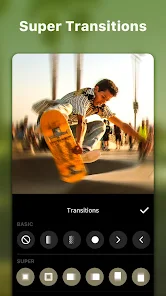
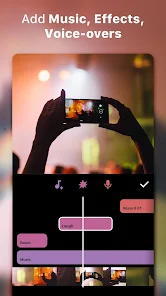
- 🎬 All-in-One Editing Suite: InShot packs trimming, splitting, merging, speed control, filters, and music addition into one simple interface. Unlike some apps that separate these functions, InShot lets you do everything in one place, making the workflow very smooth for quick social media clips.
- 🎬 Flexible Export & Canvas Options: A standout feature is the easy aspect ratio change (Canvas tool) for Instagram, YouTube, TikTok, etc. Compared to similar apps, InShot makes this switch incredibly intuitive before you even start editing, preventing cropping issues later.
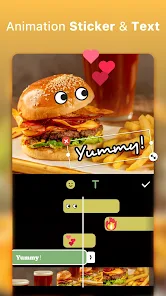
- 🎬 Rich Media Library: It offers a vast collection of free music, sound effects, fonts, stickers, and animated emojis. While apps like CapCut also have libraries, InShot's feels more curated for trendy, social-media-ready content, which is a big draw for users.
- 🎬 User-Friendly Interface: The design is clean and icons are clear. For a new user, it's easier to navigate than something like KineMaster, which can feel a bit technical. This simplicity is its main advantage for casual editors.
pros
- ✅ Ease of Use: It's incredibly intuitive. Compared to more complex editors, InShot gets you from install to a finished video in minutes. The learning curve is almost non-existent.
- ✅ Quick Social Media Prep: The direct export options for different platforms are a lifesaver. It's faster for this specific task than many similar apps that require manual ratio settings.
- ✅ Fun Creative Elements: The selection of stickers, fonts, and filters is trendy and updated often, giving videos a polished, current look without extra effort.
cons
- ⚠️ Watermark in Free Version: The prominent watermark on exports is a common downside. Many competing free apps offer watermark-free exports, making this a noticeable drawback for InShot.
- ⚠️ Advanced Feature Limits: For complex edits like multi-layer timelines or keyframing, it falls short compared to apps like KineMaster or PowerDirector, which are better for detailed projects.















































