


Installs
10M+
Developer
AR Drawing
-
Category
Art & Design
-
Content Rating
Everyone
-
Developer Email
-
Privacy Policy
https://ar-drawing.com/privacy/
Screenshots
editor reviews
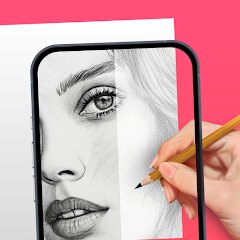
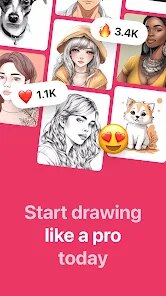
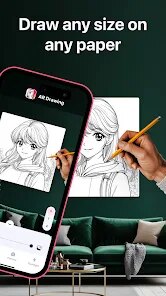
AR Drawing: Sketch & Paint is a creative mobile app that lets you draw and paint using augmented reality. It's basically a digital art studio that uses your phone's camera to project a guide image onto any surface, like paper or canvas, so you can trace it easily. The app first launched a few years back and you can download it for free from the Google Play Store. It has millions of installs, which shows how popular it is among people who want to try digital art. You don't need to register to start using it, which is great for just jumping in. The app itself is free to install, but there are some in-app purchases for extra tools and features. You might also see some ads while using it, but they're usually not too intrusive.

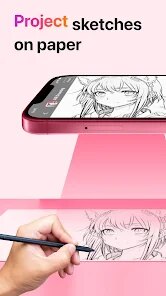
Using the app is pretty straightforward. You pick an image from your gallery or choose one from the app's library, then point your phone's camera at your drawing surface. The image appears as a semi-transparent overlay, and you just follow the lines with your pencil or brush. A good tip is to make sure you have steady lighting and a stable surface for your phone, maybe using a tripod, to keep the AR guide from shaking. It's perfect for beginners who find freehand drawing difficult, as it builds confidence by helping you get proportions right. I often use it for sketching outlines before switching to traditional painting.
Compared to other drawing apps like SketchBook or IbisPaint X, AR Drawing is unique because of its core AR tracing feature. Those other apps are fantastic for freehand digital drawing on your screen with tons of brushes. I chose this app specifically when I wanted to transfer complex designs onto a physical canvas or paper. For instance, if I see a cool character online and want to paint it on a wall, this app makes the initial sketch much easier than trying to eyeball it. While apps like Adobe Fresco are more powerful for professional digital art, AR Drawing fills a different niche—it's a bridge between digital inspiration and physical creation. It's less about creating art directly on the phone and more about using the phone as a smart stencil.


features
- 🎯 AR Tracing Core Feature: The main draw is the augmented reality tracing. You can take any photo, and the app projects it as a guide onto your real-world paper. This is something general drawing apps like Autodesk SketchBook simply don't offer, making it a standout tool for beginners and craft projects.
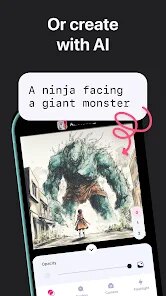
- 🖼️ Versatile Image Sources: You're not limited to a small internal library. The app lets you import pictures directly from your phone's gallery or even search for images online within the app, giving you endless reference material to trace and learn from.
- ✏️ Beginner-Friendly Tools: The drawing tools are simple and focused on the tracing task. You get basic brushes, an eraser, and layer controls that are easy to understand, reducing the overwhelm that can come with more complex apps like Procreate.
- 📁 Project Management: It allows you to save your AR guide setups as projects. This means you can pause a large tracing, close the app, and come back later to exactly the same setup without having to realign your phone and image, which is a huge time-saver.
pros
- ✅ Unique AR Functionality: Its sole focus on AR-assisted tracing sets it apart. Apps like 'Tracing Projector' do similar things, but AR Drawing often feels more stable and has a cleaner interface for this specific job.
- ✅ Low Barrier to Entry: Being free on Google Play with no mandatory sign-up means anyone can download, install, and try the app immediately, which is great for casual users compared to some subscription-based art apps.
- ✅ Great for Physical Art Transfer: It excels at helping you get digital designs onto physical mediums accurately, a niche where full-featured digital painting apps aren't designed to compete.
cons
- ❌ Limited Creative Suite: As a dedicated tracing tool, its freehand drawing and painting capabilities are basic. For detailed digital artwork, apps like IbisPaint X or Infinite Painter offer far more brushes and effects.
- ❌ Ad Interruptions: The free version includes ads, which can pop up and break your focus. Many similar free apps have this, but it's still a downside for an immersive drawing experience.
- ❌ AR Stability Issues: The augmented reality tracking can sometimes drift or jitter if the lighting is poor or the surface lacks detail. This requires more setup patience compared to a standard drawing app that just works on the screen.
- ❌ In-App Purchases for Key Features: Some useful brushes or advanced features are locked behind purchases. While common, it means the core free app you download might feel limited next to other free apps with more unlocked tools.
Recommended Apps
![]()
AI Chat Open Assistant Chatbot
Smart Widget Labs Co Ltd4.4![]()
What is my name meaning
Code Play0![]()
Brain Test: Alzheimer's
Living Maples Healthy Aging0![]()
Faladdin: Tarot & Horoscopes
Arteria Yazilim Anonim Sirketi4.9![]()
HD Wallpapers (Backgrounds)
Android Station4.4![]()
QR Code Reader Barcode Scanner
Celebrity App Studio3.9![]()
Mirror App: Magic Photo Editor
Lyrebird Studio4.2![]()
Microsoft Outlook
Microsoft Corporation4.6![]()
My Character: Cartoon Filter
CEM SOFTWARE LTD4.3![]()
Fingerprint Scanner Personalit
Zabirko4.3![]()
Gradient: Celebrity Look Like
TICKET TO THE MOON, INC.4.1![]()
AR Drawing - Sketchar App
Braly JSC4.2![]()
Pic Stitch: Collage Maker
Maple Media3.5![]()
Truth or Dare Game - Party App
Chouic4.8![]()
Google Meet
Google LLC4.4
Hot Apps
-
![]()
Google Home
Google LLC4.2 -
![]()
Microsoft Teams
Microsoft Corporation4.6 -
![]()
OfferUp: Buy. Sell. Letgo.
OfferUp Inc.4.4 -
![]()
Wise: International Transfers
Wise Payments Ltd.4.7 -
![]()
WhatsApp Messenger
WhatsApp LLC4.5 -
![]()
MyFitnessPal: Calorie Counter
MyFitnessPal, Inc.4.3 -
![]()
Spotify: Music and Podcasts
Spotify AB4.3 -
![]()
FaceApp: Perfect Face Editor
FaceApp Technology Ltd4.4 -
![]()
CapCut - Video Editor
Bytedance Pte. Ltd.4 -
![]()
Waze Navigation & Live Traffic
Waze3.9 -
![]()
Chai: Chat AI Platform
Chai Research Corp.4.3 -
![]()
ChatOn - AI Chat Bot Assistant
AIBY Inc.4.4 -
![]()
Amazon Alexa
Amazon Mobile LLC4.5 -
![]()
Netflix
Netflix, Inc.3.9 -
![]()
YouTube
Google LLC4.1 -
![]()
Telegram
Telegram FZ-LLC4.2 -
![]()
Grok
xAI4.9 -
![]()
TikTok
TikTok Pte. Ltd.4.1 -
![]()
Perplexity - Ask Anything
PerplexityAI4.7 -
![]()
letgo: Buy & Sell Used Stuff
letgo3.3 -
![]()
Poly.AI - Create AI Chat Bot
CLOUD WHALE INTERACTIVE TECHNOLOGY LLC.4 -
![]()
Google Chrome: Fast & Secure
Google LLC4.1 -
![]()
ChatGPT
OpenAI4.8 -
![]()
Zoom - One Platform to Connect
zoom.us4.1 -
![]()
Signal Private Messenger
Signal Foundation4.5 -
![]()
Microsoft Copilot
Microsoft Corporation4.8 -
![]()
Pandora - Music & Podcasts
Pandora4.1 -
![]()
Google Gemini
Google LLC4.6 -
![]()
Snapchat
Snap Inc4.1 -
![]()
Passport Parking
Passport Labs, Inc.3.4
Disclaimer
1.Apkinfast does not represent any developer, nor is it the developer of any App or game.
2.Apkinfast provide custom reviews of Apps written by our own reviewers, and detailed information of these Apps, such as developer contacts, ratings and screenshots.
3.All trademarks, registered trademarks, product names and company names or logos appearing on the site are the property of their respective owners.
4. Apkinfast abides by the federal Digital Millennium Copyright Act (DMCA) by responding to notices of alleged infringement that complies with the DMCA and other applicable laws.
5.If you are the owner or copyright representative and want to delete your information, please contact us [email protected].
6.All the information on this website is strictly observed all the terms and conditions of Google Ads Advertising policies and Google Unwanted Software policy .



























































