

Screenshots
Related Apps
![]()
Pocket FM: Audio Series
![]()
FalFal: Astrology, Tarot, Love
![]()
Google Drive
![]()
Yuka - Food & cosmetic scan
![]()
GroupMe
![]()
AgeCam: Face Age Changer App
![]()
Air Horn Prank (Loud Joke)
![]()
Palm Secret - Aging&Cartoon
![]()
YouTube
![]()
Anime Girl Wallpapers
![]()
Doodle Art: Magic Drawing App
![]()
Moises: The Musician's AI App
![]()
Zodiac Palm Reader: MagicWay
![]()
DeepSeek - AI Assistant
![]()
Volume Control Sound Launcher














About this app
 NameGoogle Drive
 CategoryProductivity
 PriceFree
 Safety100% Safe
 DeveloperGoogle LLC
 LabelProductivity
editor reviews
Google Drive is a cloud storage app designed to help you save, access, and share your files from anywhere. It's like having a digital filing cabinet that you can carry in your pocket. I started using it years ago when it first launched, and it's been a lifesaver ever since. You can get it on both Google Play for Android and the App Store for iPhone, and it's been downloaded billions of times, which shows how many people rely on it. The best part? The core app is completely free to download and install. You don't even need to register a new account if you already have a Google account—you just sign in. It gives you 15GB of storage for free to start with, which is shared with your Gmail and Google Photos. For most of my documents and a few photos, that's plenty. If you need more space, there are optional in-app purchases for monthly plans. I see a few ads here and there for upgrading your storage, but they're not intrusive and don't get in the way of using the app at all.
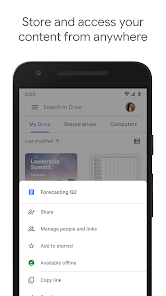
Using Google Drive is super straightforward. I mostly use it on my phone to back up important documents right from my camera. For instance, after I take a photo of a receipt, I just open the Drive app, hit the '+' button, and choose 'Upload'. It's saved instantly. A real user tip: I always create folders for different projects—like 'Home Taxes' or 'Vacation Plans'—so I can find everything later without scrolling forever. Sharing is where it really shines. When I'm working on a group project, I just create a shared folder, add my friends' email addresses, and we can all drop in files. We can even work on the same Google Doc or Sheet at the same time, seeing each other's changes live. It completely replaced emailing files back and forth for me.
Compared to other similar apps like Dropbox, I find myself sticking with Google Drive. A big reason is the deep integration with other Google services I already use every day, like Gmail and Google Photos. If someone emails me a file in Gmail, I can save it directly to Drive with one tap. With Dropbox, I felt like I was managing a separate, siloed space. Drive just feels more woven into my digital life. Also, the 15GB free tier is more generous than some competitors when you start out. The search function is incredibly powerful too; it can even find text inside scanned documents or images, which has saved me hours of digging. For a free app that handles everything from simple backup to real-time collaboration, it's hard to beat.
features
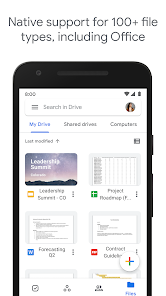
- 📁 Centralized File Hub: It's not just storage; it's where my Google Docs, Sheets, and Slides live. I can create a document directly in the app, and it's automatically saved to Drive. This seamless creation-and-storage combo is smoother than using something like Microsoft OneDrive, where the office apps feel more separate.
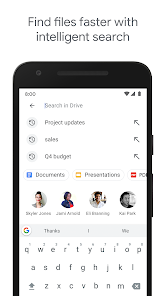
- 📁 Powerful Search & Organization: The search bar can find anything, even words inside PDFs or images. I just type "receipt March" and it finds it. Compared to Box, which is also great for business, Drive's search feels more intuitive and personal for everyday use.
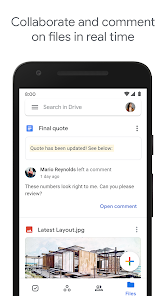
- 📁 Real-Time Collaboration: This is the killer feature. I can share a folder with my team, and we all edit files simultaneously. We see each other's cursors and changes in real-time, with a built-in chat comment system. Apple iCloud Drive works well for Apple-only groups, but Drive's cross-platform collaboration is unmatched.
- 📁 Seamless Cross-Device Sync: I upload a file on my laptop, and it's instantly available on my phone. The background sync is reliable and fast. Some other apps require manual sync triggers or have slower update times, but Drive just works quietly in the background.
pros
- ✅ Amazing Integration: Its connection with Gmail, Photos, and Android is flawless. Saving email attachments directly to Drive is a daily time-saver other apps can't match as smoothly.
- ✅ Generous Free Tier: 15GB of free storage is a great starting point, more than many competitors offer upfront, making it easy to recommend for a first-time download.
- ✅ Superior Collaboration Tools: The live editing and commenting features for Docs and Sheets are industry-leading and completely free, outshining basic sharing in apps like Dropbox.
- ✅ Reliability & Speed: Backed by Google's infrastructure, it's incredibly reliable and fast for both uploads and access, which builds tremendous trust.
cons
- ⚠️ Shared Storage Pool: The free 15GB is shared with Gmail and Photos, which can fill up quickly with photos, forcing a storage upgrade sooner than expected.
- ⚠️ Interface Can Feel Busy: As more features are added, the app interface can feel cluttered compared to the cleaner, simpler layout of an app like MEGA.














































