
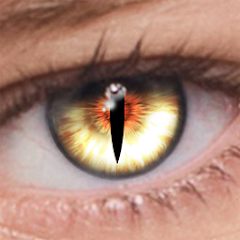
FoxEyes - Change Eye Color
Video Players & EditorsLatest APK
DownloadScreenshots
Related Apps
![]()
Broken Screen Prank
![]()
Fingerprint Scanner App
![]()
Firefox Fast & Private Browser
![]()
Allergy Plus by Pollen.com
![]()
Find My Phone By Clap, Whistle
![]()
Planner 5D: Home Design, Decor
![]()
Ghost Detector Real Life Radar
![]()
Pride Quiz LGBTIQ+
![]()
Galaxy Starry Keyboard Backgro
![]()
Instagram
![]()
Fun Fact- My Personal Fact
![]()
Audible: Audio Entertainment
![]()
Photo Frames
![]()
Photo Collage Maker & Editor
![]()
Japan Timetable & Route Search















About this app
 NameFoxEyes - Change Eye Color
 CategoryVideo Players & Editors
 PriceFree
 Safety100% Safe
 DeveloperGameSmileStudio
 LabelBeauty
editor reviews
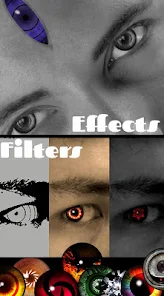
FoxEyes - Change Eye Color is a photo editing app designed to help you change your eye color in photos. It's a fun tool I found on Google Play a while back. I use it mostly for playing with selfies or editing pictures of my friends. The app launched a few years back and you can download it for free from both Google Play and the App Store. It has millions of installs, which shows a lot of people are into this kind of editing. You don't need to register or create an account to start using it, which is great for quick edits. The core function of changing eye color is free, but like many free apps, it has ads and offers in-app purchases. These purchases usually unlock more advanced color options, remove ads, or give you access to extra editing tools. I've used the free version and it works fine for basic changes.
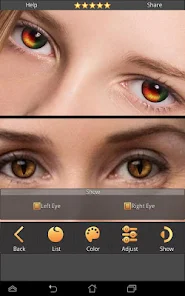
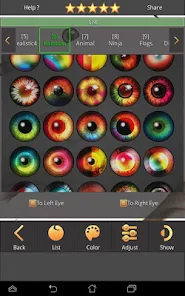
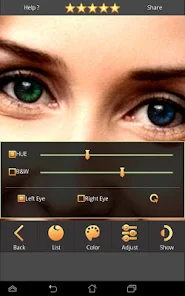
Using FoxEyes is pretty straightforward. After you install the app, you open it and pick a photo from your gallery. The app then automatically detects the eyes in the picture. Sometimes you might need to adjust the detection area manually if it doesn't get it right, especially with glasses or unusual angles. Once the eyes are selected, you get a wheel or a palette of colors to choose from. You just tap a color—like blue, green, violet, or even crazy colors like red—and it applies it. A real user tip: start with a subtle color change first to see how it looks. You can adjust the intensity with a slider to make the change look more natural or more dramatic. Another tip is to use the 'undo' button freely if you don't like a change. The interface is simple, so you don't need to be a photo editing pro to get cool results quickly. I mostly use it for fun social media posts.
Compared to other similar apps like Perfect365 or FaceTune, FoxEyes is much more focused. Those other apps are full-blown beauty editors with skin smoothing, reshaping, and tons of features. FoxEyes just does eye color. I chose it because I didn't want a complicated app. When I just want to see how I'd look with green eyes, I don't need all the other tools. It's faster to download and install, and it's lighter on my phone's storage. Some other eye color changers I tried on Google Play had clunky interfaces or too many ads that got in the way. FoxEyes keeps it simple. For a quick, specific edit, it does the job better than the more general apps. The results are usually clean, and the app is easy to understand right away.
features
- 🎯 Automatic Eye Detection: The app quickly finds the eyes in your photo, so you don't have to manually trace them. Compared to some editors where you have to select the area yourself, this saves a lot of time.
- 🎯 Simple Color Palette: It offers a straightforward wheel of colors, from natural hues to fantasy shades. Other apps might bury this feature in menus, but here it's the main event, making the process very direct.
- 🎯 Intensity Control: A simple slider lets you control how strong the color change is. This is a key feature that lets you go from a subtle tint to a bold, dramatic look, which some simpler competitors lack.
- 🎯 Quick Processing: Changes apply almost instantly. Unlike heavier photo suites that can lag, FoxEyes is optimized for this one task, so the edit-and-save workflow is very fast.
pros
- 👍 Does One Thing Well: It's dedicated solely to changing eye color, so the tools are intuitive and uncluttered. Broader apps like YouCam Perfect have this feature but it's harder to find and use.
- 👍 Great for Beginners: The automatic detection and simple taps make it super easy for anyone to use without a learning curve, which isn't always the case with more professional editors.
- 👍 Fun and Fast Results: You can experiment with wild colors and see the result in seconds, perfect for playful social media content. It's faster for this specific task than opening a larger, more complex app.
cons
- ⚠️ Ad Interruptions: The free version has frequent ads, which can disrupt the editing flow. Many similar free apps have this issue, but it can be annoying during quick edits.
- ⚠️ Limited Free Colors: The best and most natural-looking colors are often locked behind in-app purchases. Other free apps might offer a slightly wider range of free options.
















































