
Screenshots
Related Apps
![]()
Broken Screen Prank
![]()
Fingerprint Scanner App
![]()
Firefox Fast & Private Browser
![]()
Allergy Plus by Pollen.com
![]()
Find My Phone By Clap, Whistle
![]()
Planner 5D: Home Design, Decor
![]()
Ghost Detector Real Life Radar
![]()
Pride Quiz LGBTIQ+
![]()
Galaxy Starry Keyboard Backgro
![]()
Instagram
![]()
Fun Fact- My Personal Fact
![]()
Audible: Audio Entertainment
![]()
Photo Frames
![]()
Photo Collage Maker & Editor
![]()
Japan Timetable & Route Search















About this app
 NameAI Art Image Generator – GoArt
 CategoryGenerative AI
 PriceFree
 Safety100% Safe
 DeveloperAI Art Photo Editor | Everimaging Ltd.
 LabelPhotography
editor reviews
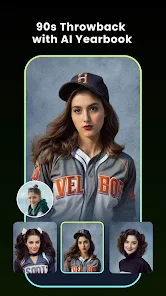
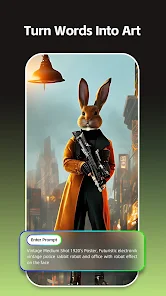
GoArt is a creative AI art generator app designed to help you turn your photos into stunning digital artwork with just a few taps. I've been using it for a few months now to add a unique, artistic flair to my pictures before sharing them on social media. The app launched a while back and you can easily find it on both Google Play and the App Store. It has millions of downloads, which shows how popular it is. The best part is that it's completely free to download and install. You don't even need to register or create an account to start using most of its features, which I really appreciate for quick edits. While the core app is free, there are some in-app purchases if you want access to all the premium art styles and filters without watermarks. I've noticed a few ads here and there, but they're not too intrusive and you can remove them with a purchase.
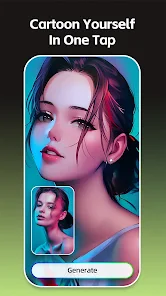
Using GoArt is super straightforward. I usually just open the app, pick a photo from my gallery, and then browse through the huge collection of art styles. It has everything from classic oil painting and watercolor effects to more modern and abstract looks. My favorite trick is to try the same photo with different filters to see which one looks best; sometimes a simple portrait becomes an amazing pop art piece. The AI processes the image really fast, usually in just a few seconds. After it's done, I can make minor adjustments to the intensity or colors before saving the final artwork directly to my phone. It's become my go-to app for creating unique profile pictures or artistic posts.
Compared to other AI art apps on Google Play, like Prisma or Dream by WOMBO, I keep coming back to GoArt for a few reasons. While those other apps are also great, I find GoArt's interface a bit simpler and less cluttered, which makes the whole process feel quicker. The variety of styles feels more tailored for turning regular photos into believable paintings, whereas some other apps can get a bit too abstract. For someone who just wants to experiment with AI art without a steep learning curve, GoArt hits the sweet spot. It's reliable, the results are consistently impressive, and it doesn't overload you with complicated settings.
features
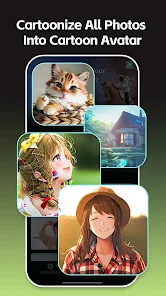
- 🎨 Massive style library: It offers a vast collection of filters, from Van Gogh and Picasso imitations to sketch and cartoon effects, giving you more immediate creative options than many similar apps.
- 🎨 One-tap transformation: The core feature is incredibly simple—select a photo, choose a style, and get your art in seconds. This streamlined process is faster and more direct than some competitors that require more steps.
- 🎨 Good free tier: You can download and use a solid number of styles for free, which is more generous than some other apps that lock most good features behind a paywall immediately after install.
- 🎨 Non-destructive editing: Your original photo is always safe. You can apply different styles to the same picture repeatedly without losing quality, which is perfect for experimentation.
pros
- 👍 Speed and simplicity: It generates high-quality art from photos faster than many similar apps I've tried, with a very clean and user-friendly interface.
- 👍 Output quality: The AI does a great job preserving details from the original photo while applying the artistic effect, often yielding more coherent and aesthetically pleasing results than some rivals.
- 👍 Accessibility: Being free to download and not requiring sign-up makes it one of the most accessible apps in this genre to just install and start playing with immediately.
cons
- 👎 Watermarks on free saves: The prominent watermark on images saved using the free version is more noticeable than the subtle logos used by some other free art apps.
- 👎 Ad frequency: The free version shows ads quite frequently between actions, which can interrupt the creative flow more than in comparable applications.
















































