

Screenshots
Related Apps
![]()
Broken Screen Prank
![]()
Fingerprint Scanner App
![]()
Firefox Fast & Private Browser
![]()
Allergy Plus by Pollen.com
![]()
Find My Phone By Clap, Whistle
![]()
Planner 5D: Home Design, Decor
![]()
Ghost Detector Real Life Radar
![]()
Pride Quiz LGBTIQ+
![]()
Galaxy Starry Keyboard Backgro
![]()
Instagram
![]()
Fun Fact- My Personal Fact
![]()
Audible: Audio Entertainment
![]()
Photo Frames
![]()
Photo Collage Maker & Editor
![]()
Japan Timetable & Route Search















About this app
 NamePicSo – Customize Your AI Girl
 CategoryGenerative AI
 PriceFree
 Safety100% Safe
 DeveloperMeta Insight
 LabelArt & Design
editor reviews
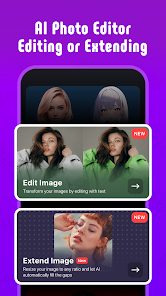
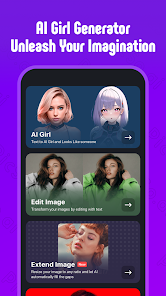
PicSo is an AI art generation app designed to help you create custom anime-style characters and digital artwork. I use it mostly for making unique 'AI girl' portraits, fantasy scenes, and fun profile pictures. The app launched a couple of years ago and you can download it on both Google Play and the App Store. It has millions of installs, which shows how popular it's become. The app is free to install, which is great for trying it out. You don't need to register right away to play with some basic features, but creating an account unlocks more tools. Be aware there are in-app purchases for premium features and credits, and you will see ads in the free version.
Using PicSo is pretty straightforward. You start by typing a description of what you want – like 'a cyberpunk girl with blue hair in a neon city' – and then pick an art style. The app gives you a few AI models to choose from, each good for different things, like one for realistic faces and another for classic anime. My tip is to be as specific as you can in your text prompt; adding details about hair, eyes, clothing, and background gets you much better results. After the AI generates a few images, you can upscale them for higher quality or use the 'Remix' feature to make small changes. I often generate a batch, pick my favorite, and then tweak it. It feels like having a digital artist in your pocket.
Compared to other AI art apps like WOMBO Dream or StarryAI, I keep coming back to PicSo for a few reasons. While those other apps are fun, PicSo feels more specialized for character creation. The controls for adjusting poses and expressions seem a bit more refined here. Also, the quality of the anime-style output on PicSo often looks cleaner and more detailed to my eyes, with fewer weird AI glitches in the faces. It's not perfect, but for quickly bringing a character idea to life, it's my go-to. The free credits you get daily also make it easier to stick with than some apps that lock everything behind a paywall immediately.
features
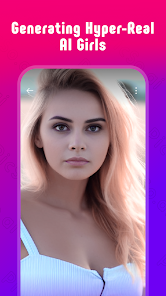
- 🎨 Core AI Image Generation: The main function is turning text into anime and digital art. You describe a character or scene, and PicSo's AI creates it. Compared to a broader app like Dream by WOMBO, PicSo feels more tuned for consistent, stylish character portraits.
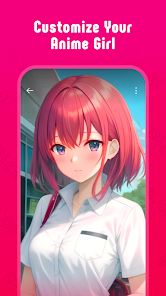
- 👤 Character Customization Tools: Beyond basic generation, you can refine characters. There are options to influence pose, art style (like 'Ghibli' or 'Cyberpunk'), and facial details. This level of control for character design is a step up from more general AI art generators.
- ✨ 'Remix' and Edit Features: After an image is generated, you can 'Remix' it by editing the prompt to create variations, or use tools to upscale resolution. This iterative process is smoother here than in some similar apps, making it easy to perfect a creation.
- 📁 Personal Gallery and Community: The app saves all your creations in a personal gallery. There's also a feed to see and get inspired by what others have made with PicSo, which adds a social layer not always present in similar tools.
pros
- 👍 Specialized for Characters: It really shines at creating cohesive, attractive anime-style characters. Apps like StarryAI can do more abstract art, but PicSo delivers more reliable results for character portraits.
- 👍 User-Friendly for Beginners: The interface is clean and the text-to-image process is very simple. It's less intimidating than some professional AI tools, making digital art creation accessible.
- 👍 Good Free Tier Balance: The daily free credits allow for regular experimentation without immediate payment, which is more generous than some competitors that heavily restrict free use.
cons
- 👎 Credit System Can Be Limiting: Generating high-quality or many images quickly uses up credits, pushing you toward purchases. Other apps have similar models, but the spend rate here feels noticeable.
- 👎 Ads in Free Version: The ads can interrupt the creative flow. Some competing apps offer a cleaner, ad-free experience either through a one-time purchase or different subscription model.

















































