
Screen Recorder Video Recorder
Video Players & EditorsLatest APK
DownloadScreenshots
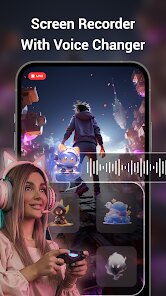
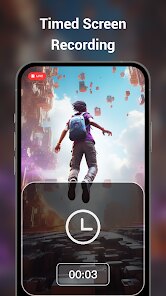
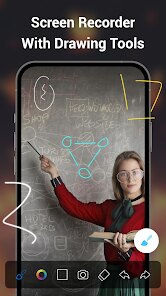
Related Apps
![]()
Broken Screen Prank
![]()
Fingerprint Scanner App
![]()
Firefox Fast & Private Browser
![]()
Allergy Plus by Pollen.com
![]()
Find My Phone By Clap, Whistle
![]()
Planner 5D: Home Design, Decor
![]()
Ghost Detector Real Life Radar
![]()
Pride Quiz LGBTIQ+
![]()
Galaxy Starry Keyboard Backgro
![]()
Instagram
![]()
Fun Fact- My Personal Fact
![]()
Audible: Audio Entertainment
![]()
Photo Frames
![]()
Photo Collage Maker & Editor
![]()
Japan Timetable & Route Search















About this app
 NameScreen Recorder Video Recorder
 CategoryVideo Players & Editors
 PriceFree
 Safety100% Safe
 DeveloperVideo Screen Recorder, Voice Audio Editor, Cut MP3
 LabelVideo Players & Editors
editor reviews
Screen Recorder Video Recorder is a utility app in the productivity category that focuses on capturing your phone screen without any hassle. I downloaded it from Google Play because I needed a simple way to record tutorials and game clips. The app is free to install, and you do not need to register an account to start using it right away. It has millions of downloads on Google Play and also works on the App Store. When you first open the app, you will see a clean interface with a floating button that appears on top of other apps. There are in-app purchases if you want to remove ads or unlock extra features, but the basic recording works perfectly without spending anything. I have been using it for a few weeks now, and it has become my go-to tool for screen capture.
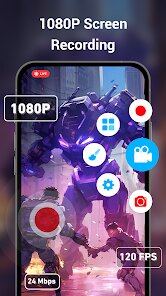
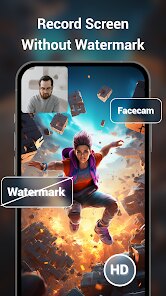
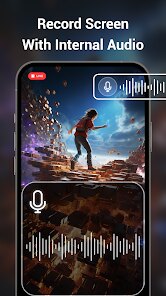
Using Screen Recorder Video Recorder is very simple. You just tap the floating button and choose to start recording. The app lets you decide if you want to record with audio from the microphone or internal sound, which is great for voiceovers or game sounds. I like that you can pause and resume recording without creating multiple files. For example, when I record a long tutorial, I pause when I need to check something and then continue. The video quality options are clear, and you can choose between 720p and 1080p. One tip I can share is to make sure you have enough storage before recording, because high quality videos can take up space. Also, use the countdown timer feature to avoid showing the floating button in your video. It saves time when editing later.
Compared to other screen recorders like AZ Screen Recorder, this app feels more lightweight and less cluttered. AZ Screen Recorder has more advanced editing tools, but I prefer Screen Recorder Video Recorder because it focuses on what I need most: quick recording and simple controls. The floating button stays visible even when I switch apps, which is not always the case with similar tools. Another app I tried was Mobizen, but it had too many ads and required signup. This app does not force you to create an account, which I really appreciate. For everyday use, Screen Recorder Video Recorder gets the job done without extra steps. If you want a reliable screen capture app that is easy to manage, this one is worth checking out.
features
- 🎥 Screen recording with internal audio or microphone – You can capture game sounds or your own voice easily. This feature is better than what you get in XRecorder, which sometimes has audio sync issues. Here, the audio matches the video perfectly every time.
- ✂️ Built-in video trimmer and editor – After recording, you can cut out unwanted parts without leaving the app. Similar apps like ADV Screen Recorder require you to use a separate editor. This saves time and keeps everything in one place.
- 🔊 Voice audio editor and MP3 cutter – This app includes tools to edit voice recordings and cut MP3 files. Most screen recorders only focus on video, but this one doubles as a basic audio editor. It is handy for making ringtones or trimming voice notes on the go.
pros
- 👍 Simple and fast recording – No complicated settings, just tap and start. Compared to DU Recorder, which has too many options, this app keeps things straightforward.
- 👍 Floating button works on all apps – You can record from any screen without interruption. Mobizen often hides the button, but here it stays visible.
- 👍 Free version is fully usable – You do not need to pay for basic features. Many apps lock resolution options behind a paywall, but this one does not.
cons
- 👎 Ads can be annoying – There are ads after stopping a recording. Similar apps like AZ Screen Recorder show fewer ads.
- 👎 Limited editing tools – The video editor only trims clips. Apps like FilmoraGo offer more editing options, so power users may want more.
















































