

Screenshots
Related Apps
![]()
Broken Screen Prank
![]()
Fingerprint Scanner App
![]()
Firefox Fast & Private Browser
![]()
Allergy Plus by Pollen.com
![]()
Find My Phone By Clap, Whistle
![]()
Planner 5D: Home Design, Decor
![]()
Ghost Detector Real Life Radar
![]()
Pride Quiz LGBTIQ+
![]()
Galaxy Starry Keyboard Backgro
![]()
Instagram
![]()
Fun Fact- My Personal Fact
![]()
Audible: Audio Entertainment
![]()
Photo Frames
![]()
Photo Collage Maker & Editor
![]()
Japan Timetable & Route Search















About this app
 NameiControl: Easy Widgets Themes
 CategoryProductivity
 PriceFree
 Safety100% Safe
 DeveloperFancy keyboard for theme apps
 LabelPersonalization
editor reviews
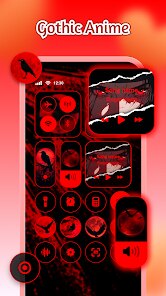
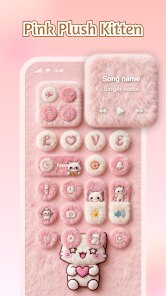
iControl: Easy Widgets Themes is a personalization app in the tools category that focuses on making your phone look fresh and unique. I found this app on Google Play while looking for ways to change up my home screen without too much hassle. The app lets you download and install widgets, icon packs, and wallpapers all in one place. It has been around for a few years and keeps getting updates, which is a good sign. The app is free to download, but you will see some ads while using it. You do not have to register to start using it, which I really like. There are in app purchases if you want to unlock premium content, but the free stuff is already pretty decent. As of now, the app has over 10 million installs on Google Play, so a lot of people use it. It is also available on the App Store for iPhone users, which makes it a solid choice for both Android and iOS fans.
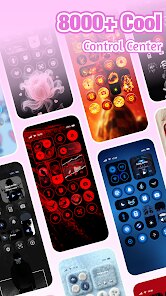
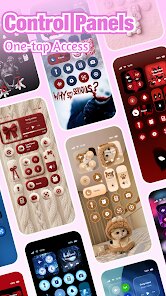
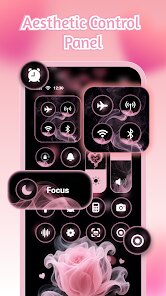
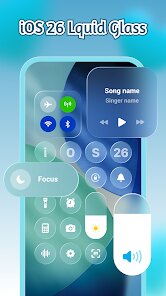
Using the app is pretty straightforward. When you open it, you can browse through different widget styles like weather, clock, music, and battery widgets. You just tap on one you like, hit download, and then apply it to your home screen. The app shows you how to set things up step by step, so even if you are not good with tech, you will be fine. A simple tip I have is to save your favorite widget combos as presets so you can switch between them easily. You can also mix and match wallpapers from the app with your own photos, which gives you more control over the look. I like that you can preview everything before you apply it, so there are no surprises.
Compared to other apps like KWGT Kustom Widget Maker or Nova Launcher, iControl feels much simpler to use. KWGT is very powerful but has a steep learning curve, and Nova Launcher requires a lot of tweaking. iControl is more for people who just want a quick change without spending hours customizing. It is not as deep as those apps, but for casual users like me, it does the job. I chose this app because it saves time and still gives me a lot of options. The widgets look modern and clean, and the app does not crash often. If you want something easy and fun, iControl is a great pick.
features
- 📱 Widget customization – The main function is adding widgets like clocks, weather, music, and calendars to your home screen. You can resize them and change colors easily. Compared to KWGT, which needs manual coding, iControl is much more beginner-friendly.
- 🎨 Icon packs – You can download and apply icon packs to change how your app icons look. The packs are organized by style like minimal, neon, or cartoon. Nova Launcher also has icon packs, but iControl makes it easier to find and apply them without extra settings.
- 🖼️ Wallpaper collection – The app has a built-in library of wallpapers that match the widgets. You can set them as home or lock screen. In contrast, apps like Zedge have more wallpapers but lack the matching widget sets that iControl offers.
pros
- 👍 Easy to use – The app is very simple. You do not need to learn complex settings. It is great for people who just want a nice home screen fast. KWGT is powerful but hard for beginners.
- 👍 Regular updates – The developers add new widgets and themes often. This keeps the app fresh. Other apps like Miko Widgets do not update as much.
- 👍 Good preview feature – You can see how widgets look before applying them. This saves time and avoids mistakes. Many similar apps make you apply first and see later.
cons
- 👎 Too many ads – The free version has a lot of ads. They pop up often and slow down the experience. Apps like Nova Launcher have no ads at all.
- 👎 Limited free content – Some good widgets and packs are locked behind in app purchases. Zedge gives more free options without payment.













































