
Screenshots
Related Apps
![]()
Pocket FM: Audio Series
![]()
FalFal: Astrology, Tarot, Love
![]()
Google Drive
![]()
Yuka - Food & cosmetic scan
![]()
GroupMe
![]()
AgeCam: Face Age Changer App
![]()
Air Horn Prank (Loud Joke)
![]()
Palm Secret - Aging&Cartoon
![]()
YouTube
![]()
Anime Girl Wallpapers
![]()
Doodle Art: Magic Drawing App
![]()
Moises: The Musician's AI App
![]()
Zodiac Palm Reader: MagicWay
![]()
DeepSeek - AI Assistant
![]()
Volume Control Sound Launcher














About this app
 NameAI Voice Changer - Prankster
 CategoryEntertainment
 PriceFree
 Safety100% Safe
 DeveloperVasundhara Infotech LLC
 LabelEntertainment
editor reviews
AI Voice Changer - Prankster is a fun entertainment app designed to help you modify your voice in real-time for jokes and creative projects. It's a voice-changing tool that lets you quickly transform how you sound during calls or recordings. The app launched a few years back and you can find it on both Google Play and the App Store. It has millions of downloads, which shows a lot of people are using it for laughs. It's free to download and install, which is great for trying it out without any cost. You don't need to register an account to start using the basic features, which makes getting started super simple. However, to unlock all the cool voice filters and remove ads, there are in-app purchases available. The free version does show ads, but they are usually not too intrusive during use.
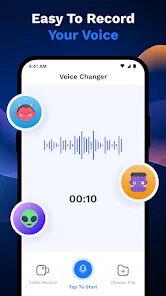
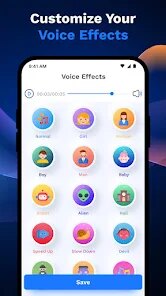
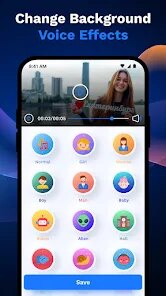
Using the app is straightforward. After you download and install it from Google Play, you open it and grant microphone permissions. The main screen shows a list of fun voice effects like robot, alien, giant, or chipmunk. You just tap one, start speaking, and hear your voice change instantly. It works for live calls if you switch on the call mode before dialing. A simple tip from a regular user: test the effect first by recording a short audio clip to see how it sounds. Sometimes the 'helium' or 'deep demon' voices work best in quiet rooms. Another tip is to play with the pitch and tone sliders for custom sounds. For prank calls, I like to pick a silly voice, save the settings, and then call a friend. The app runs smoothly in the background during calls. Remember to speak clearly for the best effect, and have fun with it!
Compared to other voice changer apps on Google Play, AI Voice Changer - Prankster stands out for its simplicity and focus on pranks. Many similar apps try to do too much with music or professional editing, but this one is just for fun. I chose it over others because it's easier to use right away. Some apps have complicated menus, but here you pick an effect and go. The voice quality is good for jokes, though not studio-perfect. Other apps might have more filters, but they often have more ads or require payment sooner. This app feels made for quick laughs with friends, not for serious work. The name tells you exactly what it is—a prankster tool. For free entertainment, it's a solid choice among voice apps in the genre.
features
- 🎤 Real-time voice changing during live phone calls for instant pranks.
- 🎤 A wide library of one-tap effects like robot, alien, giant, and chipmunk.
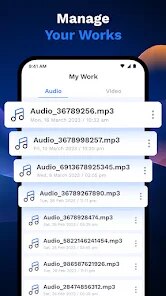
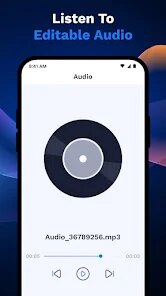
- 🎤 Simple recording feature to test and save funny voice clips directly in the app.
- 🎤 Custom pitch and tone adjustment sliders to create your own unique voice filters.
pros
- 👍 It's incredibly easy to use immediately after download, with no complex setup.
- 👍 The free version offers a good variety of voices without requiring registration.
- 👍 The live call feature works reliably in the background compared to some buggy competitors.
- 👍 The app focuses purely on fun and pranks, avoiding unnecessary professional features.
cons
- 📉 The audio quality can sound robotic or artificial compared to more advanced paid apps.
- 📉 Ads in the free version can interrupt the experience when browsing effects.















































