

Screenshots
Related Apps
![]()
Broken Screen Prank
![]()
Fingerprint Scanner App
![]()
Firefox Fast & Private Browser
![]()
Allergy Plus by Pollen.com
![]()
Find My Phone By Clap, Whistle
![]()
Planner 5D: Home Design, Decor
![]()
Ghost Detector Real Life Radar
![]()
Pride Quiz LGBTIQ+
![]()
Galaxy Starry Keyboard Backgro
![]()
Instagram
![]()
Fun Fact- My Personal Fact
![]()
Audible: Audio Entertainment
![]()
Photo Frames
![]()
Photo Collage Maker & Editor
![]()
Japan Timetable & Route Search















About this app
 NameZipper Lock Screen - ZippyLock
 CategoryProductivity
 PriceFree
 Safety100% Safe
 DeveloperEZProducts
 LabelPersonalization
editor reviews
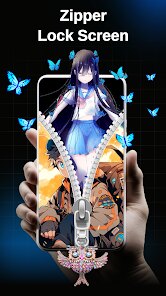
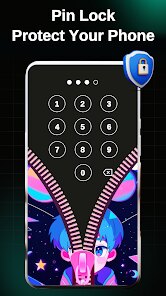
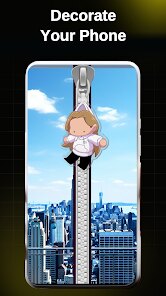
Zipper Lock Screen - ZippyLock is a lock screen customization app designed to help you personalize your phone's lock screen with a unique zipper animation. It's a fun tool that lets you change how your lock screen looks and feels, making unlocking your phone a more interactive experience. The app launched a few years back and is available for download on both Google Play and the App Store for Android users. It has garnered millions of installs from the Google Play store alone. The best part? It's completely free to download and install. You don't need to register an account to start using it, which makes getting started super quick. While the core app is free, it does contain advertisements, and there are some in-app purchases available if you want to unlock extra themes or remove ads for a smoother experience.
Using ZippyLock is pretty straightforward. After you download and install the app from Google Play, you open it and follow the simple setup instructions to grant it the necessary permissions to act as your lock screen. Once set up, the default zipper animation is ready to go. To unlock your phone, you simply drag the zipper pull down, just like opening a jacket, and your screen unlocks. From a user's perspective, a good tip is to explore the app's settings menu right away. You can often find options to change the zipper sound, adjust the animation speed, or pick a different background image for your lock screen. It's also a good idea to check if your phone's battery optimization settings might interfere with the lock screen service; sometimes whitelisting the app there helps it run more reliably in the background.
Compared to other lock screen apps on Google Play, ZippyLock stands out because of its specific, playful theme. Many similar apps offer generic widgets or notification shortcuts, but ZippyLock is all about that one cool, satisfying zipper action. I chose it over others because it feels less cluttered and more focused on doing one fun thing really well. Some apps try to do too much and end up slowing down your phone or looking messy. ZippyLock keeps it simple and fast, which I appreciate. While there are other creative lock screen apps out there, the zipper concept is unique and always gets a reaction when someone sees me unlock my phone. It's a small touch, but it makes the daily routine of checking my phone a bit more enjoyable.
features
- 🎯 The core feature is the interactive zipper animation for unlocking. You physically drag a virtual zipper down the screen, which is much more engaging than a simple swipe or pattern, setting it apart from standard lock screens.
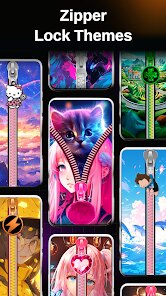
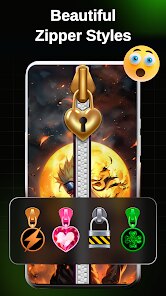
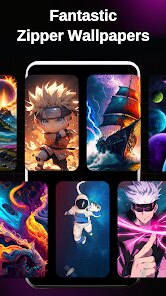
- 🎯 It offers a variety of customizable themes within the app. You can change the zipper style, the background image, and even the unlocking sound, allowing for personalization that many basic lock screen replacements lack.
- 🎯 The app replaces your default lock screen seamlessly. Once installed and set as the default, it activates every time you wake your phone, providing a consistent and fun alternative to the stock Android lock screen.
- 🎯 Compared to a popular app like 'Next Lock Screen', which focuses on productivity and widgets, ZippyLock's standout feature is pure, simple entertainment and tactile satisfaction, making phone unlocking an experience rather than just a step.
pros
- 👍 The zipper animation itself is super smooth and satisfying. It works reliably every time, which is better than some glitchy lock screen apps I've tried.
- 👍 It's very easy to set up. The app guides you through the permissions, and you're done in seconds after install, much simpler than configuring complex widget-based lock screens.
- 👍 The concept is genuinely unique and fun. Compared to other generic lock screen apps on Google Play, this one has a clear, memorable identity that makes your phone feel different.
cons
- ⚠️ The app shows ads, which can pop up occasionally and interrupt the experience. Some competing apps offer a cleaner, ad-free interface either for free or via a one-time purchase.
- ⚠️ Battery usage can be slightly higher than the standard lock screen, as is common with these replacement services. It's not terrible, but it's something to note compared to not using any extra lock screen app.














































