
Screenshots
Related Apps
![]()
Pocket FM: Audio Series
![]()
FalFal: Astrology, Tarot, Love
![]()
Google Drive
![]()
Yuka - Food & cosmetic scan
![]()
GroupMe
![]()
AgeCam: Face Age Changer App
![]()
Air Horn Prank (Loud Joke)
![]()
Palm Secret - Aging&Cartoon
![]()
YouTube
![]()
Anime Girl Wallpapers
![]()
Doodle Art: Magic Drawing App
![]()
Moises: The Musician's AI App
![]()
Zodiac Palm Reader: MagicWay
![]()
DeepSeek - AI Assistant
![]()
Volume Control Sound Launcher









About this app
 NameCanva: AI Photo & Video Editor
 CategoryArt & Design
 PriceFree
 Safety100% Safe
 DeveloperCanva
 LabelArt & Design
editor reviews
Canva is a photo and video editor app designed to help you create stunning designs on the go. I started using it about two years ago when I needed to make quick social media posts for my small business. It's available on Google Play and the App Store, and the download is completely free. You can install the app without any upfront cost, and while registration is needed, it only takes a minute with your email or Google account. There are in app purchases for premium elements, and yes, there are ads, but they aren't too annoying during editing.
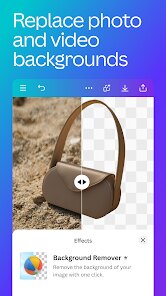
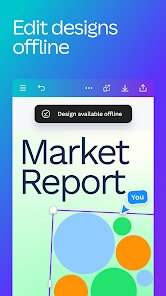
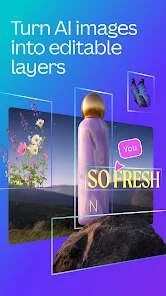
When I open the app, I usually pick a template first. The search bar makes it easy to find something for birthdays, promotions, or even simple video edits. I love that I can upload my own photos and then drag them into place. One tip I learned is to use the background remover tool for product shots—it saves me so much time. For video, I keep clips short and add text overlays to make them pop. I also sync my projects to the cloud, so I can start on my phone and finish on my laptop later. It's a simple flow that anyone can pick up in a few minutes.
Compared to other apps like Adobe Express, Canva feels much smoother for a regular user like me. Adobe Express has good features, but the interface feels too complex for quick tasks. Canva is also faster when it comes to loading templates, and the free version gives you a lot more room to play. I've tried a few other editors on Google Play, but I always come back because Canva just works without slowing me down. It's not perfect, but for daily design work, it wins for me.
features
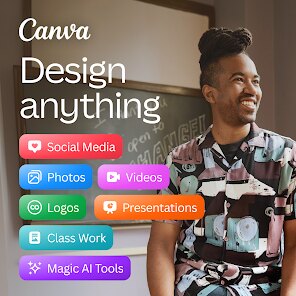
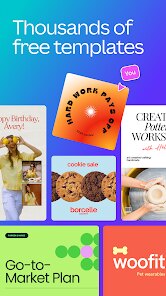
- ✨ The template library is huge. You get thousands of designs for stories, flyers, logos, and more. Canva updates these often, so there's always something fresh. Most other apps like PicsArt have templates, but they feel cluttered and less organized. Here, everything is sorted by use case, which makes selection fast.
- ✨ The text tool is super flexible. You can change fonts, spacing, and colors in a few taps. There are also hundreds of font styles, which is rare in similar editors. Some apps like Snapseed don't even offer proper text editing, so this is a big win for Canva.
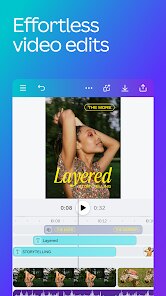
- ✨ The video editor is simple but powerful. You can cut clips, add transitions, and insert music directly from the library. It's not as deep as professional tools, but for social media reels, it's perfect. I don't need to switch to another video app anymore.
pros
- 👍 The drag-and-drop interface is so easy. Even my mom, who is not tech savvy, made a birthday card in minutes. Other apps have too many hidden menus, but Canva keeps everything visible.
- 👍 Cloud saving is a lifesaver. I can edit a design on my phone and open it on my tablet without losing progress. Apps like PicsArt don't offer this kind of seamless sync, so I always worry about losing work.
- 👍 The free version is generous. You get access to many elements and templates without paying. Competitors often lock basic functions behind a paywall, but Canva lets you do a lot for zero cost.
cons
- 🔧 The download size is quite big. It takes up a lot of space on my phone, and the install process feels heavy. Some lighter apps on Google Play run better on older devices.
- 🔧 Some advanced tools still need a premium plan. I understand they have to make money, but certain effects like background blur are only for paying users. Similar apps offer these for free.














































