
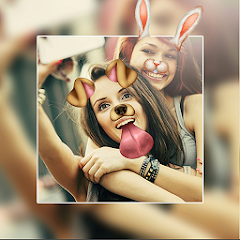
Photo Editor Picsa: Collage
Video Players & EditorsLatest APK
DownloadScreenshots
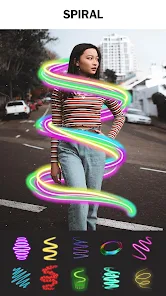
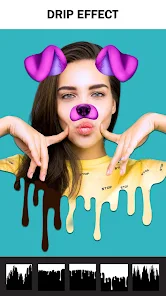
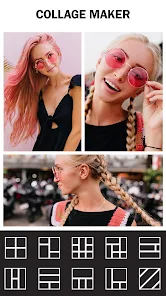
Related Apps
![]()
Broken Screen Prank
![]()
Fingerprint Scanner App
![]()
Firefox Fast & Private Browser
![]()
Allergy Plus by Pollen.com
![]()
Find My Phone By Clap, Whistle
![]()
Planner 5D: Home Design, Decor
![]()
Ghost Detector Real Life Radar
![]()
Pride Quiz LGBTIQ+
![]()
Galaxy Starry Keyboard Backgro
![]()
Instagram
![]()
Fun Fact- My Personal Fact
![]()
Audible: Audio Entertainment
![]()
Photo Frames
![]()
Photo Collage Maker & Editor
![]()
Japan Timetable & Route Search















About this app
 NamePhoto Editor Picsa: Collage
 CategoryVideo Players & Editors
 PriceFree
 Safety100% Safe
 DeveloperLyrebird Studio
 LabelPhotography
editor reviews
Photo Editor Picsa: Collage is a photo editing and collage-making app designed to help you quickly edit pictures and create beautiful layouts. I use it mostly for sprucing up my social media posts and making fun collages for memories. From what I've seen, it's been around for a while on Google Play and the App Store. It has a huge number of downloads, which made me feel it was a popular choice to try. The best part is it's completely free to download and install. You don't even need to register or sign up to start using most features, which I really appreciate for a quick edit. While using the app, I noticed there are some ads, but they aren't too intrusive. There are also optional in-app purchases if you want to remove ads or get some extra fancy filters and stickers. For a free app, it gives you a lot to work with right after install.
Using the app is pretty straightforward. After you download it from Google Play, you can immediately choose to edit a single photo or start a collage. For editing, I usually play with the basic tools like crop, rotate, and adjust brightness. The filters are nice and there's a good variety. For collages, you pick a layout first—there are tons of grid styles and freeform options. Then you just tap to add photos from your gallery. A simple tip I learned is to use the 'border' tool in the collage section to add a little white space between pictures; it makes the layout look much cleaner. Another user-friendly thing is the 'undo' button, which is a lifesaver if you make a mistake. It feels like an app made for everyday use, not for professional designers.
When I compared it to other similar photo collage apps on Google Play, like PicCollage, I found Picsa to be a bit simpler and faster for my needs. PicCollage has more social features and templates, but sometimes that feels overwhelming. I chose Photo Editor Picsa: Collage because it combines basic editing with collage-making in one place without too much clutter. It's great for when I just want to put a few vacation photos together quickly, add a filter, and share them. Some other apps in this genre force you to watch videos for unlocks or have more complicated menus. This one keeps it simple, which is why I keep it installed on my phone.
features
- 🖼️ All-in-one editing: It lets you edit single photos and create multi-photo collages without switching apps. Unlike some apps that only do one or the other, this combines both, saving time.
- 🖼️ Vast template library: The app offers a huge selection of pre-made collage grids and layouts. Compared to similar apps, I found more unique and modern frames here for free.
- 🖼️ Intuitive drag-and-drop: Adding and arranging photos in a collage is very easy with simple drag gestures. It's more responsive than some other editors I've tried on Google Play.
- 🖼️ Solid basic tools: It covers all the fundamentals like crop, filters, text, and stickers really well. For a free download, it matches the core features of many paid apps in this genre.
pros
- 👍 The app is incredibly easy to install and start using immediately with no account needed, which is better than many competitors that require sign-up.
- 👍 It performs basic edits and collage creation very quickly without lag, making it more efficient for quick shares than some bulkier apps.
- 👍 The sheer number of free layouts and filters stands out. Compared to other free apps, you get more creative options right after download.
- 👍 The simple, clean interface is a strong point. It's less cluttered than other popular apps in the photo editor genre on Google Play.
cons
- 👎 The ads can sometimes pop up at inconvenient moments, which is a common downside compared to similar free apps.
- 👎 Some advanced features like certain premium stickers or filters are locked behind purchases, which limits creativity compared to fully free competitors.















































