
Translate- Language Translator
ProductivityLatest APK
DownloadScreenshots
Related Apps
![]()
Broken Screen Prank
![]()
Fingerprint Scanner App
![]()
Firefox Fast & Private Browser
![]()
Allergy Plus by Pollen.com
![]()
Find My Phone By Clap, Whistle
![]()
Planner 5D: Home Design, Decor
![]()
Ghost Detector Real Life Radar
![]()
Pride Quiz LGBTIQ+
![]()
Galaxy Starry Keyboard Backgro
![]()
Instagram
![]()
Fun Fact- My Personal Fact
![]()
Audible: Audio Entertainment
![]()
Photo Frames
![]()
Photo Collage Maker & Editor
![]()
Japan Timetable & Route Search















About this app
 NameTranslate- Language Translator
 CategoryProductivity
 PriceFree
 Safety100% Safe
 DeveloperOffice Lens: Android Tool, Translate, Scanner, PDF
 LabelTools
editor reviews
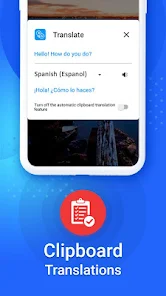
Translate- Language Translator developed by Office Lens is a translation app designed to help you translate text, scan documents, and convert them into PDFs. It's a handy tool for anyone who needs quick translations on the go, whether you're traveling, studying, or working with foreign documents. The app launched a few years back and is available for download on Google Play for Android users. It has a solid number of installs, showing it's quite popular. The best part? It's completely free to download and install. You don't even need to register an account to start using its core features, which is great for privacy and convenience. While the app itself is free, it does show some ads to support development. There are also optional in-app purchases if you want to remove those ads or access some premium features, but the free version is very capable for everyday translation and scanning tasks.
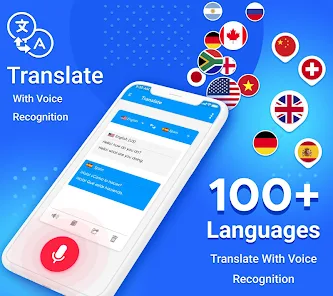
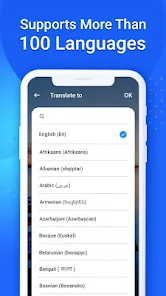
Using the app is straightforward. After you install it from Google Play, you can point your camera at any text—like a menu, sign, or document—and it will translate it in real-time. You can also take a picture to scan a whole page. A simple tip from a regular user: make sure you have good lighting when scanning for the best accuracy. The app supports many languages, so you can easily switch between them. Another handy feature is the ability to save your translations and scanned documents as PDF files directly on your phone. This is super useful for keeping records of important translated documents. The interface is clean, so you won't get lost in complicated menus.
Compared to other translation apps like Google Translate, this one stands out because it combines translation with document scanning and PDF creation in one place. Google Translate is powerful, but for turning a physical document into a translated PDF, you might need multiple apps. With Translate- Language Translator, it's all integrated. I chose this app over others because it feels more focused on practical, real-world tasks. If you just need a quick word translation, many apps work, but if you often deal with documents, this app saves time. It's less about fancy features and more about getting the job done simply.
features
- 📷 Instant camera translation for signs, menus, and documents right through your phone's viewfinder.
- 📄 Built-in document scanner that captures pages and can convert them into neat PDF files after translation.
- 🌐 Supports a wide range of languages for translation, making it useful for travel, study, or business.
- 💾 Save and organize your translated scans and text results directly within the app for later access.
pros
- ✅ All-in-one tool that combines translation, scanning, and PDF export, unlike many single-purpose apps.
- ✅ Offline translation capability for some languages, which is a huge plus when you don't have internet.
- ✅ Completely free core functionality with no mandatory sign-up, which is more user-friendly than some competitors.
- ✅ Clean, simple interface that makes the process from scan to translated PDF very intuitive.
cons
- ⚠️ The ad-supported free version can be interruptive; other top apps offer a cleaner free experience.
- ⚠️ Translation accuracy for complex sentences can sometimes lag behind giants like Google Translate.















































