

Screenshots
Related Apps
![]()
Pocket FM: Audio Series
![]()
FalFal: Astrology, Tarot, Love
![]()
Google Drive
![]()
Yuka - Food & cosmetic scan
![]()
GroupMe
![]()
AgeCam: Face Age Changer App
![]()
Air Horn Prank (Loud Joke)
![]()
Palm Secret - Aging&Cartoon
![]()
YouTube
![]()
Anime Girl Wallpapers
![]()
Doodle Art: Magic Drawing App
![]()
Moises: The Musician's AI App
![]()
Zodiac Palm Reader: MagicWay
![]()
DeepSeek - AI Assistant
![]()
Volume Control Sound Launcher















About this app
 NameTripo - AI 3D Model Generator
 CategoryArt & Design
 PriceFree
 Safety100% Safe
 DeveloperTripo AI
 LabelArt & Design
editor reviews
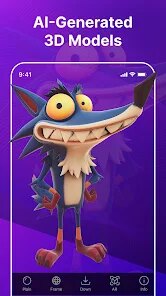
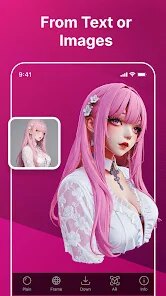
Tripo - AI 3D Model Generator is a design app in the 3D modeling category that focuses on turning text or images into 3D models in seconds. I first found it on Google Play around late 2024, and since then it has become my go to tool for quick mockups. It runs on both Android and iOS, and you can also use it through a web browser, which is handy. The app has over 100,000 installs on Google Play so far, and it is free to download. You do need to create an account to save your models, but the sign up process is pretty quick. There are some in app purchases if you want extra credits or faster rendering, but you can get a lot done with the free version. It also shows ads from time to time, but they are not too annoying.
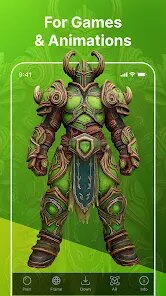
When I use the app, I usually start by typing a simple description like "wooden chair" or uploading a photo of an object. The app then builds a 3D model that I can spin around and check from every angle. My tip is to keep your text simple and clear, because long or messy prompts tend to give worse results. Also, if you want smoother shapes, try using the image upload option instead of text. The app lets you export the model as a glb file, which works well if you are doing game or animation work. I have used it for small school projects and even for some fun ideas at home, and it never took more than a couple of minutes per model.
I have tried other apps like Luma AI and Meshy, but I keep coming back to Tripo because it feels faster and easier. Luma is good for scanning real objects, but it is not as simple when you just want to create something from scratch. Meshy has more advanced controls, but it feels harder for a beginner like me. Tripo sits right in the middle, so it works great for casual users and for people who need quick models without a steep learning curve. That is why I usually tell my friends to grab it from Google Play when they ask about 3D tools.
features
- 🎨 Text and image to 3D in seconds – This is the main thing I use. You just type a description or drop a photo, and the app gives you a 3D model really fast. Compared to Meshy, Tripo feels more direct and less cluttered.
- 🔄 Instant preview and rotation – Right after the model is generated, I can spin it around and zoom in. The view responds smoothly, which helps me check details right away. Luma AI takes longer to load and the controls feel heavier.
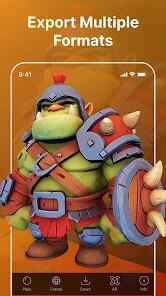
- 📁 Easy export to GLB and OBJ – If I need to use the model elsewhere, I can export it in a common format. This makes it easy to bring into Blender or a game engine. Other apps sometimes lock this feature behind a paywall, but Tripo gives it to you with fewer restrictions.
- ⚡ Multiple style options – The app offers different style presets, like realistic or cartoon, so I can match the look I need. That extra choice makes it stand out from simpler tools I have tried.
pros
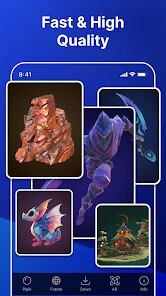
- 👍 Fast generation time – Most of my models come out in under a minute, which makes the whole process feel smooth and productive.
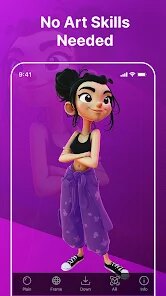
- 👍 Beginner friendly – The layout is clean and the buttons are clear, so even people with zero 3D experience can get started without stress.
- 👍 Free tier is useful – I can create a decent number of models per day without paying, which is more generous than what I have seen in other apps.
- 👍 Good community and tutorials – The app has some short guides and examples that help me learn new tricks, which is something I rarely find in similar tools.
cons
- 🔧 More control over details – Sometimes I want to adjust small parts of the model, but Tripo does not let me edit deeply. Meshy gives more manual tools.
- 🔧 Cloud save limits – The free plan has a cap on how many models you can keep, and I have hit that limit a few times.













































