
Screenshots
Related Apps
![]()
Broken Screen Prank
![]()
Fingerprint Scanner App
![]()
Firefox Fast & Private Browser
![]()
Allergy Plus by Pollen.com
![]()
Find My Phone By Clap, Whistle
![]()
Planner 5D: Home Design, Decor
![]()
Ghost Detector Real Life Radar
![]()
Pride Quiz LGBTIQ+
![]()
Galaxy Starry Keyboard Backgro
![]()
Instagram
![]()
Fun Fact- My Personal Fact
![]()
Audible: Audio Entertainment
![]()
Photo Frames
![]()
Photo Collage Maker & Editor
![]()
Japan Timetable & Route Search















About this app
 NameCloud Backup : Cloud Storage
 CategoryProductivity
 PriceFree
 Safety100% Safe
 DeveloperMAPIDIRECTIONS STUDIOS
 LabelProductivity
editor reviews
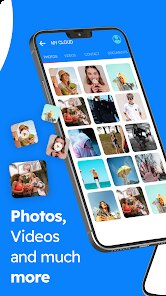
Cloud Backup is a cloud storage app designed to help you protect your files. I found this app on Google Play while looking for a simple way to save my photos and contacts. It launched a few years ago and is free to download on both the Google Play Store and the App Store. The app has over a million installs, which shows many people trust it. You do not need to register with an email right away, but having an account helps you access your files from other devices. The free version includes ads, and there are in app purchases if you want more storage space. I like that it backs up files automatically when you connect to Wi-Fi, so you do not have to worry about forgetting. The app works well for everyday use, and I use it mainly for my phone data.
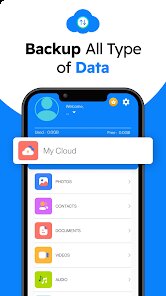
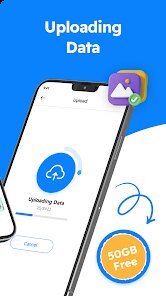
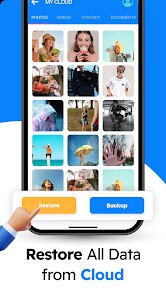
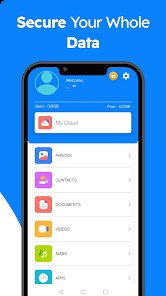
Using this app is very easy. After I downloaded it from Google Play, I opened it and gave permission to access my photos and contacts. The main screen shows options like Backup, Restore, and Settings. I usually tap Backup and select what I want to save, like my gallery or call logs. It takes only a few minutes to finish. A simple tip is to set it to auto backup at night when your phone is charging. This way, you do not interrupt your day. I also use it to transfer files when I switch phones. Just install the app on the new device and sign in. The restore feature brings back all your data without hassle. It is very straightforward.
There are many cloud storage apps out there, like Google Drive or Dropbox, but Cloud Backup feels lighter. Those apps focus on syncing documents and folders, while this app is about saving phone data. I chose Cloud Backup because it does not need a subscription for basic use. Google Drive gives 15GB free, but it is tied to your account. Cloud Backup gives you immediate backup options without extra steps. Some apps like Mega offer more free space, but they can be slow. This app loads fast and does not drain my battery. For a regular user like me, it is a good pick when I need a simple backup tool without complexity.
features
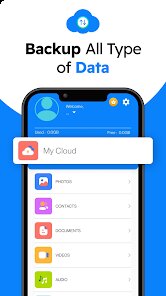
- 🔹 Automatic Backup: The app backs up your photos, contacts, and messages without you clicking anything. Just set it once and forget. Google One also does auto backup, but it needs more settings adjustments. Cloud Backup does it in the background with less battery use.
- 🔹 Easy File Restore: When I changed my phone, I used the restore option to get all my data back in minutes. It is faster than manually copying files. Other apps like Dropbox require you to download each file separately, which takes more time.
- 🔹 Simple Interface: The layout is clean with big buttons. You see Backup, Restore, and Settings clearly. Some cloud apps like pCloud have many menus that confuse me. Cloud Backup keeps things basic, which I appreciate.
- 🔹 Low Storage Use: The app itself is small and does not take much space on your phone. It works well even on older devices. In comparison, apps like OneDrive use more memory and can slow down my phone.
pros
- 🌟 Great for Phone Data: This app focuses on saving phone stuff like call logs and SMS. Most cloud storage apps ignore these. I find it very helpful for backup.
- 🌟 Works Offline: You can start a backup without internet, and it finishes when you connect. Apps like iCloud require constant connection, which is less flexible.
- 🌟 No Ads in Backup: Even though the free version has ads, they do not show during backup. This makes the process smooth. Other free apps show pop ups that interrupt.
cons
- ⚠️ Limited Cloud Space: The free storage is only 1GB. You need to pay for more. Apps like Google Drive give 15GB free, which is better.
- ⚠️ No File Sharing: You cannot share files with others easily. Most cloud apps allow link sharing. This app only focuses on personal backup.














































