

Screenshots
Related Apps
![]()
Broken Screen Prank
![]()
Fingerprint Scanner App
![]()
Firefox Fast & Private Browser
![]()
Allergy Plus by Pollen.com
![]()
Find My Phone By Clap, Whistle
![]()
Planner 5D: Home Design, Decor
![]()
Ghost Detector Real Life Radar
![]()
Pride Quiz LGBTIQ+
![]()
Galaxy Starry Keyboard Backgro
![]()
Instagram
![]()
Fun Fact- My Personal Fact
![]()
Audible: Audio Entertainment
![]()
Photo Frames
![]()
Photo Collage Maker & Editor
![]()
Japan Timetable & Route Search













About this app
 NameHailuo Al: Image&Video Maker
 CategoryGenerative AI
 PriceFree
 Safety100% Safe
 DeveloperMiniMax AI
 LabelPhotography
editor reviews
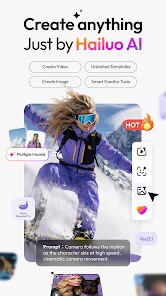
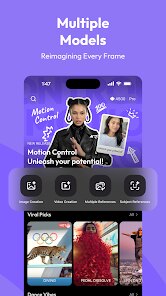
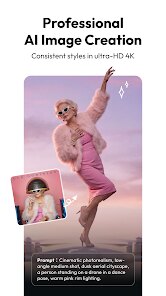
Hailuo AI: Image&Video Maker is a creativity app in the media creation category that focuses on turning text prompts into high quality visuals and short videos. I found it on Google Play a few months ago, and it works on both Android and iOS. The download is free, and you don't have to register with a lot of details just your email or a quick login. It has over 100,000 installs on Google Play already, which surprised me for such a new tool. The app does have in app purchases for extra features like removing watermarks or getting faster rendering, but the free version is quite usable. There are also some ads, but they are not too annoying usually one short ad after you finish a generation.
When you open the app, you start by typing a description of what you want to see. For example, I wrote “a cat wearing a hat in a sunny garden” and within seconds, it gave me four image options. You can pick one and then ask the app to turn it into a short video clip. The video part is where this app really shines. I like to use simple prompts, like “a car driving on a rainy road,” and it creates a smooth moving clip. A tip I learned is to keep your prompt short, around five to eight words, because long sentences confuse the AI sometimes. Also, if you want better results, use the “style” option and pick something like cartoon or realistic before generating.
I have tried other apps like Midjourney and Picsart, but Hailuo AI feels simpler and faster. With Midjourney, you have to use Discord, which I find annoying. With Picsart, you get too many options and it feels cluttered. Here, you just type, generate, and download. That is why I keep using this app for quick projects like making social media posts or funny clips for friends. It is not perfect, but for a free tool, it gives me good results without wasting time.
features
- 🖼️ Text to image generation: You type a description and the app makes multiple image options instantly. For example, I typed “a red sports car on a mountain road” and got four good pictures. Similar apps like DALL·E require a subscription, but this one is free with ads.
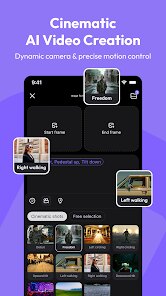
- 🎥 Text to video conversion: After you pick an image, you can turn it into a short video clip. The movement is smooth and matches your prompt. Other apps like RunwayML are more expensive and complex, while this app does it in one tap.
- 🎨 Style selection tools: You can choose from styles like realistic, cartoon, or anime before generating. This helps you get the look you want without editing later. Apps like Canva have style options too, but they are buried in menus. Here, it is right on the main screen.
- 📱 Simple export and share: You save videos directly to your phone or share them on social media. No extra steps. Other apps like InVideo require you to export through a browser, which slows things down.
pros
- 👍 Speed and ease of use: Generations take less than ten seconds, which is faster than similar apps like DreamStudio. I never wait long, even on my older phone.
- 👍 No account overload: You only need basic info to start. Competing apps like Lexica ask for phone numbers or multiple permissions. Hailuo AI keeps it simple and respects your privacy.
- 👍 Consistent output quality: Every prompt gives at least one usable image or video. With apps like Stable Diffusion, you often get weird results that need fixing. This app is more reliable for casual use.
cons
- 👎 Limited video length: The videos are only about three seconds long. Apps like Pika Labs let you make longer clips, which would be better for storytelling.
- 👎 Watermark on free version: The free output has a visible watermark. Apps like Leonardo AI give you watermark-free downloads even on free plans. This is a small annoyance.
- 👎 Fewer editing tools after generation: You cannot adjust the image or video after it is made. Similar apps like CapCut let you tweak colors and add text. Hailuo AI lacks this flexibility.















































