

Screenshots
Related Apps
![]()
Pocket FM: Audio Series
![]()
FalFal: Astrology, Tarot, Love
![]()
Google Drive
![]()
Yuka - Food & cosmetic scan
![]()
GroupMe
![]()
AgeCam: Face Age Changer App
![]()
Air Horn Prank (Loud Joke)
![]()
Palm Secret - Aging&Cartoon
![]()
YouTube
![]()
Anime Girl Wallpapers
![]()
Doodle Art: Magic Drawing App
![]()
Moises: The Musician's AI App
![]()
Zodiac Palm Reader: MagicWay
![]()
DeepSeek - AI Assistant
![]()
Volume Control Sound Launcher















About this app
 NameBikii Cloud Game
 CategoryEntertainment
 PriceFree
 Safety100% Safe
 DeveloperBikii Game Dev
 LabelEntertainment
editor reviews
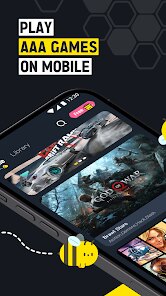
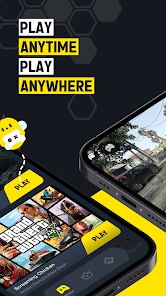
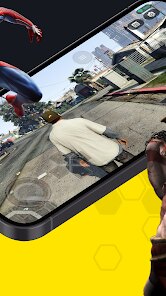
Bikii Cloud Game is a cloud gaming app designed to help you play high-end games on your phone without needing powerful hardware. It's a service that streams games directly from remote servers, so you can enjoy titles that would normally require a gaming PC or console. The app launched a few years back and is available on both Google Play and the App Store. It has over a million downloads on Google Play alone. You can download and install the app for free. To start playing, you'll need to create an account and log in. The app itself is free, but to access the full library of games, you typically need a subscription. There are different subscription tiers. You might see some ads for promotions or new games within the app, but they generally don't interrupt your gameplay sessions.
Using Bikii Cloud Game is pretty straightforward. After you download and install the app from Google Play or the App Store, you sign up and pick a subscription plan. Once you're in, you browse the game library, which is like Netflix for games. You tap on a game, and it starts streaming almost instantly, provided you have a good internet connection. As a real user, my main tip is to always connect to Wi-Fi or ensure you have a strong 5G signal. Mobile data can work, but it might eat through your data cap quickly and sometimes cause lag. Another simple tip is to use a Bluetooth controller for the best experience; touch controls are available for some games, but a controller feels much better for most titles. I usually spend a few minutes when I first open the app to check the "New Additions" section to see what's been added to the library that month.
Compared to other cloud gaming apps like Xbox Cloud Gaming (which comes with Game Pass Ultimate) or NVIDIA GeForce NOW, Bikii Cloud Game often feels like it's trying to carve out its own space. It doesn't have the massive first-party library that Xbox has, and it doesn't let you play games you already own on PC stores like GeForce NOW does. So why do I use it? For me, it sometimes has a different selection of indie or mobile-optimized titles that I don't find elsewhere, and the interface can be a bit simpler to navigate. The performance, when my internet is solid, is comparable. I chose it over others initially because I saw an ad for a specific game I wanted to try that was only on their platform at the time. It's a good alternative to have installed, especially if you like to shop around for game catalogs.
features
- 🎮 Game Streaming: The core function is streaming games from the cloud. Unlike simply downloading an app, this lets you play graphics-intensive games on a mid-range phone. Compared to a similar service like Google Stadia (when it was around), Bikii's focus seems more on a curated, accessible library rather than blockbuster AAA titles.
- 📱 Mobile-First Library: The app offers a selection of games chosen for mobile play. This is different from, say, PlayStation Remote Play, which streams from your own console. Bikii provides the games directly, which is more convenient if you don't own a console or gaming PC.
- 🔍 Browse & Play: The interface is built for quickly finding and launching games. It's a smoother, more integrated experience than using a separate browser to access a cloud service, which some other platforms require for certain features.
- ⚙️ Performance Settings: You can adjust streaming quality based on your connection. This is a standard feature also found in GeForce NOW, but Bikii's settings are simplified, which is great for users who don't want to fiddle with too many technical options.
pros
- 👍 Easy Onboarding: Getting started is very simple. Download, sign up, and you're browsing games in minutes. Some competitors have more complex account linking processes (like linking Steam, Epic, etc.).
- 👍 Stable Connection Performance: When on a good network, the stream is surprisingly stable with low input lag. It holds up well against the big players like Xbox Cloud Gaming in terms of core streaming tech.
- 👍 Clean Mobile UI: The app is designed well for phone screens. Navigation is intuitive, which isn't always the case with ports of desktop-centric services.
cons
- 👎 Limited Game Library: The biggest drawback is the library size. It can't compete with the vast catalogs offered by Xbox Game Pass Ultimate or the bring-your-own-game model of GeForce NOW.
- 👎 Subscription Value Perception: For the price, some users might feel they aren't getting enough exclusive or high-profile titles compared to other subscriptions.














































