

Screenshots
Related Apps
![]()
Broken Screen Prank
![]()
Fingerprint Scanner App
![]()
Firefox Fast & Private Browser
![]()
Allergy Plus by Pollen.com
![]()
Find My Phone By Clap, Whistle
![]()
Planner 5D: Home Design, Decor
![]()
Ghost Detector Real Life Radar
![]()
Pride Quiz LGBTIQ+
![]()
Galaxy Starry Keyboard Backgro
![]()
Instagram
![]()
Fun Fact- My Personal Fact
![]()
Audible: Audio Entertainment
![]()
Photo Frames
![]()
Photo Collage Maker & Editor
![]()
Japan Timetable & Route Search















About this app
 NameZipLock - Zipper Lock Screen
 CategoryProductivity
 PriceFree
 Safety100% Safe
 DeveloperSuperApps Global
 LabelPersonalization
editor reviews
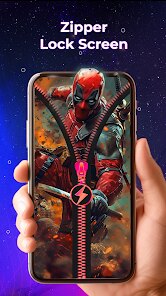
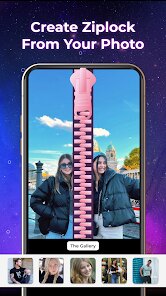
ZipLock is a lock screen app designed to help you customize your Android phone's lock screen with unique zipper themes and interactive widgets. It launched a few years back and is available on Google Play for Android users. The app has over 10 million downloads, which shows how popular it is for personalizing phones. It's completely free to download and install from the Google Play store. You don't need to register an account to start using it, which is super convenient. Once you install the app, it guides you through setting it as your default lock screen. It does have some ads that show up occasionally, but they aren't too intrusive. There are also in-app purchases if you want to remove those ads or unlock some premium zipper styles and extra widgets. For a free app, it offers a lot of cool features right off the bat.
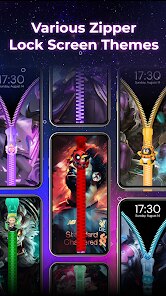
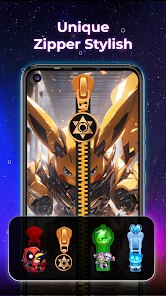
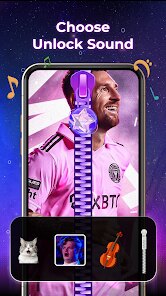
Using ZipLock is pretty straightforward. After you download and install it, you open the app and pick a zipper theme you like. There are tons of options, from simple metal zippers to colorful, animated ones. You then set ZipLock as your lock screen service in your phone's settings—the app shows you how. Once it's active, unlocking your phone feels fun because you drag the zipper down or up to open your screen. I like to add widgets for weather or my calendar right on the lock screen, so I can see info without unlocking. A simple tip from a user is to try the different swipe effects; some zippers have cool sounds or haptic feedback that makes the experience better. It's also good to check the battery settings to make sure the app doesn't drain too much power, but I haven't had issues.
Compared to other lock screen apps like CM Locker or Next Lock Screen, ZipLock stands out because of its unique gimmick. The zipper is just more fun and visually interesting than a standard slider or pattern. While other apps might offer more security features or deeper integration, ZipLock is all about that one cool interaction. I chose it over others because it's lighter and doesn't ask for too many permissions. Some similar apps feel bloated with features I don't need, but ZipLock keeps it simple. It's perfect if you just want to make your lock screen look different without a complicated setup. The themes are creative, and it feels like a personal touch rather than just another utility app.
features
- 🔒 The main function is replacing your standard lock screen with an interactive zipper you drag to unlock. It's more engaging than a simple swipe and offers various zipper designs.
- 🔒 It provides customizable widgets for time, weather, and notifications directly on the lock screen. This is more visually integrated than some competitors' widget systems.
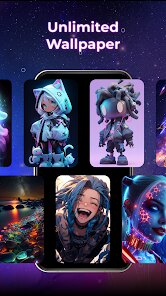
- 🔒 The app includes a theme store with hundreds of free and premium zipper styles. Compared to a popular app like CM Locker, ZipLock's focus on a single, fun mechanic makes its theme collection more cohesive.
- 🔒 It offers basic security like a backup PIN, but its standout feature is the novelty of the zipper interaction itself, which is unique in the lock screen genre.
pros
- 👍 The zipper animation is super smooth and satisfying, which makes unlocking your phone fun every time—a novelty most other lock screen apps lack.
- 👍 It's very lightweight and installs quickly from Google Play. Unlike some feature-heavy alternatives, it doesn't slow down my older Android device.
- 👍 The variety of free themes is impressive. You can change the look daily without getting bored, which is better than many apps that lock the best designs behind a paywall.
cons
- ⚠️ The ads can be a bit annoying at times, especially compared to some cleaner ad-supported competitors. A one-time purchase to remove them would be nice.
- ⚠️ It lacks some advanced features found in similar apps, like detailed notification management or built-in shortcuts, which might be a downside for power users.














































