
Screenshots
Related Apps
![]()
Broken Screen Prank
![]()
Fingerprint Scanner App
![]()
Firefox Fast & Private Browser
![]()
Allergy Plus by Pollen.com
![]()
Find My Phone By Clap, Whistle
![]()
Planner 5D: Home Design, Decor
![]()
Ghost Detector Real Life Radar
![]()
Pride Quiz LGBTIQ+
![]()
Galaxy Starry Keyboard Backgro
![]()
Instagram
![]()
Fun Fact- My Personal Fact
![]()
Audible: Audio Entertainment
![]()
Photo Frames
![]()
Photo Collage Maker & Editor
![]()
Japan Timetable & Route Search















About this app
 NameFlower Language Keyboard
 CategoryProductivity
 PriceFree
 Safety100% Safe
 DeveloperSOKAR
 LabelPersonalization
editor reviews
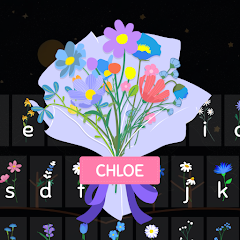
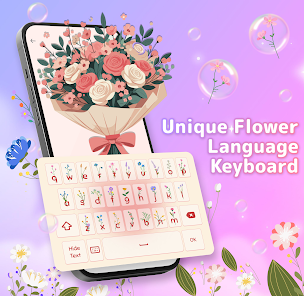
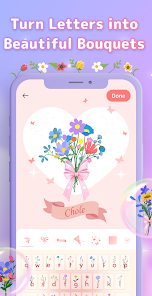
Flower Language Keyboard is a customization app designed to help you beautify your device's typing experience. It's a keyboard app that lets you quickly apply stylish floral themes, colors, and fonts to your default keyboard. The app launched a few years back and is available for download on both Google Play and the App Store. It has a solid number of installs on Google Play, showing it's a popular choice for users wanting to personalize their phones. The app itself is free to download and install. You don't need to create an account or register to start using most of its features, which is very convenient. After you download it, you just enable it in your phone's settings. I did notice there are some in-app purchases if you want access to premium theme packs or to remove ads. Yes, there are ads in the free version, usually appearing when you're browsing for new themes, but they aren't too intrusive during actual typing.
Using the app is pretty straightforward. Once you install Flower Language Keyboard from Google Play, you go into your phone's settings, find the keyboard menu, and switch it on. Then, in any app where you type, you can tap the keyboard icon to select Flower Language as your active keyboard. My tip is to spend some time in the app's own theme gallery first. You can preview how each floral design looks before applying it. I like to match the keyboard theme to my phone's wallpaper. Another simple tip from a user: if you find a font you love but the keys are a bit small, you can often adjust the keyboard height in the app's settings for more comfortable typing. It feels like having a new phone case for your keyboard every week!
Compared to other keyboard apps like Gboard or SwiftKey, Flower Language Keyboard is much more focused on visual style than on AI predictions or advanced features. Gboard is great for accurate typing and GIFs, but its theme options are more limited. I chose Flower Language because I wanted my keyboard to be pretty and unique, not just functional. For someone who spends a lot of time on social media or messaging, having a beautiful, flower-themed keyboard makes the experience more personal and enjoyable. It's less about competing on smart features and more about offering a dedicated, easy way to make your phone look special every time you type a message.
features
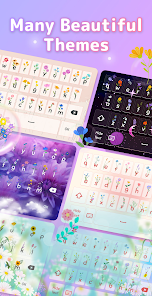
- 🌸 Vast Theme Library: The app's main function is providing hundreds of floral and aesthetic keyboard themes. Unlike Gboard's more generic options, this app specializes in detailed, artistic designs with flowers, pastel colors, and cute fonts, all in one place.
- 🌸 Easy Theme Application: Applying a new theme is a one-tap process within the app. It then seamlessly changes your active keyboard's look system-wide, which is simpler than some theme apps that require more complex setup steps.
- 🌸 Font Customization: Beyond just colors and images, you can install custom decorative fonts for your keys. This stands out because many popular keyboards don't offer such a wide variety of standalone font styles for the key labels themselves.
- 🌸 Lightweight Personalization: The app focuses purely on visual customization without bogging down with extra features like a built-in browser or translator, making it faster and more dedicated to its core purpose than more bloated alternatives.
pros
- 🌸 Visual Uniqueness: It offers keyboard designs you simply can't find on mainstream apps like SwiftKey, making your messages visually distinct.
- 🌸 User-Friendly Setup: The activation process is well-explained within the app, which is better than some niche customization tools that assume technical knowledge.
- 🌸 Regular New Content: The developers frequently add new seasonal floral themes, keeping the gallery fresh compared to static theme packs in other apps.
cons
- 🌸 The free version shows ads when browsing themes, which can be a bit disruptive compared to ad-free competitors.
- 🌸 Typing prediction and autocorrect aren't as strong as in dedicated keyboard apps like Gboard.
















































