
Screenshots
Related Apps
![]()
Broken Screen Prank
![]()
Fingerprint Scanner App
![]()
Firefox Fast & Private Browser
![]()
Allergy Plus by Pollen.com
![]()
Find My Phone By Clap, Whistle
![]()
Planner 5D: Home Design, Decor
![]()
Ghost Detector Real Life Radar
![]()
Pride Quiz LGBTIQ+
![]()
Galaxy Starry Keyboard Backgro
![]()
Instagram
![]()
Fun Fact- My Personal Fact
![]()
Audible: Audio Entertainment
![]()
Photo Frames
![]()
Photo Collage Maker & Editor
![]()
Japan Timetable & Route Search















About this app
 NameVoi - AI Avatar Portrait Maker
 CategoryGenerative AI
 PriceFree
 Safety100% Safe
 DeveloperCodeway Dijital
 LabelArt & Design
editor reviews
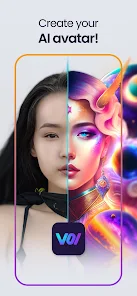
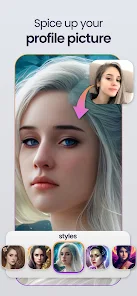
Voi - AI Avatar Portrait Maker is a photo editing app designed to help you create unique AI-generated avatars and portraits. It's a fun tool that turns your selfies into artistic, stylized images using artificial intelligence. The app launched a while back and is available on both Google Play and the App Store, making it easy to download and install on most smartphones. It has gained a solid number of installs, showing its popularity among users looking for creative photo apps. The best part? Voi is free to download. You don't need to register or sign up to start using it, which is super convenient. However, like many free apps, it does include in-app purchases. These purchases typically unlock more styles, higher-quality outputs, or remove watermarks from your final avatars. The app might also show ads to support its free model, but the core avatar creation experience is accessible without any immediate payment.
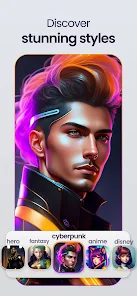
Using Voi is pretty straightforward, which is why I keep it on my phone. After you install the app from Google Play, you open it and are greeted with a simple interface. You start by uploading 8 to 12 clear selfies. The app guides you through this process, asking for photos with different angles and expressions. This helps the AI learn your face better. Once you upload your photos, you select an art style. Voi offers a bunch of them, from anime and fantasy to painting and cyberpunk styles. Then, you just tap 'Create' and wait a few minutes for the AI to work its magic. A simple tip from a regular user: make sure your selfies are well-lit and have a plain background. This gives the AI the cleanest data to work with and results in much better, more recognizable avatars. The whole process feels like a mini photoshoot for your digital twin.
When I compare Voi to other avatar maker apps on Google Play, like Lensa AI or Dawn AI, I find myself coming back to Voi for a few personal reasons. First, its requirement for 8-12 photos feels like a good middle ground. Some apps ask for more, which is tedious, and others ask for fewer, which often leads to less accurate results. Voi seems to get the balance right for quality and convenience. Also, the variety of styles in its free tier is quite generous compared to some competitors that lock most styles behind a paywall immediately. While Lensa might have more viral, hyper-realistic styles, Voi's outputs have a consistent, artistic charm that I prefer for social media profiles. It doesn't overcomplicate things, and for a free app you can download in seconds, it delivers a reliably fun and creative experience.
features
- 🎨 Core AI Avatar Generation: The main function is transforming your selfies into AI art. You provide photos, choose a style, and it generates a set of avatars. Compared to a similar app like Dawn AI, Voi's process feels more guided and user-friendly for first-timers.
- 🖼️ Diverse Style Library: It offers a wide range of artistic filters like anime, oil painting, and pop art. While apps like FaceApp offer transformations, Voi is specifically focused on creating a cohesive set of portrait-style avatars in your chosen theme.
- 📱 One-Click Sharing: After creation, you can easily save your avatars to your device or share them directly to social platforms. This seamless export is a standard feature but is implemented smoothly here.
- ⚙️ Simple Photo Management: The app has a built-in gallery to view all your past creations. This is a small but useful feature that some similar apps lack, keeping your digital avatar wardrobe organized.
pros
- 👍 Ease of Use: The step-by-step guide from photo upload to final result is incredibly simple. Compared to more complex AI tools, Voi makes the advanced tech feel accessible to anyone.
- 👍 Style Quality: The artistic styles are distinct and well-executed. The avatars often look cohesive and thoughtfully designed, not just random filters slapped on a face.
- 👍 Low Barrier to Entry: Being free to download and not requiring an account lowers the hesitation to try it. You can test the core function immediately after install.
cons
- 👎 Watermarks and Limits: The free version places a watermark on images and limits the best styles. Apps like StarryAI offer more free daily credits for different styles.
- 👎 AI Inconsistency: Sometimes the AI misses facial features or creates odd artifacts, a common issue in this genre but noticeable here.














































