
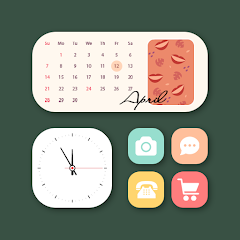
Screenshots
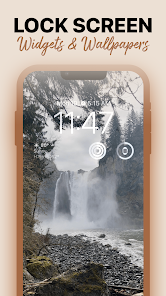
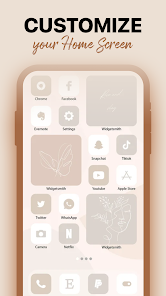
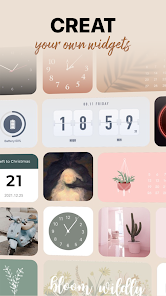
Related Apps
![]()
Broken Screen Prank
![]()
Fingerprint Scanner App
![]()
Firefox Fast & Private Browser
![]()
Allergy Plus by Pollen.com
![]()
Find My Phone By Clap, Whistle
![]()
Planner 5D: Home Design, Decor
![]()
Ghost Detector Real Life Radar
![]()
Pride Quiz LGBTIQ+
![]()
Galaxy Starry Keyboard Backgro
![]()
Instagram
![]()
Fun Fact- My Personal Fact
![]()
Audible: Audio Entertainment
![]()
Photo Frames
![]()
Photo Collage Maker & Editor
![]()
Japan Timetable & Route Search















About this app
 NameMagicWidgets: Themepack & Icon
 CategoryProductivity
 PriceFree
 Safety100% Safe
 DeveloperOne Office Premium
 LabelPersonalization
editor reviews
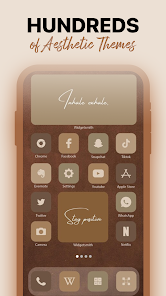
MagicWidgets: Themepack & Icon is a customization app designed to help you personalize your Android phone's home screen with stylish widgets and icon packs. It's a tool for users who want to give their device a fresh, unique look without needing advanced technical skills. The app launched a few years back and is available for download on Google Play. It has garnered over a million installs, which shows it's quite popular among people looking to spruce up their phones. The best part? The app itself is free to download and install. You don't need to create an account or register to start using it, which makes getting started super quick. Once you open it, you'll find a variety of theme packs and widgets ready to use. While the core app is free, it does offer in-app purchases for premium theme packs or additional widget styles. You might also encounter some ads, but they are typically not too intrusive.
Using MagicWidgets is pretty straightforward, which is why I like it. After you download and install the app from Google Play, you open it and browse through the collection of themepacks. Each pack usually contains a set of matching widgets and icons. When you find one you like, you tap to apply it. The app then guides you through adding the widgets to your home screen. A simple tip from a regular user: long-press on your home screen, select 'Widgets,' and then find the 'MagicWidgets' section to place them. You can resize and move them around until they look just right. It's fun to mix and match different widgets from various packs to create a layout that feels personal. I often check the app for new packs they add every few weeks.
Compared to other similar launcher or theme apps like Nova Launcher or KWGT, MagicWidgets feels more focused and easier for casual users. Nova Launcher is powerful but can be overwhelming with all its settings. MagicWidgets, on the other hand, is simpler. You don't change your entire launcher; you just add beautiful widgets on top of what you already have. I chose it over others because it delivers exactly what it promises—nice-looking widgets—without complicating things. For someone who just wants their phone to look cooler quickly, this app from Google Play is a great choice. It saves time and the results always impress my friends.
features
- 🎨 Offers a wide library of pre-designed themepacks with matching icons and widgets, making cohesive home screen design effortless compared to apps where you build everything from scratch.
- 🛠️ Features a simple one-tap apply function for entire themepacks, which is much quicker than manually applying icons and widgets separately as required in some similar customization tools.
- 📱 Integrates smoothly with standard Android home screen editors, allowing easy placement and resizing of widgets without needing a separate launcher app, simplifying the process.
- 🆓 Provides a solid collection of free themes and widgets, giving users more immediate creative freedom than some apps that lock most good designs behind a paywall right after install.
pros
- 👍 The visual quality of the widgets is consistently high and modern, often better than the generic options found in many similar free theming apps on Google Play.
- 👍 The app is incredibly user-friendly and fast to learn, lowering the barrier to customization compared to more complex competitor apps that require tutorials.
- 👍 Regular updates with new, trendy themepacks keep the content fresh, which isn't always the case with other standalone widget apps that get abandoned after download.
cons
- ⚠️ The presence of ads can interrupt the browsing experience, a downside some competing apps remove with a single purchase.
- ⚠️ Icon packs sometimes only apply to supported launchers, which might confuse new users expecting them to work everywhere immediately after install.














































