
Screenshots

Related Apps
![]()
Broken Screen Prank
![]()
Fingerprint Scanner App
![]()
Firefox Fast & Private Browser
![]()
Allergy Plus by Pollen.com
![]()
Find My Phone By Clap, Whistle
![]()
Planner 5D: Home Design, Decor
![]()
Ghost Detector Real Life Radar
![]()
Pride Quiz LGBTIQ+
![]()
Galaxy Starry Keyboard Backgro
![]()
Instagram
![]()
Fun Fact- My Personal Fact
![]()
Audible: Audio Entertainment
![]()
Photo Frames
![]()
Photo Collage Maker & Editor
![]()
Japan Timetable & Route Search















About this app
 NameThemeKit - Themes & Widgets
 CategoryProductivity
 PriceFree
 Safety100% Safe
 DeveloperThemeKit
 LabelPersonalization
editor reviews
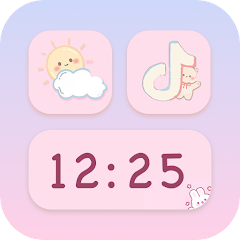
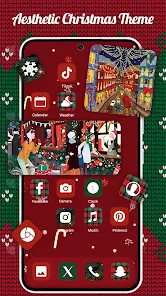
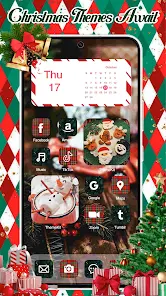
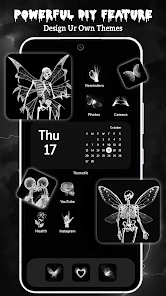
ThemeKit - Themes & Widgets is a personalization app designed to help you customize your Android phone's home screen with new themes, icons, and widgets. It's a go-to tool for anyone tired of their phone's default look and wanting to give it a fresh, personalized style. The app launched a while back and is available for download on Google Play. It has a solid number of installs, showing it's pretty popular among users who like to tweak their devices. The best part? You can download and install ThemeKit for free right from Google Play. You don't need to register an account to start using most of its features, which is super convenient. While the core app is free, it does offer some in-app purchases for premium themes or extra widget packs. You might also encounter some ads while browsing the themes, but they're usually not too intrusive.
Using ThemeKit is straightforward. After you install the app from Google Play, you open it and browse through categories like 'Minimal', 'Dark', 'Colorful', or 'Abstract' to find a theme you like. Once you pick one, you tap apply, and the app guides you through setting it up, which often involves applying a new wallpaper and maybe an icon pack. A real user tip: sometimes your launcher might need a quick restart to see all the new icons properly. For widgets, you just long-press on your home screen, select 'Widgets', and find the ThemeKit widgets to add things like clocks, calendars, or battery indicators. It's fun to mix and match elements from different themes to create a unique look.
Compared to other similar theming apps on Google Play, like Nova Launcher (which is more about launcher functionality) or KWGT (which is for making custom widgets from scratch), ThemeKit feels more all-in-one and user-friendly. It bundles themes and widgets together in one place, so you don't have to download multiple apps. I chose ThemeKit over others because it's less complicated for someone who isn't a customization expert. You get a lot of stylish options without needing to learn how to build everything yourself. The previews in the app are clear, so you know exactly what you're getting before you apply anything, which saves a lot of time.
features
- 🎨 All-in-One Personalization: ThemeKit combines full theme packs (wallpapers, icons) with ready-made widgets, so you can overhaul your home screen's style in one app without juggling separate tools for icons and widgets.
- 🎨 Simple Apply Process: Unlike some widget editors that require manual setup, ThemeKit themes often come with an 'Apply' button that automates much of the setup, making the download-to-finish process very quick for regular users.
- 🎨 Curated Theme Library: The app offers a wide, organized library of themes compared to the more fragmented offerings on some Google Play stores, helping you discover cohesive looks faster.
- 🎨 Lightweight Widgets: The widgets provided are optimized and less resource-heavy than creating complex ones in advanced apps like KWGT, which is great for maintaining phone performance.
pros
- 👍 Easy for Beginners: Its straightforward interface is much easier to grasp than pro tools like KWGT, making advanced customization accessible right after install.
- 👍 Cohesive Designs: Themes often include matching icons and widgets, offering a more unified look than piecing together elements from different sources on Google Play.
- 👍 Regular Updates: New theme packs are added frequently, giving you fresh options without needing to find a new app to download.
cons
- 📌 Ads in Free Version: The presence of ads can interrupt the browsing experience, whereas some competitors offer a cleaner ad-free free tier.
- 📌 Limited Deep Customization: For users who want to tweak every detail, it's less flexible than dedicated widget/icon apps available on Google Play.














































