
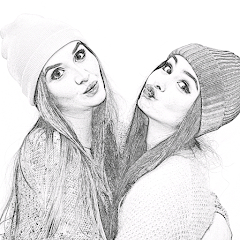
Pencil Photo Sketch : Drawing
Video Players & EditorsLatest APK
DownloadScreenshots
Related Apps
![]()
Broken Screen Prank
![]()
Fingerprint Scanner App
![]()
Firefox Fast & Private Browser
![]()
Allergy Plus by Pollen.com
![]()
Find My Phone By Clap, Whistle
![]()
Planner 5D: Home Design, Decor
![]()
Ghost Detector Real Life Radar
![]()
Pride Quiz LGBTIQ+
![]()
Galaxy Starry Keyboard Backgro
![]()
Instagram
![]()
Fun Fact- My Personal Fact
![]()
Audible: Audio Entertainment
![]()
Photo Frames
![]()
Photo Collage Maker & Editor
![]()
Japan Timetable & Route Search















About this app
 NamePencil Photo Sketch : Drawing
 CategoryVideo Players & Editors
 PriceFree
 Safety100% Safe
 DeveloperMinerva Studios Private Limited
 LabelPhotography
editor reviews
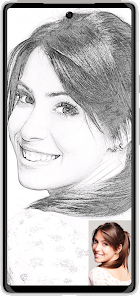
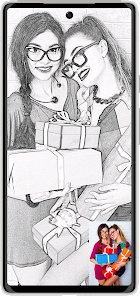
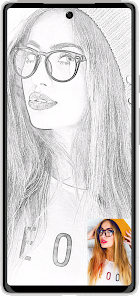
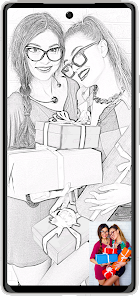
Pencil Photo Sketch : Drawing is a photo editing and drawing app used for turning your photos into realistic pencil sketches, charcoal drawings, and artistic illustrations. It launched a few years back and is available on both Google Play and the App Store. I downloaded it from Google Play where it has over 10 million installs, which shows a lot of people are using it. The app is free to download and install, which is great for trying it out. You don't need to register an account to start using it, so you can jump right in after the install. There are some ads in the free version, and there are in-app purchases if you want to remove those ads or unlock more advanced filters and tools. For a free drawing app, it's pretty packed with features right from the start.
Using the app is straightforward. After you install it, you just open it and pick a photo from your gallery. The app then shows you a bunch of filter options like 'Pencil Sketch', 'Charcoal', 'Color Pencil', and 'Pop Art'. You tap one, and it processes your photo instantly. A simple tip from a user is to start with a photo that has good contrast; faces or objects against a plain background work best for clear sketches. You can then adjust the intensity of the sketch effect with a slider. Another tip is to try the 'Neon' or 'Comic' filters for something different—they're fun. You save your creation directly to your phone or share it on social media. I use it mostly to create unique profile pictures or artistic versions of vacation photos. It's become my go-to app for quick, impressive edits without needing any real drawing skill.
Compared to other similar apps like Prisma or Photo Lab, Pencil Photo Sketch : Drawing is much more focused. Prisma offers many artistic styles but can be slower and more complex. Photo Lab has tons of effects but feels cluttered. I choose Pencil Photo Sketch because it does one thing really well—creating pencil-style art—and it's super fast. The interface is simpler, so I don't waste time figuring things out. For someone who just wants to turn photos into cool sketches without a hassle, this app on Google Play is a perfect download. It feels more lightweight than the bigger, all-in-one editing apps, which is why I keep it installed.
features
- 🎨 Core Sketch Conversion: The main function is instantly converting photos into various sketch styles like pencil, charcoal, and ink. Unlike a similar app like 'Sketch Me!', which can sometimes over-complicate the process, Pencil Photo Sketch delivers results faster with a more intuitive one-tap filter system after you install it.
- 🎨 Customization Tools: After applying a filter, you can fine-tune the line intensity, darkness, and grain. This level of simple control is something I appreciate more than in 'Photo Sketch Editor', where adjustments are less straightforward. It makes the drawing app feel more personal.
- 🎨 Multi-Style Library: It offers a wide range of styles beyond just black-and-white sketches, including color sketches, neon outlines, and comic book effects. This variety, all in one free download, gives it an edge over more basic single-style sketch apps on Google Play.
- 🎨 One-Tap Sharing: The app is built for quick sharing. Once your sketch is done, you can share it directly to Instagram, Facebook, or WhatsApp. This seamless social integration is as good as any top-tier photo app, making the whole process from download to share very smooth.
pros
- ⭐ Speed and Simplicity: The processing is incredibly fast. You get a sketch result in seconds, which is faster than many similar drawing apps I've tried. The install-to-result time is minimal.
- ⭐ Quality of Output: For a free app, the sketch quality is impressively realistic, often better than what you find in other free sketch apps on Google Play. The lines look hand-drawn.
- ⭐ No Login Required: You can use the full core functionality immediately after install without signing up. Many similar apps now force registration, so this is a major plus for privacy and convenience.
cons
- ⚠️ Ad Frequency: The free version shows ads quite frequently between actions. It can interrupt the creative flow compared to some similar apps that manage ads less intrusively.
- ⚠️ Limited Advanced Editing: It lacks deeper editing tools like selective erasing or layer adjustments. For complex projects, users might still need to download another app.













































