
Screenshots
Related Apps
![]()
Pocket FM: Audio Series
![]()
FalFal: Astrology, Tarot, Love
![]()
Google Drive
![]()
Yuka - Food & cosmetic scan
![]()
GroupMe
![]()
AgeCam: Face Age Changer App
![]()
Air Horn Prank (Loud Joke)
![]()
Palm Secret - Aging&Cartoon
![]()
YouTube
![]()
Anime Girl Wallpapers
![]()
Doodle Art: Magic Drawing App
![]()
Moises: The Musician's AI App
![]()
Zodiac Palm Reader: MagicWay
![]()
DeepSeek - AI Assistant
![]()
Volume Control Sound Launcher















About this app
 NameHome Design 3D
 CategoryLifestyle
 PriceFree
 Safety100% Safe
 DeveloperAnuman
 LabelPlay Pass
editor reviews
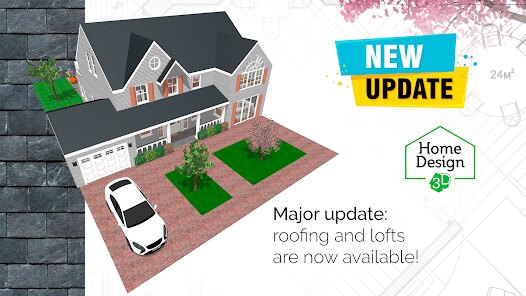
Home Design 3D is a home design and renovation app designed to help you plan and visualize your dream home. I've been using it for a few months now, and it's become my go-to tool for any project, big or small. The app launched a while back and is available on both Google Play and the App Store. It's super popular, with millions of downloads. The best part? You can download and install the basic version for free right from Google Play. You don't even need to register to start playing around, which I love. It gets you designing immediately. Of course, like many apps, there are optional in-app purchases if you want to unlock more furniture or advanced features, and you might see some ads in the free version, but they're not too intrusive.
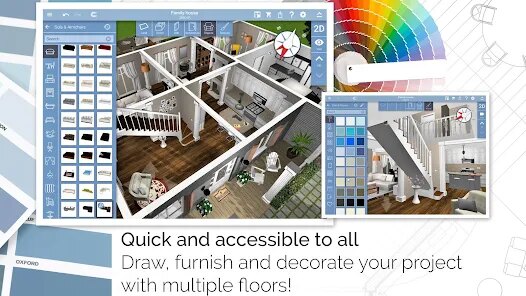
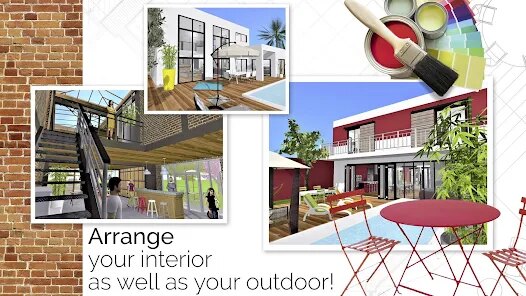
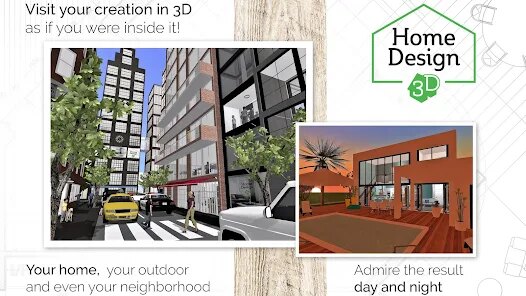
Using Home Design 3D is surprisingly intuitive. I usually start by either choosing a pre-made house layout or drawing my own rooms from scratch. The drag-and-drop interface makes it easy to place walls, doors, and windows. Then comes the fun part: furnishing. The app has a huge catalog of items you can browse through and just drop into your space. A real user tip from me: always use the 3D view toggle to walk through your design. It's a game-changer and lets you catch things you might miss in the 2D plan, like if a sofa is blocking a walkway. I also spend a lot of time tweaking colors and materials for floors and walls. It feels less like using complex software and more like playing a very satisfying game.
When I was looking for a design app on Google Play, I tried a few others. Some felt too technical, like they were made for professional architects, while others were too simple and cartoonish. Home Design 3D strikes the perfect balance for me. It's powerful enough to create detailed, realistic plans but remains accessible. Compared to similar apps, the 3D rendering quality in this app is much better for a mobile tool. I chose it because it lets me be creative without a steep learning curve. I can quickly test out a new layout for my living room or plan a garden shed without feeling overwhelmed. It's just a reliable, fun app to have on my phone for any design itch.
features
- 🏠 Floor Plan Creation: You can draw precise 2D floor plans and then instantly switch to a 3D model to walk through them. It's more intuitive than similar apps I've used, where the 2D and 3D views feel disconnected.
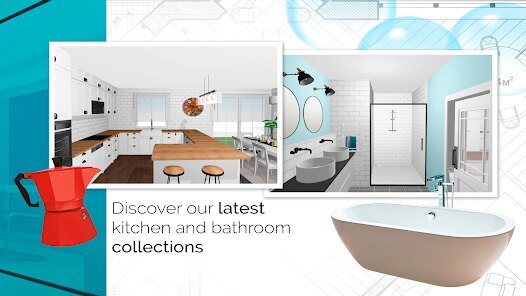
- 🛋️ Huge Object Library: The app comes packed with a massive catalog of furniture, appliances, and decor items. Compared to other design apps on Google Play, the variety here is impressive, letting you furnish a whole home realistically.
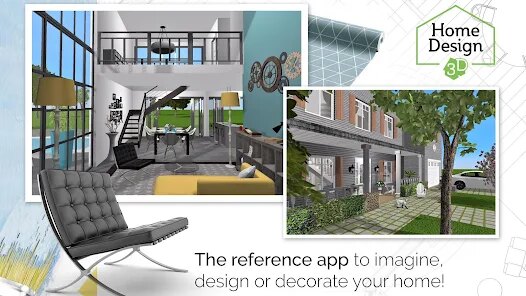
- 🎨 Material & Color Customization: Every surface can be customized. You can change wall colors, flooring materials, and fabric textures with a simple tap. This level of detail is what makes designs look real, not just digital mock-ups.
- 📱 Cross-Platform Access: Your projects sync across devices. I can start a design on my tablet and fine-tune it on my phone. This seamless experience is a standout feature not all similar apps offer so smoothly.
pros
- 👍 Ease of Use: It's incredibly user-friendly. Downloading and installing the app from Google Play gets you designing in minutes, unlike some pro tools that have a huge learning curve.
- 👍 Visualization Quality: The real-time 3D walkthrough is superb. It gives you a true sense of space and scale, which is better than many competitors that only offer static 3D images.
- 👍 Offline Functionality: You can work on your projects without an internet connection. This is a huge plus over some web-based design apps that require constant connectivity.
cons
- ⚠️ The free version's item catalog is limited. To get the best furniture, you need in-app purchases.
- ⚠️ Rendering very large, complex designs can sometimes slow down older devices.














































