
Toolwiz Photos - Pro Editor
Video Players & EditorsLatest APK
DownloadScreenshots
Related Apps
![]()
Broken Screen Prank
![]()
Fingerprint Scanner App
![]()
Firefox Fast & Private Browser
![]()
Allergy Plus by Pollen.com
![]()
Find My Phone By Clap, Whistle
![]()
Planner 5D: Home Design, Decor
![]()
Ghost Detector Real Life Radar
![]()
Pride Quiz LGBTIQ+
![]()
Galaxy Starry Keyboard Backgro
![]()
Instagram
![]()
Fun Fact- My Personal Fact
![]()
Audible: Audio Entertainment
![]()
Photo Frames
![]()
Photo Collage Maker & Editor
![]()
Japan Timetable & Route Search















About this app
 NameToolwiz Photos - Pro Editor
 CategoryVideo Players & Editors
 PriceFree
 Safety100% Safe
 DeveloperToolwiz.com
 LabelPhotography
editor reviews
Toolwiz Photos is a photo editing app designed to help you edit, enhance, and manage your pictures with a wide range of professional tools. I've been using it for a while now to touch up my vacation shots and create fun collages for social media. The app launched several years ago and you can easily download it from both Google Play and the App Store. It has racked up tens of millions of installs on Google Play alone, which shows how popular it is. The best part is that the core app is completely free to download and install. You don't even need to register an account to start using most of the features, which I really appreciate for quick edits. While the main app is free, there are some optional in-app purchases if you want access to certain premium filters or advanced tools. You might also see occasional ads, but they're usually not too intrusive and you can often remove them with a one-time purchase.
Using Toolwiz Photos is pretty straightforward. After you install the app, you can immediately start editing photos from your gallery. I usually go straight to the 'Edit' section to adjust brightness or apply a filter. One simple tip from a regular user: the 'Beauty' tool is great for quick portrait fixes like smoothing skin or whitening teeth—it's surprisingly effective for a free app. For more creative projects, I love the 'Puzzle' and 'Collage' functions to combine multiple photos. The app also has these unique 'Tools' like creating a picture out of words or making a 'Drip' effect, which are fun to play with when you're bored. It feels like having a mini Photoshop on your phone without the complexity.
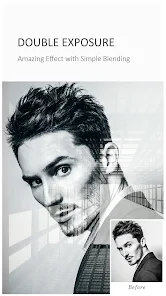
Compared to other similar apps like Snapseed or Adobe Lightroom, I often choose Toolwiz Photos for its sheer variety. It feels less intimidating for a casual user like me. While Lightroom is powerful for pros, Toolwiz packs so many random, fun features into one place. It's the app I open when I want to do more than just add a filter—maybe remove an object from a photo or create a double exposure. The interface can feel a bit cluttered with all the options, but once you find your favorite tools, it's fast. For quick, all-in-one editing without needing to download multiple apps, this one from Toolwiz.com covers a lot of ground.
features
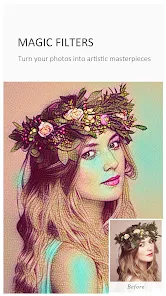
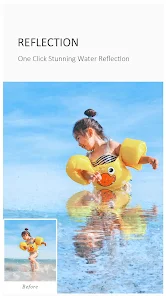
- 🛠️ All-in-One Editor Suite: Unlike many apps that specialize, Toolwiz Photos bundles everything: basic edits, beauty tools, collages, artistic filters, and even niche tools like 'Cartoon' effects or 'Reflection' creation, making it a versatile single download.
- 🛠️ Pro-Level Tools for Free: It offers advanced features like object removal, curve adjustments, and layer-based editing, which are often locked behind paywalls in apps like PicsArt, giving hobbyists powerful options at no initial cost.
- 🛠️ Unique Creative Features: Stands out with fun, specific tools not commonly found elsewhere, such as creating 'Word Photos' or 'Drip' art effects, providing creative playgrounds beyond standard filters.
- 🛠️ Strong Local Processing: The app handles complex edits directly on your device quickly, unlike some cloud-based editors, ensuring your photos aren't uploaded and work can continue offline.
pros
- ✅ Feature Depth for Free: The amount of professional-grade editing tools available without payment surpasses many competitors, offering real value for users who don't want to subscribe.
- ✅ No Account Hassle: You can install and use most features immediately without mandatory sign-up, which is faster and more private than apps like Canva or Adobe Express.
- ✅ Regular Updates with New Tools: The developers frequently add new, creative features and filters, keeping the app feeling fresh compared to more static alternatives.
cons
- ⚠️ Interface Can Feel Crowded: The sheer number of buttons and menus can be overwhelming for new users, lacking the streamlined simplicity of apps like Google Photos.
- ⚠️ Ad Presence in Free Version: The occasional ads and prompts for in-app purchases can interrupt the workflow, a trade-off for the free access to so many tools.
















































