
Screenshots
Related Apps
![]()
Broken Screen Prank
![]()
Fingerprint Scanner App
![]()
Firefox Fast & Private Browser
![]()
Allergy Plus by Pollen.com
![]()
Find My Phone By Clap, Whistle
![]()
Planner 5D: Home Design, Decor
![]()
Ghost Detector Real Life Radar
![]()
Pride Quiz LGBTIQ+
![]()
Galaxy Starry Keyboard Backgro
![]()
Instagram
![]()
Fun Fact- My Personal Fact
![]()
Audible: Audio Entertainment
![]()
Photo Frames
![]()
Photo Collage Maker & Editor
![]()
Japan Timetable & Route Search















About this app
 NameThemepack - App Icons, Widgets
 CategoryProductivity
 PriceFree
 Safety100% Safe
 DeveloperYoloTech
 LabelPersonalization
editor reviews
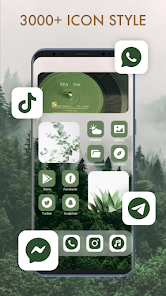
ThemePack is a personalization app used for customizing your Android phone's home screen with new icons and widgets. It's basically a big collection of visual styles you can download and apply to make your phone look completely different. I've been using it for a few months now to keep my phone feeling fresh. The app launched a while back and you can find it on Google Play. It's got a solid number of installs, showing it's pretty popular among folks who like to tweak their phone's look. The best part is that the app itself is free to download and install. You don't need to create an account or register to start browsing and applying most of the themes, which I really appreciate for simplicity. It does have some in-app purchases if you want access to premium icon packs or extra widget styles, and you might see some ads, but they're not too intrusive.
Using ThemePack is straightforward. After you install it from Google Play, you open the app and it shows you a gallery of different 'theme packs'. Each pack usually contains a matching set of icons for popular apps and a few complementary widgets, like clocks or weather displays. You just tap on one you like, hit 'Apply', and it guides you through setting it up using your phone's built-in launcher settings. A real user tip from me: sometimes the app can't apply icons to every single app on your phone, especially lesser-known ones. For those, I use the 'edit icon' feature within the app to manually pick a similar-looking icon from the pack to keep everything consistent. It's a bit of extra work but worth it for a uniform look.
Compared to other theming apps on Google Play, I keep coming back to ThemePack for a few reasons. There are bigger names out there, but I find ThemePack's collection is more curated and less cluttered. Some similar apps feel like they have thousands of low-quality themes, making it hard to find good ones. ThemePack seems to have a better balance of quantity and quality. Also, the integration for applying the themes feels smoother. With some other apps, the process of switching icon packs can be janky or require more steps. ThemePack simplifies it. For someone who isn't a tech expert but just wants a nicer-looking phone without a headache, this app hits the sweet spot.
features
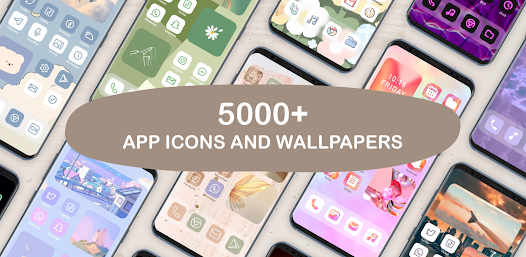
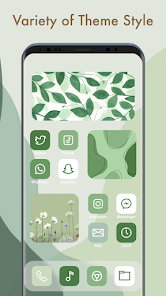
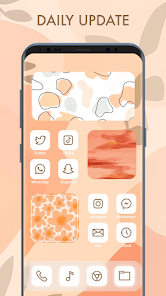
- 🎨 Vast Icon Library: It offers a huge, regularly updated collection of icon packs, from minimalist and flat designs to colorful and detailed ones. This variety easily beats many single-designer apps on Google Play.
- 📦 All-in-One Widgets: Unlike some apps that only do icons, ThemePack bundles matching widgets with many themes. This means you can get a cohesive look for your whole home screen in one download, which is super convenient.
- 🔧 Simple Apply Process: The in-app 'Apply' wizard is a standout. It walks you through the launcher setup step-by-step. Compared to similar theming apps where you're on your own, this hand-holding is great for beginners.
- 🔄 Live Preview: You can see a mock-up of your home screen with the theme applied before you commit. This feature, missing from many competitors, saves a lot of time and lets you experiment visually.
pros
- 👍 The quality control on the theme packs feels better than on some open-platform theming apps. You get fewer broken or poorly made icon sets.
- 👍 The app is lightweight and doesn't slow down my phone, which is a problem I've had with other, more bloated customization suites from the Play Store.
- 👍 It's genuinely free to try a lot of content. Many similar apps lock almost everything behind a immediate paywall after you install.
cons
- 👎 Some icon packs don't cover enough apps, leaving gaps. Other top theming apps have systems to auto-apply a fallback style.
- 👎 The ad frequency can increase. A premium, one-time purchase option to remove them would be better than the current subscription model.













































