
PhotoDirector: AI Photo Editor
Video Players & EditorsLatest APK
DownloadScreenshots
Related Apps
![]()
Broken Screen Prank
![]()
Fingerprint Scanner App
![]()
Firefox Fast & Private Browser
![]()
Allergy Plus by Pollen.com
![]()
Find My Phone By Clap, Whistle
![]()
Planner 5D: Home Design, Decor
![]()
Ghost Detector Real Life Radar
![]()
Pride Quiz LGBTIQ+
![]()
Galaxy Starry Keyboard Backgro
![]()
Instagram
![]()
Fun Fact- My Personal Fact
![]()
Audible: Audio Entertainment
![]()
Photo Frames
![]()
Photo Collage Maker & Editor
![]()
Japan Timetable & Route Search















About this app
 NamePhotoDirector: AI Photo Editor
 CategoryVideo Players & Editors
 PriceFree
 Safety100% Safe
 DeveloperCyberlink Corp
 LabelPhotography
editor reviews
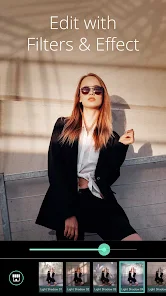
PhotoDirector is a photo editing app designed to help you edit, enhance, and create stunning images right from your phone. I've been using it for a while now to touch up my vacation photos and make fun collages. The app launched a good few years back and you can find it on both Google Play and the App Store. It's super popular, with over 100 million downloads on Google Play alone. The best part? You can download and install PhotoDirector for free. You don't even need to register an account to start playing with the basic tools, which is great for when you just want to quickly fix a picture. Of course, like most free apps, it does have some ads and offers in-app purchases if you want to unlock the really powerful AI features and get rid of the watermarks on your exports.
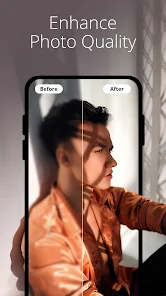
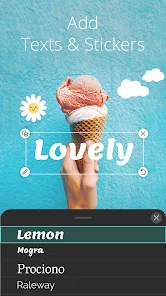
Using PhotoDirector feels pretty straightforward. I usually start by importing a photo from my gallery. The main screen has all the tools laid out clearly. For a quick fix, I hit 'Auto Enhance'—it's like magic for dull photos. Then, I might play with the sliders for brightness or color if I want a specific look. The real fun is in the AI tools. There's an 'AI Object Removal' brush that lets you erase photobombers or unwanted trash from a scene with just a few taps. It's not always perfect, but it works surprisingly well for a phone app. My tip is to use the 'Layers' feature for more control; you can add text or stickers on a separate layer so you can move them around later. I also love making double exposure photos by blending two images together. The app guides you through it, so even if you're new to editing, you can create something cool.
When I look at other photo editors on Google Play, like Adobe Lightroom or PicsArt, PhotoDirector holds its own. Lightroom is amazing for pro-level color grading if you shoot in RAW, but it can feel overwhelming. PicsArt is fantastic for social media graphics and has a huge sticker library. I keep coming back to PhotoDirector because it strikes a nice balance. It has powerful enough tools for serious edits, like sky replacement and lens blur effects, but it's also simple enough for everyday tweaks. The AI features, especially object removal and sky replacement, often work better and faster here than in other free apps. For someone who wants more than basic filters but isn't ready for a complex desktop-style editor, PhotoDirector is a really solid choice to install.
features
- ✨ The AI Sky Replacement tool is a game-changer. You can take a gloomy day and turn it into a sunset paradise in seconds. Compared to similar features in other apps, PhotoDirector's selection of skies looks more realistic and blends edges better.
- ✨ The Object Removal tool uses AI to seamlessly erase unwanted items. In many apps, this leaves a smudgy mess, but here it often reconstructs the background convincingly, making it super useful for cleaning up photos.
- ✨ It offers advanced layer-based editing on mobile. You can combine images, text, and effects with control similar to desktop software. Other mobile apps often simplify this too much or make it too complex.
- ✨ The app includes a full-featured photo collage maker with modern templates. Unlike some dedicated collage apps, the editing tools within the collage module are robust, letting you fine-tune each image after placement.
pros
- 👍 The user interface is clean and intuitive. Even powerful tools are easy to find, which is better than some competitors that bury features in menus.
- 👍 The speed of the AI tools is impressive. Processes like sky replacement or auto-enhance happen almost instantly, faster than many similar free editors.
- 👍 It provides a great mix of automatic and manual controls. You can let the AI do its thing or dive deep with curves and color wheels, offering more flexibility than simpler apps.
cons
- ⚠️ The free version adds a watermark to exports, which can be annoying. Some other free apps offer watermark-free exports at lower resolutions.
- ⚠️ Advanced features and assets are locked behind a subscription. The pricing can feel high compared to other one-time purchase editors available.















































