
Screenshots

Related Apps
![]()
Broken Screen Prank
![]()
Fingerprint Scanner App
![]()
Firefox Fast & Private Browser
![]()
Allergy Plus by Pollen.com
![]()
Find My Phone By Clap, Whistle
![]()
Planner 5D: Home Design, Decor
![]()
Ghost Detector Real Life Radar
![]()
Pride Quiz LGBTIQ+
![]()
Galaxy Starry Keyboard Backgro
![]()
Instagram
![]()
Fun Fact- My Personal Fact
![]()
Audible: Audio Entertainment
![]()
Photo Frames
![]()
Photo Collage Maker & Editor
![]()
Japan Timetable & Route Search















About this app
 NameFacemoji:Emoji Keyboard&ASK AI
 CategoryProductivity
 PriceFree
 Safety100% Safe
 DeveloperEKATOX APPS
 LabelPersonalization
editor reviews
Facemoji: Emoji Keyboard & ASK AI is a keyboard app designed to help you type with more fun and personality. It's an app I found on Google Play a few months ago when I was tired of my phone's boring default keyboard. The app launched a while back and is available for download on both Google Play and the App Store. It has millions of installs, which shows a lot of people are using it. The best part is it's completely free to download and install. You don't need to register an account to start using it, which I really appreciate for privacy. Once you install it, you set it as your default keyboard, and you're good to go. The app does have some ads and in-app purchases for extra themes or features, but the core emoji and AI functions are free. It's mainly used for chatting, making your messages look cooler with custom fonts, stickers, and, of course, a huge library of emojis and GIFs.
Using the app is pretty straightforward. After you download and install Facemoji from Google Play, you go into your phone's settings to enable it as your keyboard. A simple tip from a user: sometimes you need to grant it permission to 'full access' for all the GIF and theme features to work properly. Once it's set up, you just open any chat app like WhatsApp or Messenger. When you tap to type, the Facemoji keyboard pops up. I use it mostly for the emoji search bar at the top; you can type a word like 'happy' and it instantly shows all related emojis and stickers. The ASK AI button is right there too—you can tap it to get smart replies, translate languages, or even help you write a message. It feels like having a little helper right in your keyboard. I find myself using the custom font feature a lot to make my texts stand out in group chats.
Compared to other keyboard apps like Gboard, I chose Facemoji for a few personal reasons. Gboard is great and comes pre-installed on many phones, but Facemoji feels more focused on fun and expression. While Gboard has solid AI and typing, Facemoji's strength is in its massive, constantly updated collection of emojis, memes, and aesthetic themes. Another popular app is SwiftKey, which is amazing for prediction, but its emoji and theme game isn't as strong as Facemoji's. For someone like me who spends a lot of time on social media and group chats, having that visual variety at my fingertips is a bigger priority than perfect text prediction. Facemoji just makes typing feel less like a chore and more like part of the conversation.
features
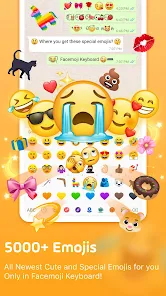
- 🎯 Massive Emoji & GIF Library: It has one of the biggest collections I've seen, way more than the standard set on Gboard. You can find niche memes and trending stickers instantly.
- 🎯 Built-in ASK AI Assistant: Unlike Gboard's AI which is more for grammar, this AI button helps craft fun replies, translate on the fly, and even write social media captions right in the chat.
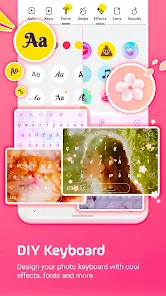
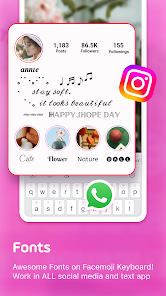
- 🎯 Custom Fonts & Themes: You can completely change how your typed text looks with cool fonts, and the theme store is huge compared to SwiftKey's more limited options.
- 🎯 Easy Emoji Search: The search bar at the top of the keyboard is faster for finding the perfect emoji than scrolling through categories on other apps.
pros
- ✨ Fun Factor: It simply makes messaging more enjoyable than the more utilitarian Gboard or SwiftKey.
- ✨ All-in-One Expression: Stickers, fonts, emojis, and AI are integrated seamlessly in one place.
- ✨ Great for Social Media: Perfect for crafting eye-catching posts and comments quickly.
- ✨ No Account Needed: You can download and get started immediately without signing up.
cons
- 📌 Ads can be intrusive sometimes during theme browsing.
- 📌 The AI, while helpful, isn't as accurate for long-form writing as Gboard's.
- 📌 Some fancy fonts don't show up correctly on the recipient's phone if they don't have the app.















































