

Screenshots

Related Apps
![]()
Pocket FM: Audio Series
![]()
FalFal: Astrology, Tarot, Love
![]()
Google Drive
![]()
Yuka - Food & cosmetic scan
![]()
GroupMe
![]()
AgeCam: Face Age Changer App
![]()
Air Horn Prank (Loud Joke)
![]()
Palm Secret - Aging&Cartoon
![]()
YouTube
![]()
Anime Girl Wallpapers
![]()
Doodle Art: Magic Drawing App
![]()
Moises: The Musician's AI App
![]()
Zodiac Palm Reader: MagicWay
![]()
DeepSeek - AI Assistant
![]()
Volume Control Sound Launcher















About this app
 NameSteam
 CategoryEntertainment
 PriceFree
 Safety100% Safe
 DeveloperValve Corporation
 LabelEntertainment
editor reviews
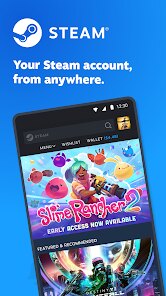
Steam is a digital storefront and gaming platform app used for buying, downloading, and playing video games. I remember downloading it on my PC first, but it works great on mobile too with the Steam Link app from Google Play. It has been around for years, since 2003, and almost every gamer has it installed on their computer. The app itself is free to download, but you do need to create a Steam account to buy games or chat with friends. There are no forced ads, and while the store shows you sales constantly, you only pay if you buy a game. It has in-app purchases, but that's just for games you choose to buy, not subscriptions or coins. It works on Windows, Mac, Linux, and even Android with the Steam Link app, so you can stream your PC games to your phone. The install base is massive, over 120 million active accounts, so you can tell it's super popular. I use it almost every day, mainly to check sales or start a download before I get home.
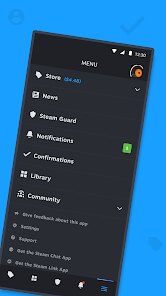
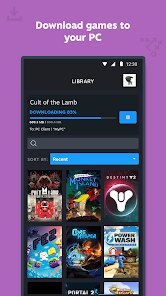
To use it, you just open the app, browse the store or your library, and click install on any game you own. A simple tip I learned is to use the wishlist feature, when a game goes on sale, Steam notifies you so you don't miss a deal. You can also chat with friends, join community groups, and even share screenshots of your gameplay. The mobile version connects to your account so you can buy games on the go and they start downloading automatically when you're back on your PC. It's really handy for that. I also use the remote download feature, which lets me start the install from my phone while I'm not at home. That way, when I sit down to play, the game is ready to go. It's a simple process, but it saves a lot of time for busy gamers.
Compared to Epic Games Store or GOG Galaxy, Steam feels more complete. Epic gives free games every week, which is nice, but their app feels more basic and lacks community features. GOG has no DRM, which is cool, but their library is smaller. Steam has everything from indie titles to big AAA games, plus user reviews, mods, and workshop support. That's why I keep coming back to it. The sales are also better and more frequent. Even though Epic tempts me with free games, I still prefer Steam for buying most of my library because the experience is smoother and more social. I just find it easier to use and more reliable overall. It's not perfect, but for a gaming app, it does what it needs to do really well.
features
- 🎮 The main function is a digital store where you can browse, buy, and download thousands of games from different genres. You can also manage your entire library in one place, which keeps everything organized without needing discs or physical copies. It's like having a game shop in your pocket.
- 💬 It has a built-in friends list and chat system, so you can message or voice call while playing. Compared to Discord, it's not as full-featured, but it's convenient because you don't need a separate app for basic communication. It also shows you what your friends are playing and if they are online.
- 🖥️ The remote download and streaming function via Steam Link is a standout. You can start game installs from your phone and stream your PC games to your Android device. GOG Galaxy doesn't have this, and Epic only has basic remote features. It makes gaming more flexible when you are not at your computer.
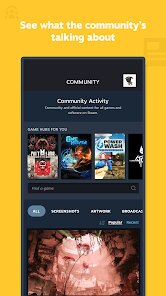
- 📢 It offers user reviews, community hubs, and workshop mod support, which makes it easier to find mods and connect with other players. Other store apps like Epic or GOG lack this level of community interaction. Steam makes it simple to share content or get help from other users.
pros
- ✅ The sales and discounts are excellent. Steam has seasonal sales where games drop by up to 90%. Epic also has sales, but Steam's are more frequent and have a bigger selection. I've saved hundreds of dollars over the years.
- ✅ The user interface is clean and easy to navigate, even on mobile. Compared to the Epic Games app, which feels cluttered, Steam keeps things simple with clear categories. You can find new releases, top sellers, or your wishlist quickly.
- ✅ It supports cloud saves, so your progress syncs across devices. GOG has this too, but not all games support it. Steam's integration is smoother and works with almost every game you buy through the platform.
cons
- ❌ The mobile app for managing purchases is not as refined as the desktop version. It sometimes lags or crashes during checkout. Epic's mobile site works better for quick buys.
- ❌ The refund process is slow. You have to request it through the support page, and it takes days to process. GOG offers faster refunds without hassle. Steam could improve this flow.














































