

Screenshots


Related Apps
![]()
Pocket FM: Audio Series
![]()
FalFal: Astrology, Tarot, Love
![]()
Google Drive
![]()
Yuka - Food & cosmetic scan
![]()
GroupMe
![]()
AgeCam: Face Age Changer App
![]()
Air Horn Prank (Loud Joke)
![]()
Palm Secret - Aging&Cartoon
![]()
YouTube
![]()
Anime Girl Wallpapers
![]()
Doodle Art: Magic Drawing App
![]()
Moises: The Musician's AI App
![]()
Zodiac Palm Reader: MagicWay
![]()
DeepSeek - AI Assistant
![]()
Volume Control Sound Launcher















About this app
 NameWebex Meetings
 CategoryBusiness
 PriceFree
 Safety100% Safe
 DeveloperCisco Systems, Inc.
 LabelBusiness
editor reviews
Webex Meetings is a video conferencing app designed to help you connect with teams, clients, and friends through online meetings. It's a tool for virtual collaboration, launched by Cisco, and you can find it on both Google Play and the App Store. It has been downloaded millions of times and is free to install. You don't always need to register to join a meeting if someone sends you a link, but to host meetings, you'll need to sign up. The free version is quite powerful for basic use, though there are in-app purchases for more features like longer meeting times or extra cloud storage. You might see some ads or prompts for upgrading, but they're not too intrusive during calls.
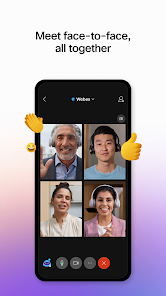
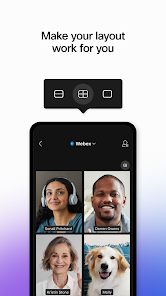
As a regular user, I open the app, tap 'Join' and enter a meeting number or click a link from my calendar. For hosting, I schedule a meeting and share the link via email or chat. A simple tip is to test your audio and video before joining—there's a handy button for that. I use the chat on the side to share files or links without interrupting the speaker. The mobile layout is clean, so sharing your screen or switching between speaker view and gallery view is just a tap away. It feels very straightforward for daily work calls or even virtual family gatherings.
Compared to similar apps like Zoom, I often choose Webex Meetings because it feels more integrated with my work tools if my company uses Cisco. The security features are emphasized, which gives peace of mind for sensitive discussions. While Zoom might be more popular for quick social calls, Webex has a professional feel that works smoothly for scheduled business meetings. The audio quality is consistently clear, and I like that it doesn't drain my battery as fast as some other apps. It's a reliable choice when I need a no-fuss, stable meeting experience on the go.
features
- 🔗 Host and Join with Ease: You can instantly join meetings via a link or schedule them in advance, making it simpler than manually dialing into some older platforms.
- 🔗 Real-Time Collaboration Tools: It offers screen sharing, a digital whiteboard, and in-meeting chat, which are more seamless for teamwork compared to basic apps like Google Meet's mobile version.
- 🔗 High-Quality Audio and Video: The app optimizes bandwidth for clear calls, often performing better in low-connectivity situations than similar apps like Microsoft Teams on mobile.
- 🔗 Integrated Security Features: With end-to-end encryption and host controls, it provides stronger security defaults than many free alternatives, which is a key reason businesses prefer it.
pros
- ✅ Reliable Performance: The connection is stable with fewer drops than some competitors, making it dependable for important calls.
- ✅ User-Friendly Interface: The layout is intuitive, so new users can navigate quickly without training, unlike more complex enterprise apps.
- ✅ Cross-Platform Compatibility: It works well across devices, syncing meetings seamlessly, which is better than apps that have limited mobile features.
cons
- ⚠️ Can Be Resource-Heavy: It sometimes uses more battery and data than lighter apps like Discord for video calls.
- ⚠️ Free Plan Limitations: Meeting durations are restricted, which isn't ideal for long sessions compared to Zoom's free tier.














































